74
5
FUNCTIONS RELATING TO TARING
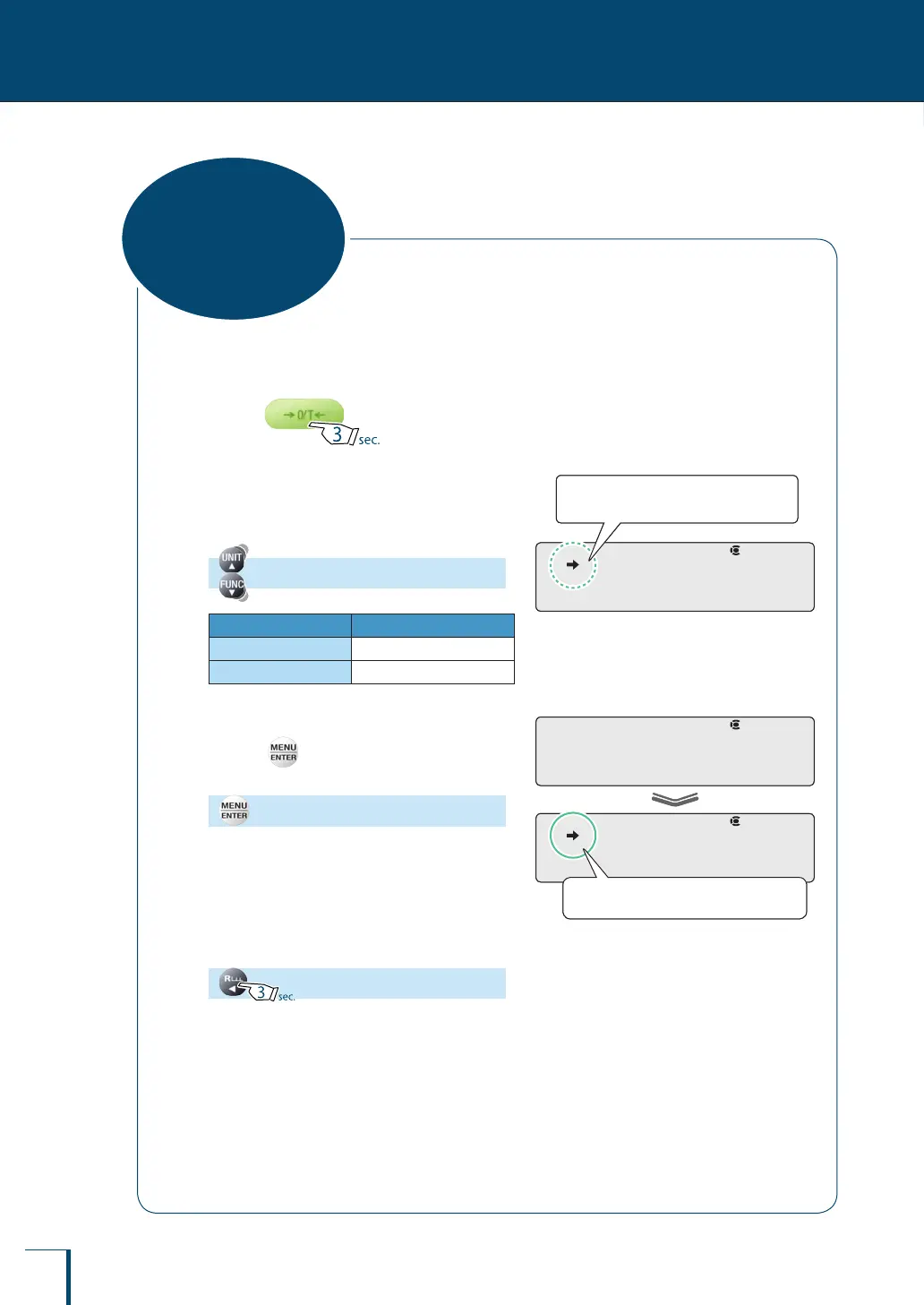
When the auto tare function is set, the balance is automatically tared after the weight reading has been
output, and the indication at that point is set to zero.
1
Press for about
3 seconds in the weighing mode.
This opens the zero / taring menu.
2
Select the auto tare function.
[A.TARE]
Stability Mark Auto Tare Function
Lit
ON
Unlit
OFF
3
Change the setting.
Pressing alternately sets the ON and OFF
settings.
[SET]
4
Return to the weighing mode.
! !A.T!A!R!E
Check the presence or absence of the
stability mark.
! !A.T!A!R!E
Check the presence or absence of the
stability mark.
! !S!E!T! !
! !A.T!A!R!E
When ON is set the stability mark is lit.
! !S!E!T! !
! !A.T!A!R!E
When ON is set the stability mark is lit.
Auto Tare Function



 To Next Page