BEFORE
WEIGHING
MAINTENANCE
TROUBLESHOOTING
FOR YOUR
INFORMATION
USING THE
BALANCE
USING MORE CONVENIENTLY
91
Changing a Unit Weight, or Adding a New Unit Weight
1
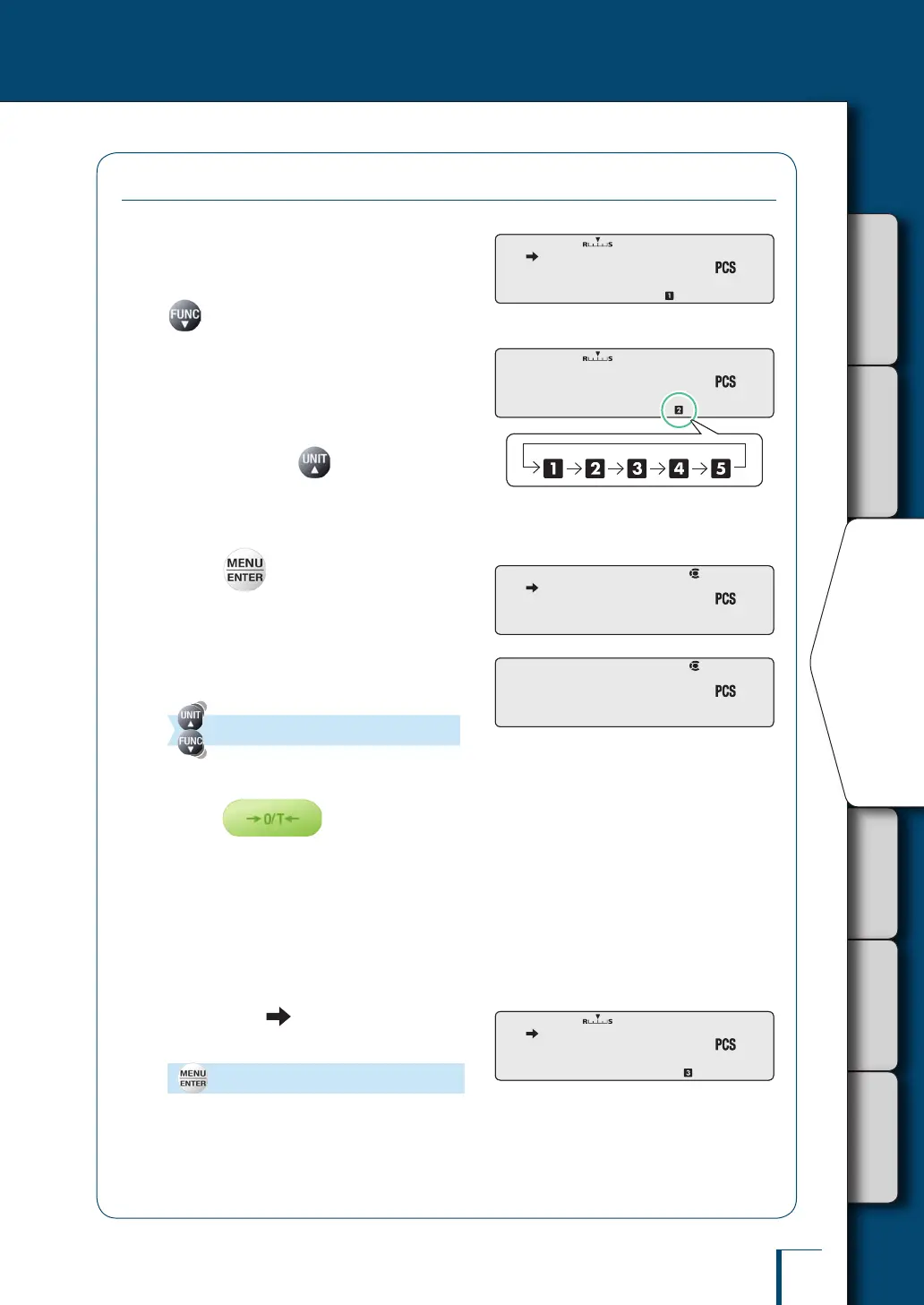
Establish the piece counting mode.
While the weighing mode (mode where grams
or other units are displayed) is established, press
to switch to the application function mode.
2
Select the item number whose unit
weight you want to change, or for
which you want to add a unit
weight.
Each time you press for about 3 seconds,
the next item number is displayed.
^
"Counting Numbers of Pieces", page 90
3
Press
The number of pieces used for setting will be
displayed.
4
Select the number of pieces used
for setting.
(Select the number of pieces used for setting.)
5
Place the container on the pan and
press
The balance will be tared.
6
Put a quantity of the item to be
counted corresponding to the
selected "number of pieces used
for setting" into the container.
7
Check that (the stability mark)
lights up, then conrm.
[SET]
The unit weight will be added, and piece
counting will become possible.
! ! ! ! ! !5 ! ! ! ! ! !5
! !-!-!-! ! ! !-!-!-! !
! ! ! ! ! !5 ! ! ! ! ! !5
! ! ! ! !1!0 ! ! ! ! !1!0
! ! ! ! !1!0 ! ! ! ! !1!0



 To Next Page