50
Entering Numerical Values
3
MENU SETTINGS
4
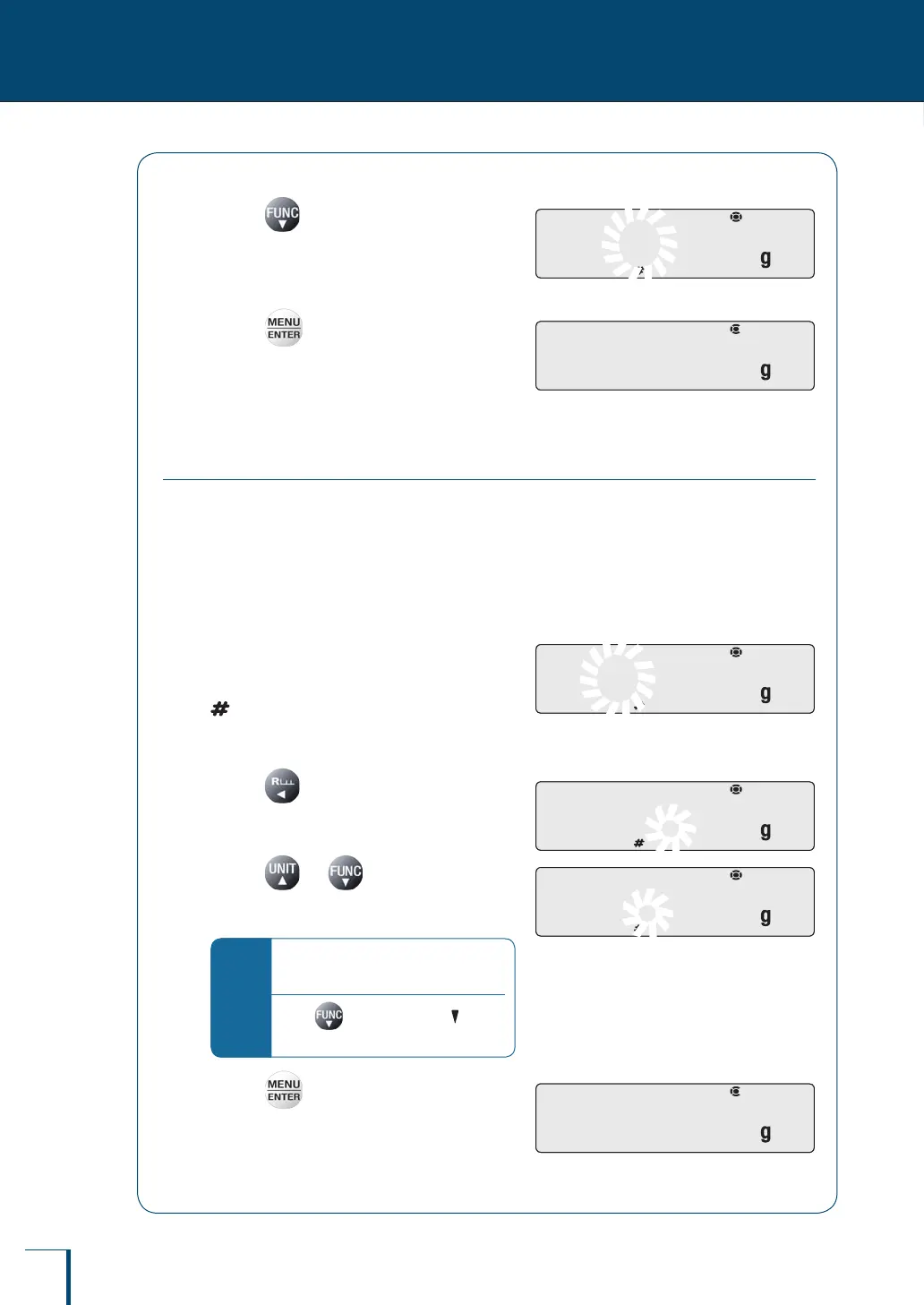
Press twice.
The numerical value of the second digit from
the left decreases two times, so that it changes
from "2" to "1" to "0".
5
Press
This conrms the entered numerical value.
The indication shown to the right remains
displayed for several seconds, then the display
automatically moves on to the next step.
Changing the Position of the Decimal Point
The position of the decimal point can only be changed when entering a conversion factor with
the user-specied units.
^
"Conversion Factors", page 84
As an example, here is the procedure for shifting the position of the decimal point one digit to
the left, to change the displayed value from "100.000" to "10.0000".
1
Establish the numeric value entry
mode.
(the number symbol) lights and the leftmost
digit (highest digit) in the range where entry
(change) is possible ashes.
2
Press several times until
the decimal point ashes.
3
Press or several times.
This will move the decimal point to the left or
right.
*
To set a numerical value with no
decimal point…
Press several times until (the
inverse triangle symbol) ashes.
4
Press
This conrms the entered numerical value.
The indication shown to the right remains
displayed for several seconds, then the display
automatically moves on to the next step.
!2!0!0.0!0!0
/
/
/
/
/
/
/
/
/
/
/
/
/
/
!2!0!0.0!0!0
/
/
/
/
/
/
/
/
/
/
/
/
/
/
! !S!E!T! ! ! !S!E!T! !
!1!0!0.0!0!0
/
/
/
/
/
/
/
/
/
/
/
/
/
/
!1!0!0.0!0!0
/
/
/
/
/
/
/
/
/
/
/
/
/
/
!1!0!0.0!0!0
/
/
/
/
/
/
/
/
/
!1!0!0.0!0!0
/
/
/
/
/
/
/
/
/
!1!0.0!0!0!0
/
/
/
/
/
/
/
/
/
!1!0.0!0!0!0
/
/
/
/
/
/
/
/
/
! !S!E!T! ! ! !S!E!T! !



 To Next Page