46
With the TW/TX/TXB series, the menu is used to efciently select the right functions for the user's
application.
The Structure of the Menu
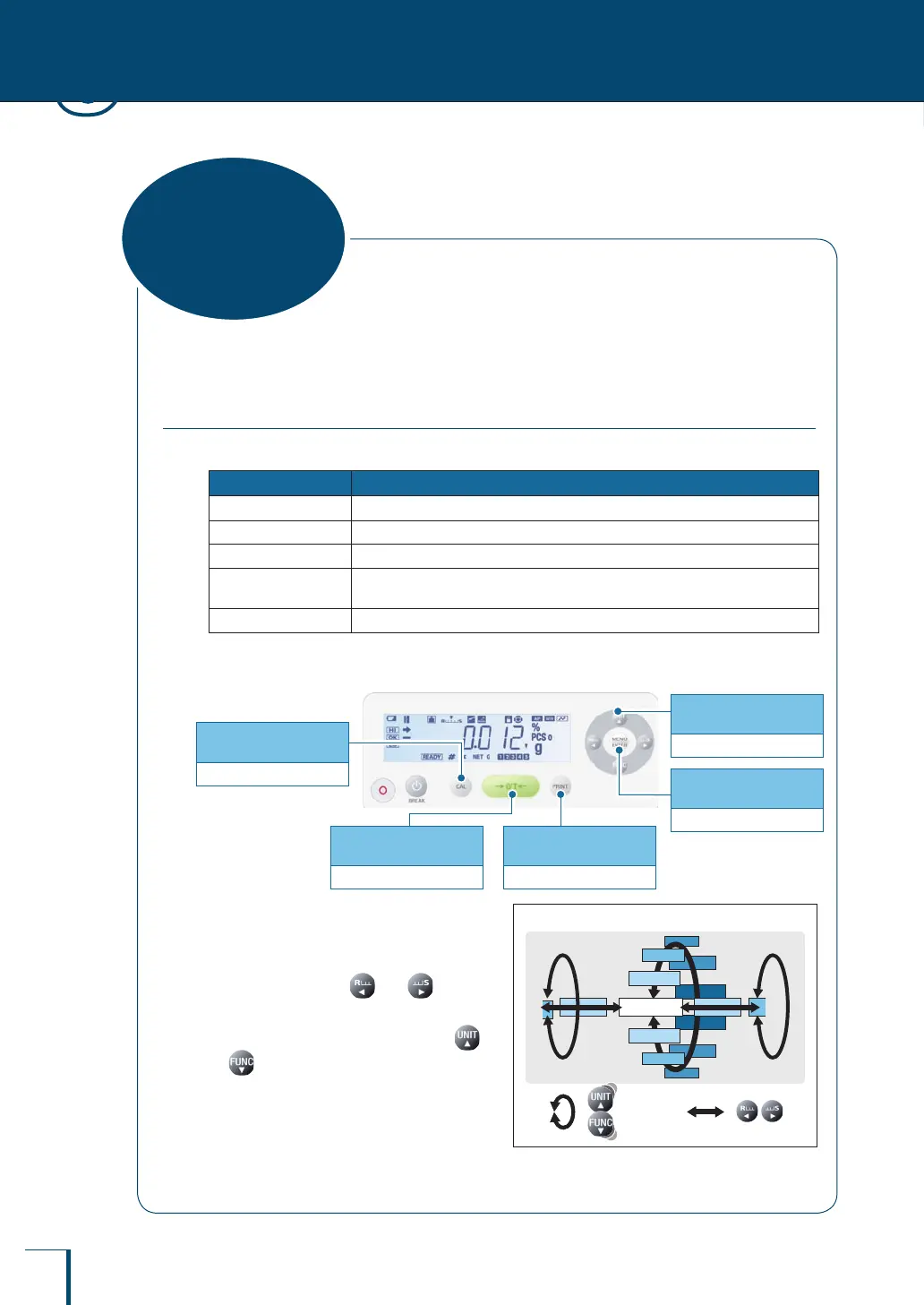
The menu is divided into ve groups according to the setting made.
Menu Group Description
Main menu
Used to set the application function mode, comparator, stability adjustment, etc.
Calibration menu
Used to set the details for calibration
Zero / tare menu
Used to set the details for taring
Data output menu
Used to set the functions for transmitting data to a PC or outputting them to a
printer
Unit setting menu
Used to set which units may be displayed in weighing mode
You can open each menu group by pressing the various operation keys and menu operation keys.
Press and hold for
about 3 seconds
Unit setting menu
Press and hold for
about 3 seconds
Zero / tare menu
Press once and
release
Displays the main menu
Press and hold for
about 3 seconds
Calibration menu
Press and hold for
about 3 seconds
Data output menu
Within each menu group are a number of
hierarchical menu levels.
You can move between levels in the menu
hierarchy by pressing and
You can scroll through the options within
each level of the hierarchy by pressing
or
Arrangement of the Menu
POINTSYSTEM PERIOD
RESET
AUTO.OFF
BC.LIT
COND.OUT
: :
Arrangement of the Menu
POINTSYSTEM PERIOD
RESET
AUTO.OFF
BC.LIT
COND.OUT
: :
3
MENU SETTINGS
What Is the Menu?



 To Next Page