90
Counting Pieces by Weight (Piece Counting)
8
APPLICATION FUNCTION MODE
Counting Numbers of Pieces
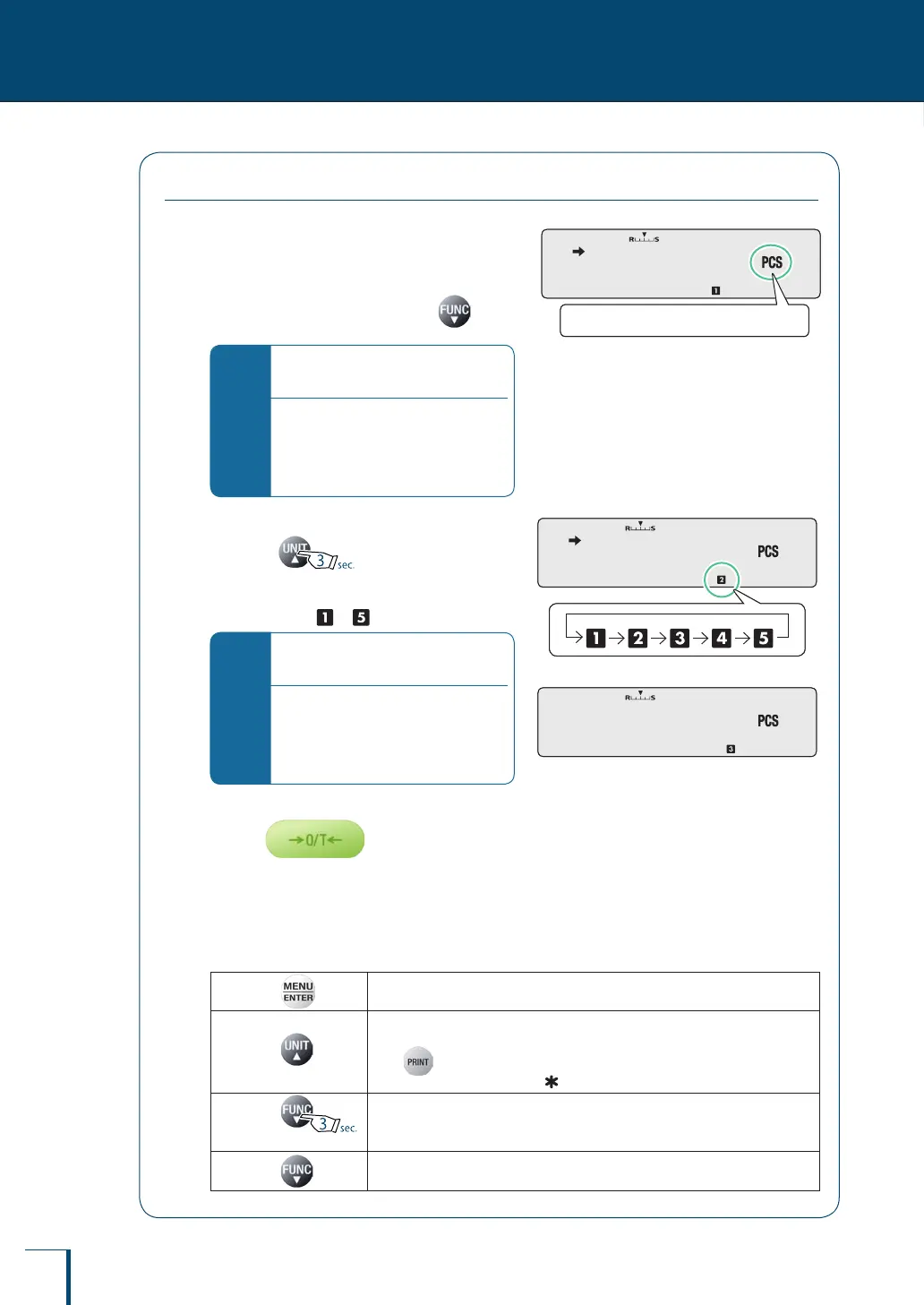
1
Enter the piece counting mode
If you have returned to the weighing mode (mode
where grams or other units are displayed) from
the piece counting mode, then press to
enter the counting mode.
*
If the piece counting mode is not
established…
The preparations for piece counting
have not been completed. Make settings
according to "Preparation for Piece
Counting (Including Setting the Unit
Weight)" (^ page 87).
2
Select the item number.
Each time is pressed for about three
seconds, the selection moves to the next item
number and the corresponding item number
indication (from to ) is displayed.
*
If the display appears as shown to
the right…
This means that the unit weight has not
been set for the selected item number. To
make this setting, follow the procedure
in "Changing a Unit Weight, or Adding a
New Unit Weight" (^ page 91).
3
Place a container on the pan and
press
The balance will be tared.
4
Add the sample to be counted into the container.
The number of pieces in the sample is indicated.
The operations of each of the keys after setting are summarized below.
On pressing ...
Establishes the unit weight setting menu. (^ step 3 onward on page 91.)
On pressing ...
Pressing this key alternately displays the set unit weight (in grams) and the number
of pieces.
Press while the unit weight is displayed to output the unit weight.
While the unit weight is displayed, (the hold display symbol) is displayed.
On pressing
for about 3 seconds…
The unit weight is recalculated and updated.
On pressing ...
The weighing mode is established.
Pressing the key once more returns you to the piece counting mode.
! ! ! ! ! !5
The piece counting symbol will light up.
! ! ! ! ! !5
The piece counting symbol will light up.
! ! ! ! !1!0 ! ! ! ! !1!0
! !-!-!-! ! ! !-!-!-! !



 To Next Page