114
WindowsDirect Communication Function
10
CONNECTION AND COMMUNICATION WITH PERIPHERAL DEVICES
5
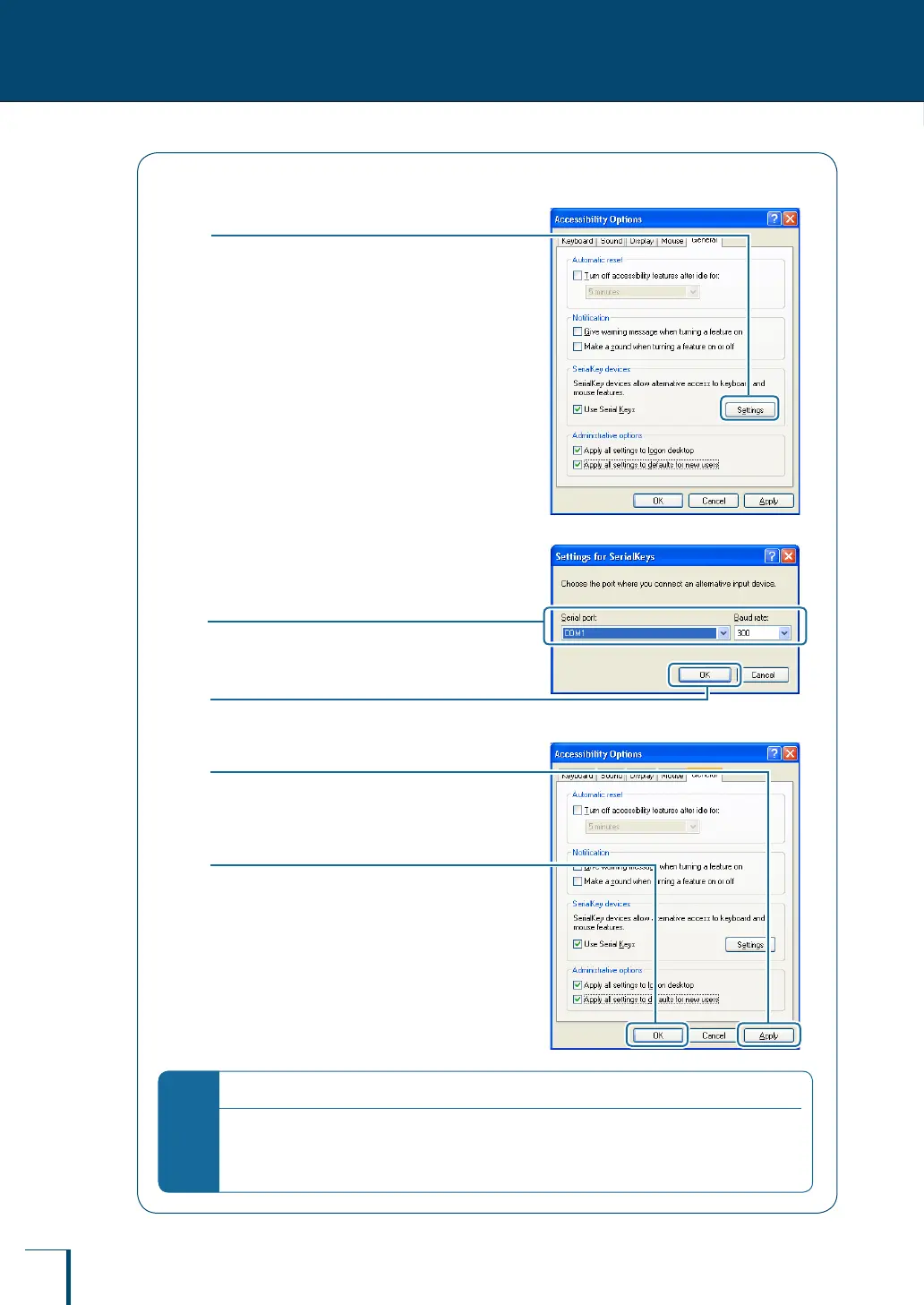
Clicks [Settings].
The [Settings for SerialKeys] dialog box will be
displayed.
6
Select the serial port to be used for
the connection with the balance
and set the baud rate to "300".
7
Click [OK].
Return to the [Accessibility Options] window.
8
Click [Apply].
Wait a short time until the [Apply] character
color fades.
9
Click [OK].
This completes the settings at the PC.
*
When the RS-232C port is used for another purpose…
Once a serial key device has been activated, other software that uses the same RS-232C port will not
operate normally. If a device such as an external modem or a plotter is connected to the same RS-
232C port, after connecting the balance you must remove the check mark from the [Use Serial Keys]
checkbox to invalidate serial key devices.



 To Next Page