BEFORE
WEIGHING
MAINTENANCE
TROUBLESHOOTING
FOR YOUR
INFORMATION
USING THE
BALANCE
USING MORE CONVENIENTLY
93
Continued on next page
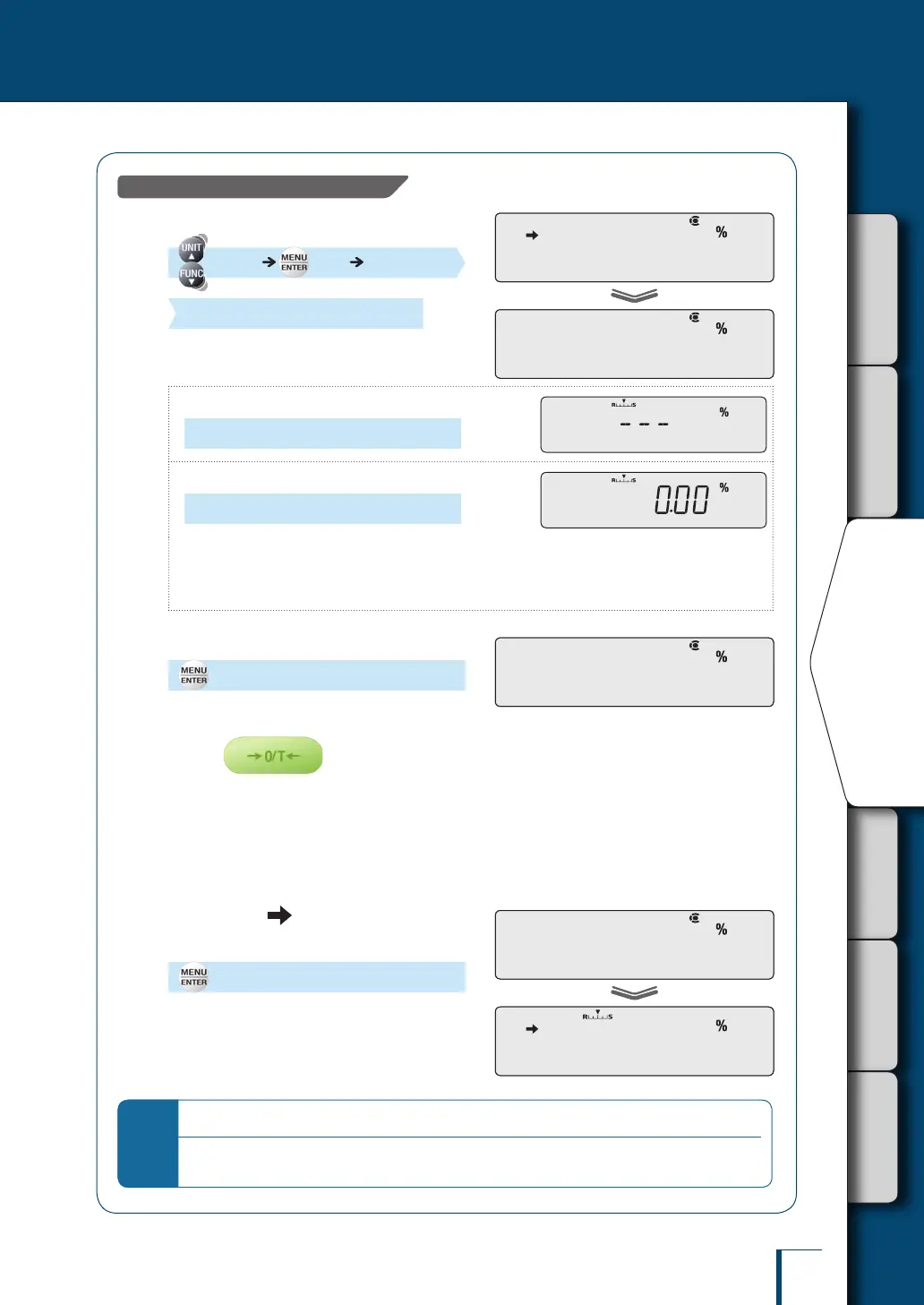
When setting the reference as 100%…
3
Select the 100% reference.
[SAMPLE] [SET]
(Check the indication.)
The indication differs depending on whether a
reference value has already been set or not.
When no percentage reference value has been set
[---]
When a percentage reference value has already been set
(The percentage reference value is displayed.)
To update the percentage reference value, proceed to step 4.
If you are not updating the percentage reference value, the following steps are not necessary.
^ "Weighing Percentages", page 95
•
•
4
Select 100% reference setting.
[100 REF]
5
Place the container on the pan and
press
The balance will be tared.
6
Place the sample that is to provide
the reference weight in the
container.
7
Check that (the stability
mark) lights up, then conrm.
[SET]
A percentage value with the reference weight
taken to be 100% is displayed.
Percentage Weighing is now possible.
^
"Weighing Percentages", page 95
*
What to do if….
It is not possible to use a reference weight that weighs less than 100 times the minimum indication of
the balance as the reference weight.
!S!A!M!P!L!E
! !S!E!T!
!S!A!M!P!L!E
! !S!E!T!
1!0!0! !R!E!F1!0!0! !R!E!F
! !S!E!T!
! !1!0!0.0!0
! !S!E!T!
! !1!0!0.0!0



 To Next Page