BEFORE
WEIGHING
MAINTENANCE
TROUBLESHOOTING
FOR YOUR
INFORMATION
USING THE
BALANCE
USING MORE CONVENIENTLY
97
Continued on next page
*
When the GLP output function
(^ page 142) is set to ON…
The balance ID (^ page 144) and
other information is printed.
5
Insert the component into the
container.
6
Press
The weight value of the current sample (item to
be weighed: element) is output / recorded and
the balance is automatically tared.
Now repeat the operations in steps 5 and 6 to add the other components to the formulation.
7
On completion of formulation,
press ( with the TXB
series).
The total of the individual weight values up to
this point (gross weight) is displayed and the
balance returns to the ready to weigh status.
*
To output the gross weight…
Make the setting in "Outputting the
Gross Weight" (^ page 100) in
advance.
*
When the GLP output function
(^ page 142) is set to ON…
The signature panel is printed after the
total weight.
! ! !0.3!2!5 ! ! !0.3!2!5
! ! !0.0!0!0
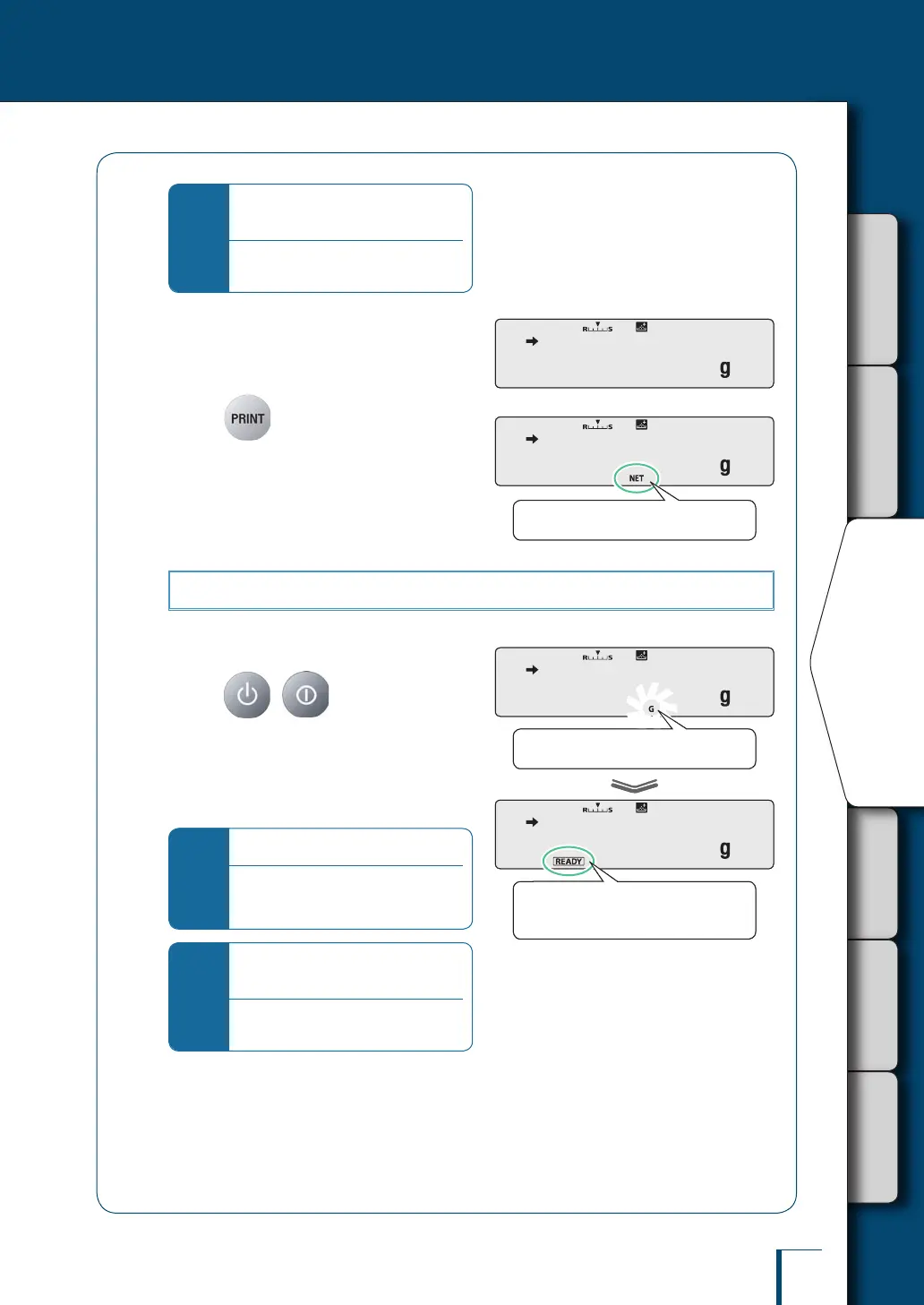
The net weight symbol lights up.
! ! !0.0!0!0
The net weight symbol lights up.
! ! !6.2!0!4
! ! !6.2!0!4
The ready symbol lights up, indicating
that the balance is ready to weigh.
/
/
/
/
/
/
/
/
/
The gross weight symbol ashes.
! ! !6.2!0!4
! ! !6.2!0!4
The ready symbol lights up, indicating
that the balance is ready to weigh.
/
/
/
/
/
/
/
/
/
The gross weight symbol ashes.



 To Next Page