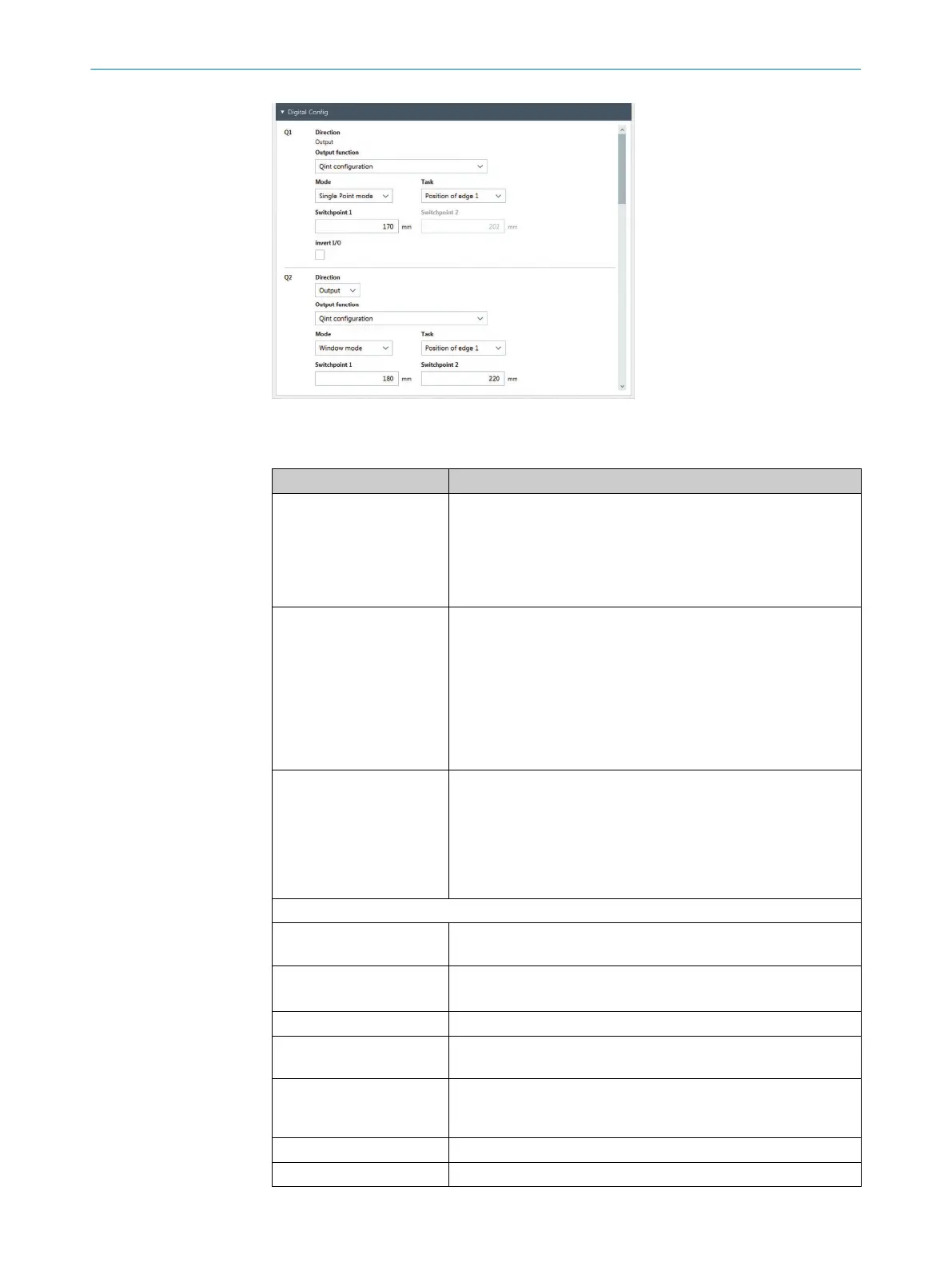
Figure 66: “Enhanced Sensing” page, “Digital configuration” menu
Table 32: Digital configuration
Designation Description
Direction Depending on the hardware configuration, the direction is
•
Switching output or off
•
Switching output, input or off
The “I/O neither input nor output” appears in offline mode if no
device is connected.
Input function Select input function.
•
Input is not used. Value of this function is always 0
•
Universal teach-in: Short input signal for material teach-in, long
signal for sensor teach-in
•
Run sensor teach-in if the input is active
•
Run material teach-in when input is active
•
Activated green mode if input is active
•
Trigger data interface with digital input
Output function Select output function
•
Output is not used Value of this function is always 0
•
Qint configuration
•
Alarm for process quality (QoR)
•
General alarm
•
Alarm when edge x is not available
Only with output function = Qint configuration:
Task Select edge or function.
Options: Edge 1 to edge 10 and function 1 to 10
Mode
•
Threshold mode
•
Window mode
Switching point 1 Enter switching point 1 in mm.
Switching point 2 Prerequisite: Parameter “mode”: Window mode
Enter switching point 2 in mm.
Teach-in value Shows the measured value for material teach-in for the selected
edge or function. You can select the edge or function via the “Out‐
put” parameter.
Switching point 1/2 Depending on the selected mode.
Inverted I/O Inverted input or switching output.
10 CONFIGURATION WITH SOPAS
76
O P E R A T I N G I N S T R U C T I O N | MLG-2 WebChecker 8024643/2019-09-02 | SICK
Subject to change without notice


 To Next Page