218
M/E Configuration Switching
Chapter 10 Special Functions
Assigning Keys for 3M/E Mode or 4M/E
Mode
You can assign keys for 3M/E mode or 4M/E mode
selected in the M/E Split menu.
1
Display the Engineering Setup >Switcher > Config
>Key Config menu.
2
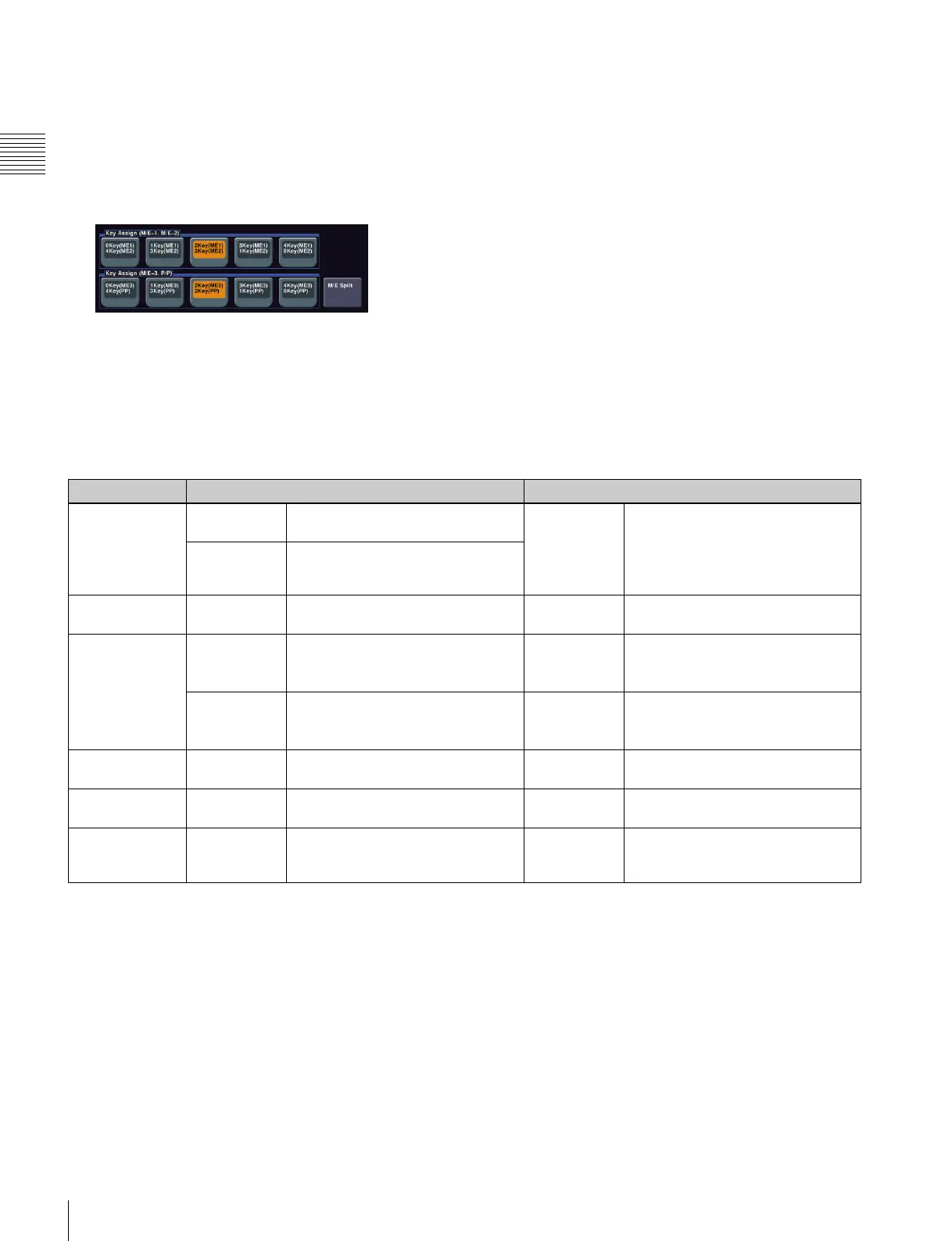
Assign keys to M/E-1 and M/E-2.
Select any of the following in the <Key Assign (M/E-
1, M/E-2)> group.
0Key (ME1) 4Key(ME2): Assign no key to M/E-1
and four keys to M/E-2.
1Key(ME1) 3Key(ME2): Assign one key to M/E-1
and three keys to M/E-2.
2Key(ME1) 2Key(ME2): Assign two keys each to M/
E-1 and M/E-2.
3Key(ME1) 1Key(ME2): Assign three keys to M/E-1
and one key to M/E-2.
4Key(ME1) 0Key(ME2): Assign four keys to M/E-1
and no key to M/E-2.
3
Assign keys to M/E-3 and P/P.
Select the key assignment method in the <Key Assign
(M/E-3, P/P)> group in the same way as step 2 above.
Restrictions in 3M/E Mode and 4M/E Mode
In 3M/E mode and 4M/E mode, the following restrictions
apply.
Classification 3M/E mode 4M/E mode
Operation mode All M/Es and
P/P
DSK mode and multi-program 2
mode cannot be set.
All M/Es and
P/P
• DSK mode and multi-program 2
mode cannot be set.
• [Utility 2] cannot be selected for
the background in multi-program
mode.
M/E-1, M/E-2 [Utility 2] cannot be selected for the
background in multi-program mode.
M/E assignment All M/Es and
P/P
Logical M/E Assign cannot be used. All M/Es and
P/P
Logical M/E Assign cannot be used.
Wipes All M/Es and
P/P
• Pattern mix cannot be used.
• Pattern number 162 wipes cannot
be used.
All M/Es and
P/P
• Pattern mix cannot be used.
• Pattern number 162 wipes cannot
be used.
M/E-2 • Random/diamond dust wipes can
be used.
• Dust mix cannot be used.
M/E-2, M/E-3 • Random/diamond dust wipes can
be used.
• Dust mix cannot be used.
Wipe border M/E-2 Wipe border colors are single-color
only.
M/E-2, M/E-3 Wipe border colors are single-color
only.
M/E outputs M/E-1, M/E-2 Out5 and Out6 cannot be used. All M/Es and
P/P
Out5 and Out6 cannot be used.
Signal selection M/E-1, M/E-2 PROC V and PROC K signals
cannot be selected with any cross-
point button.
All M/Es and
P/P
PROC V and PROC K signals
cannot be selected with any cross-
point button.














 To Next Page