Chapter 5 Maintaining the Workstation 5-13
5. Using a No. 2 Phillips screwdriver, remove the chassis filler panel from the PCI
card slot.
See
FIGURE 5-19. Save the screw for the next step.
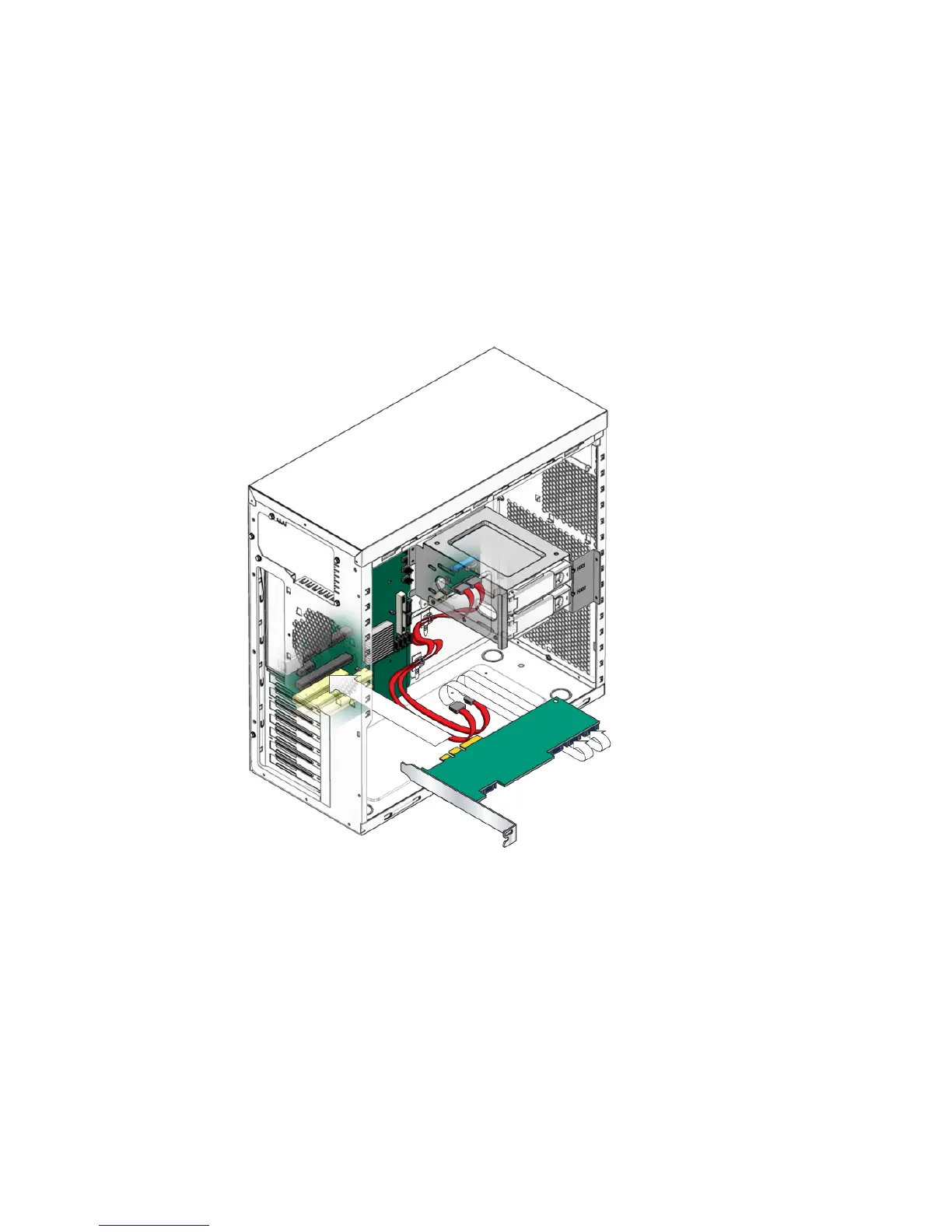
6. Insert the SAS card into the PCIe card slot and secure the card with a screw.
See FIGURE 5-7.
7. To keep the cables out of the air stream, carefully resecure them in the tie-downs.
FIGURE 5-7 Installing a SAS Card
8. Install the SAS drives.
See Section 5.4.2, “Installing a Hard Disk Drive” on page 5-10.
9. If you are finished working, reinstall the access panel, power on the system, and
verify the installation.
Refer to Section 5.3.3, “Installing the Left Side Access Panel” on page 5-6.













 To Next Page