114 Sun Server X4-2 Service Manual • May 2014
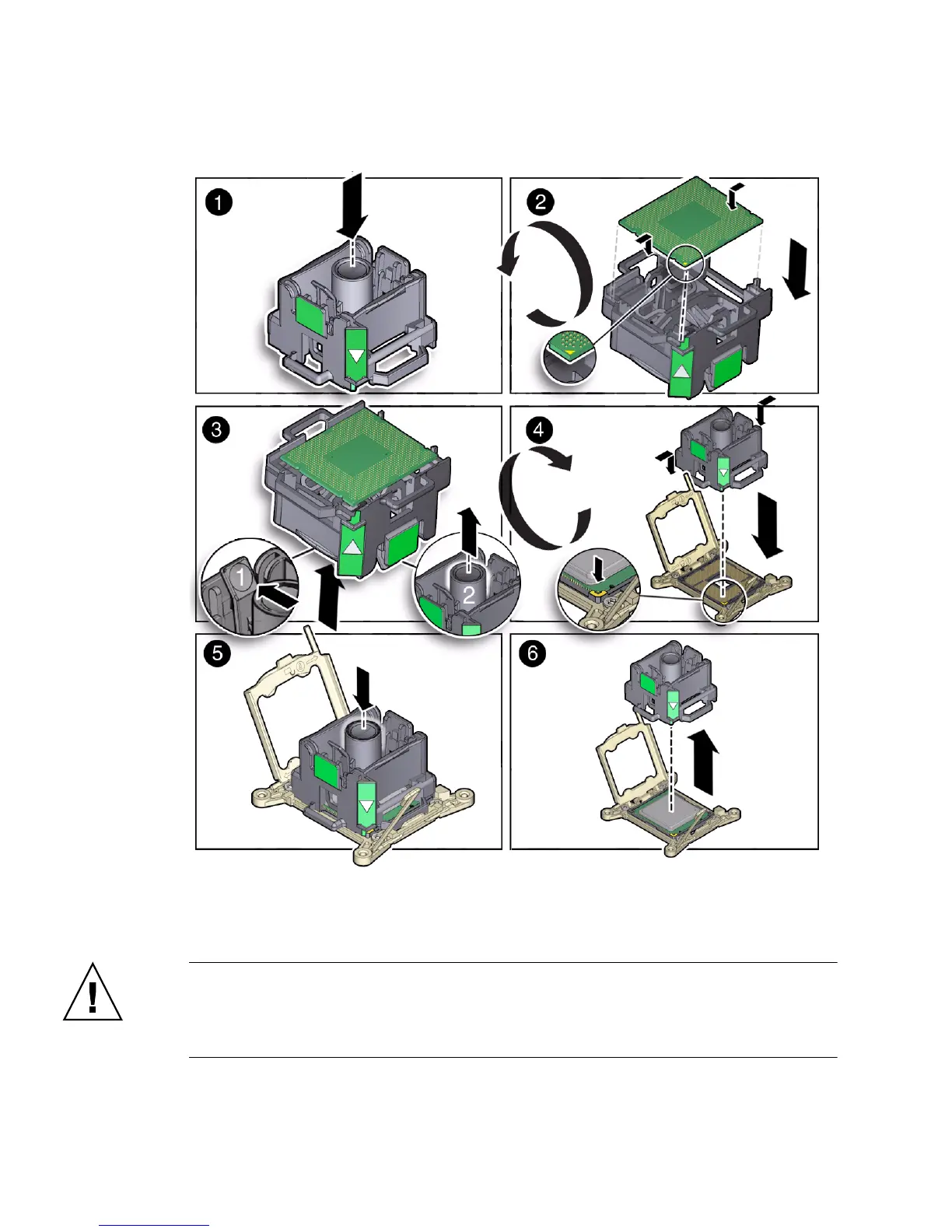
FIGURE: Installing a Processor
6. Visually check the alignment of the processor in the socket.
When properly aligned, the processor sits flat in the processor socket.
Caution – Do not press down on the processor. Irreparable damage to the processor
or motherboard might occur from excessive downward pressure. Do not forcibly seat
the processor into the socket. Excessive downward pressure might damage the socket
pins.



 To Next Page