[Ex.5.9.4-3] NEEDLE CONVERT
Needle bars #1 has brown and #2 blue for color change. The color order is set 1-
2-1-2-1-2-1-2-1-2. You want to use NEEDLE CONVERT to make all colors brown.
Call a design
(see 5.7 EMB CALL for calling designs)
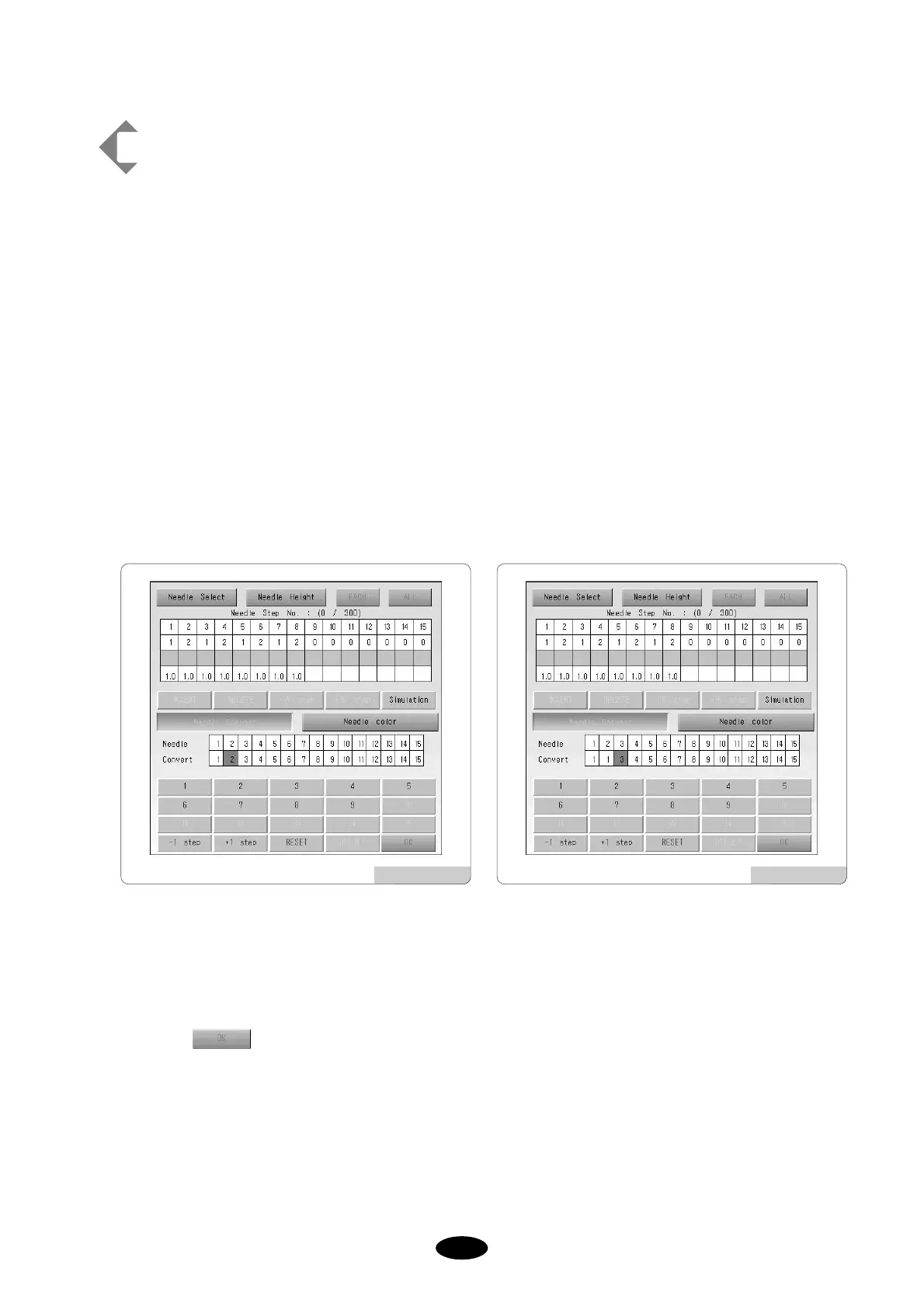
Use SELECT to have the color order 1-2-1-2-1-2-1-2-1-2 as shown in [Fig.5.9.4-12].
(Refer to needle select example [Ex. 5.9.4-1].)
Select NEEDLE CONVERT
Press +1 STEP
Input 1 in the keypad
Check the change at needle bar 2 as shown in [Fig.5.9.4-13]
Select .
[Fig.5.9.4-12] [Fig.5.9.4-13]



 To Next Page