FlexSet Overview 14 FlexSet 120S/280S User Guide
Using the FlexSet Display
Using the FlexSet Display
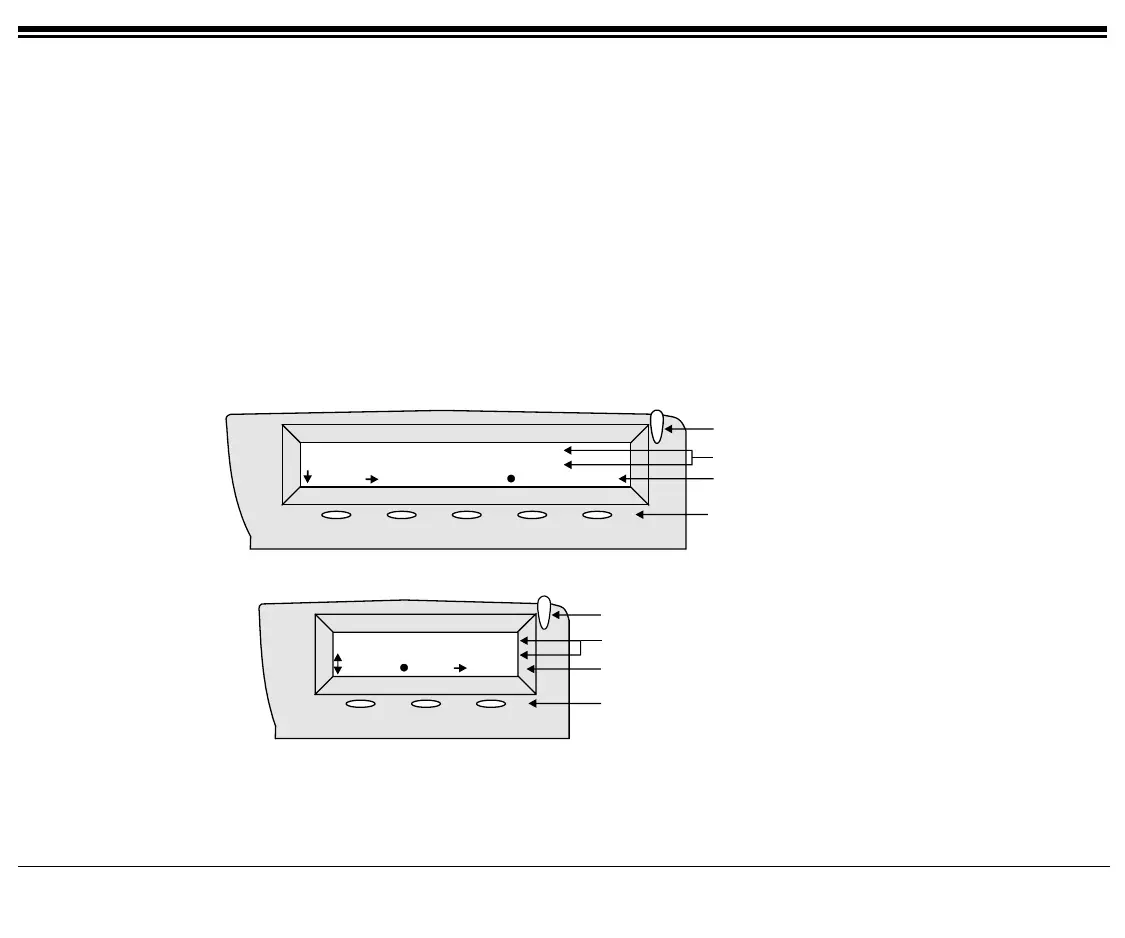
The FlexSet Display provides an easy to use control interface. On this display, several different classes of function
information and controls are found. During normal operation the active function assumes control over the entire area
of the Display and all of the soft keys. Meanwhile, the System Lines (1
st
and 2
nd
lines) which usually, in idle state,
include the time, date, site name, station name and number, automatically change to relay pertinent information about
telephony states and operations, and the calling party’s information.
Five soft keys on the FlexSet 280S and three soft keys on the FlexSet 120S, located immediately below the display
screen, act as triggers for any currently displayed FlexSet function or option. All of the information in the Display
(3
rd
line) continually changes to reflect options related to the current state of the FlexSet. In this manner, no matter
which state the telephone is in (i.e. Idle, Ringing, etc.) the relevant option is always next to and enabled by one of the
soft keys.
System Information Line
Ring and Message
Waiting Indicator
FlexSet 280S
Feature Options
10:50 26 May 2002 site name
user name station no.
Msg CALLog
Fwd
DND Music
System Information Lines
Soft Keys
Feature Options
10:50 26 May 2002 site name
user name station no.
DND
Music
Redial
Ring and Message Waiting Indicator
Soft Keys
FlexSet 120S
FlexSet 280S
Display Panels









 To Next Page