Station Features 89 FlexSet 120S/280S User Guide
FlexiCall
FlexiCall
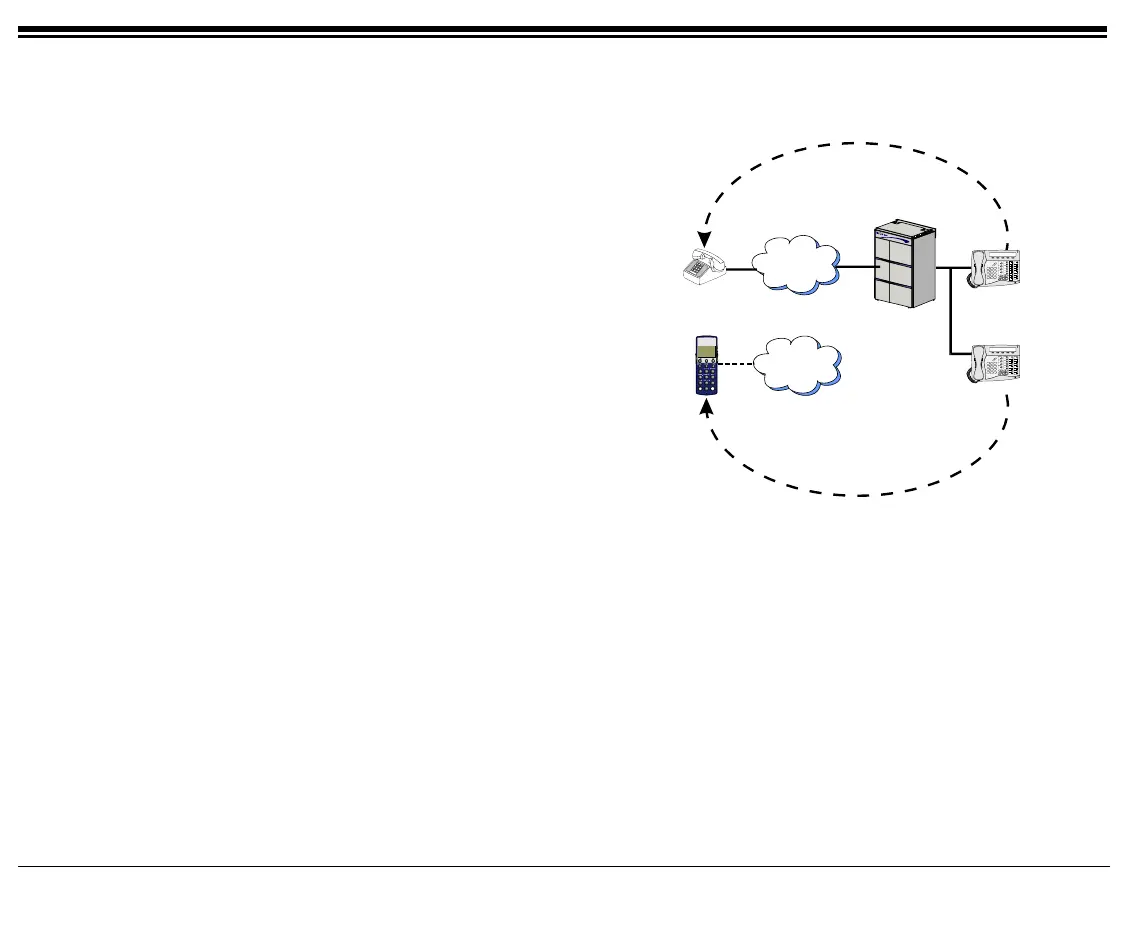
Calls ringing at your Coral station can simultaneously
ring at any designated internal or external phone (e.g.
home phone, mobile, second station) and can be
answered at either phone. Your FlexSet can distinguish
between calls arriving from an internal or external
source when ringing at the remote destination
(see page 90). Calls can be transferred back to the
original FlexSet anytime during the call.
The FlexiCall feature is an ideal solution for office
applications requiring a “courtesy” telephone, and
applications requiring an extension telephone to a
system FlexSet. The FlexiCall feature may be used
also to “semi-connect” ancillary devices such as
answering machines, fax machines, or data modems to
your FlexSet, without using a separate telephone
number.
The remote destination rings even when your FlexSet
is disconnected.
The remote destination does not ring if any of the following features is activated at your Coral station: Do Not
Disturb, Call Forward All, Call Forward Busy, Call Forward Timed, Auto Answer.
The remote destination does not ring for the following incoming calls: Group call, Boss Group call (only first
member of a Boss Group will ring), Bell/UNA, Reminder, Wakeup, Voice Page.
PSTN
Cellular
FCN
ON/OFF
ENTER
1
4
7
2
5
8
0
3
6
9
Home Phone
Cellular Phone
Office Phone
Office Phone 2









 To Next Page