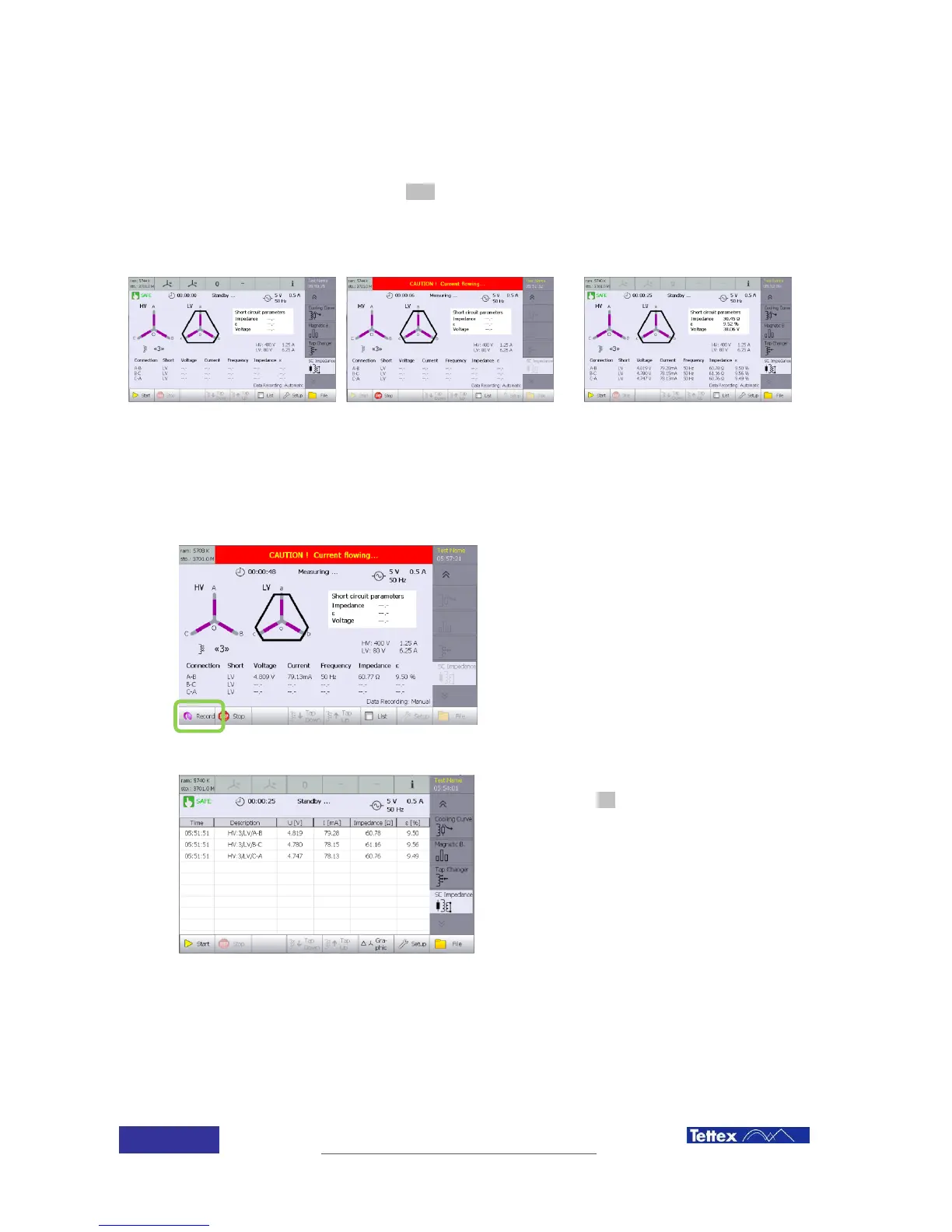
14.4.8 Measuring
Performing a measurement on a transformer is quite simple. Once all transformer and options
have been introduced; just click the start button. The instrument will perform all operations
automatically.
Before a test can be done, the tap position has to be selected.
Click start button to initiate the
test
Automatic measurement running
If auto recording is set to Auto, once a phase is being measured, instrument will automatically
measure the other phases and shot the results.
If manual recording is active, the instrument
will repeatedly measure a phase.
Pressing the record button stores the latest
result and moves to the next phase.
Results can also be shown as a table list,
selecting the list button in the function key
bar.
14.4.9 Measurement results
The instrument shows the results of the test by phase in the screen button and calculates the
transformer values based in the single phase measurements. Measuring values description below



 To Next Page