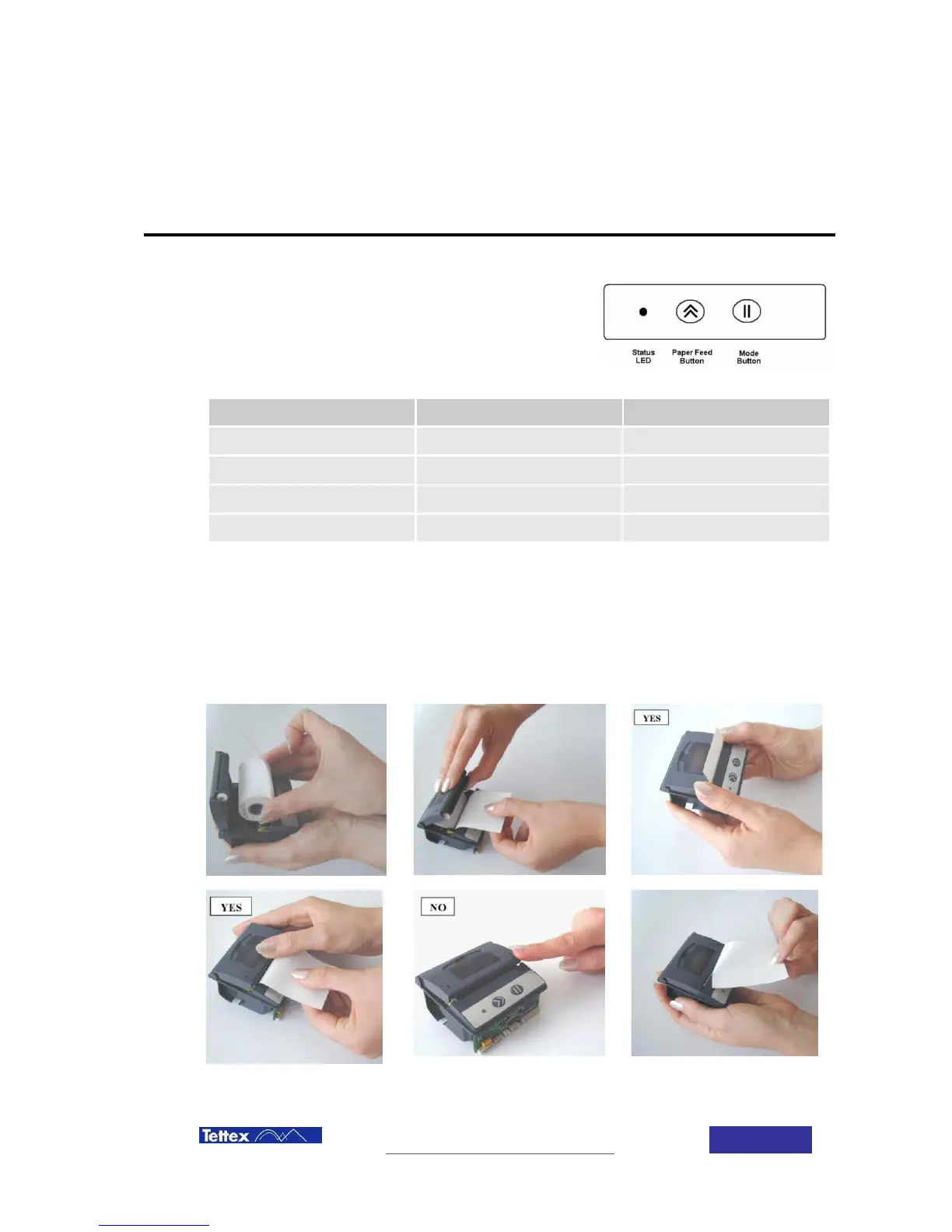
The printer automatically detects when the paper has run out and reports by blinking status LED.
20.1.2 Replacing Paper Roll
If the paper is out, open the paper cup lid and remove the remaining paper. Reel off a few centimeters from
a new roll of paper. Hold approx. 5 cm of paper outside the device as you place the new roll into the
reservoir. Now close the lid by applying equal amounts of pressure on each side ensuring the lid is in the
locked position. Now tear the spare paper away.



 To Next Page