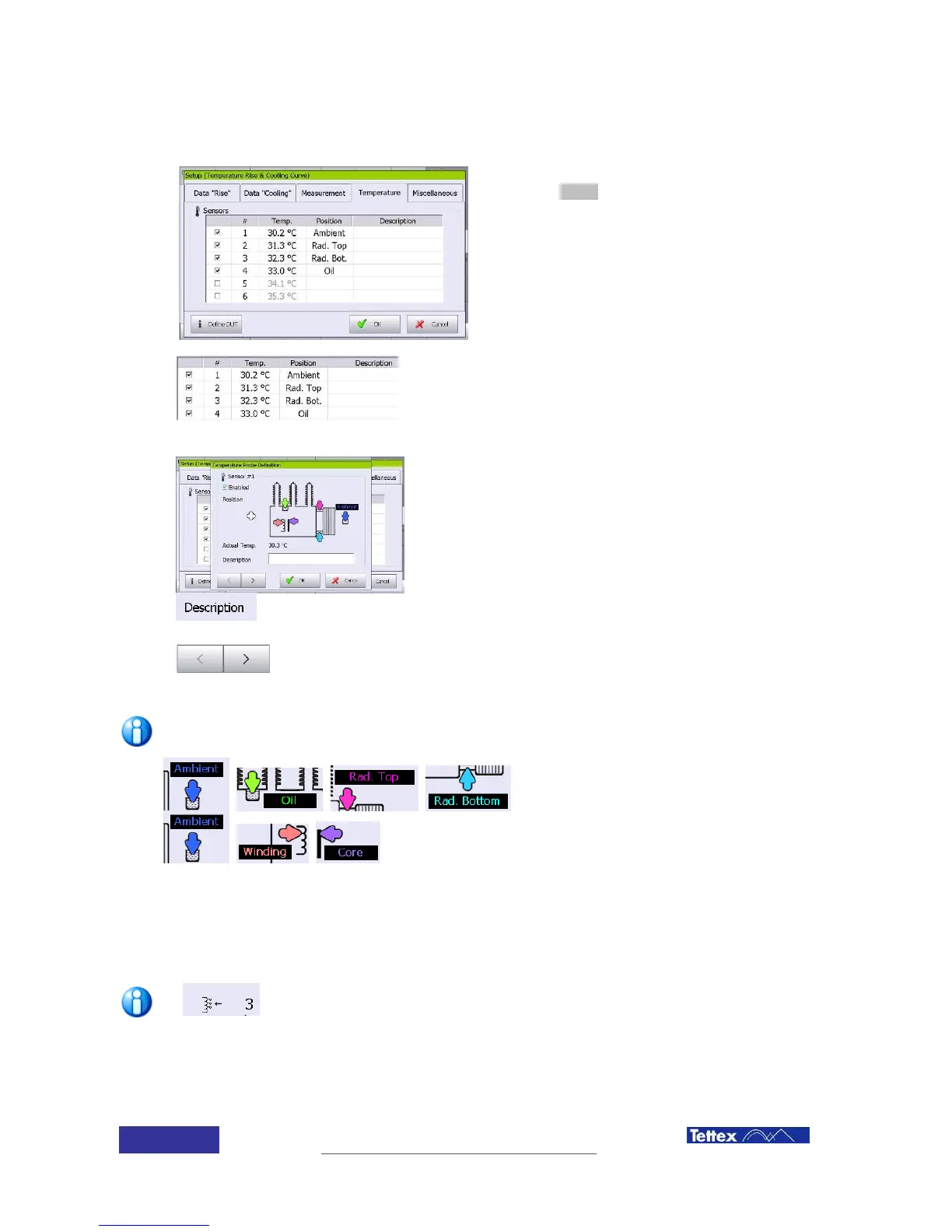
9.3.4 Temperature settings
The temperature measuring screen is accessed
clicking the Setup button, under the temperature
folder in the function key bar.
Activate the used probes by clicking the left sided
check box.
Click on the single probes line to enter the
configuration dialog of the single probes (position
& description)
Actual reading of the six temperature channels. To be added
to the medium temperature they should be selected. A
description (text) can be added to every temperature
channel.
By clicking on a sensor line in this list you enter the
temperature probe definition dialog:
Select the position where the sensor is mounted on the DUT
by clicking on the transformer icon.
In the heat run measurements, the standard based
calculations are implemented with respect to specific probe
positions. (see related heat run chapters)
In resistance measurement only the simple mean
temperature of the activated sensors is taken.
Here an additional text for the sensor can be added (e.g.
when an external sensor is used on a cooler fan)
With these arrows you can toggle trough the single probes
definitions without closing this dialog window.
The temperature settings are common for the Temperature Rise and Cooling Curve functions
Liquid cooled transformers will use the
ambient, oil, rad. top and rad. Bottom
positions.
Dry type transformers are likely to use the
ambient, winding and core positions.
9.3.5 Tap changer position selection
The tap position for the cooling curve test can be selected using the tap up/tap down button in the function
key bar. The actual tap changer position is shown in the main screen.
A shortcut for tap changer position selection is available in the main screen;
clicking in the tap changer drawing, a popup screen will then arise allowing the
selection of any tap position



 To Next Page