6.8.4 Webserver access / Ethernet interface
To access the files that have been written to the internal webserver storage, a network connection
between the device and your office computer must be established. Please refer to the “Remote
Control” section of this manual for further help.
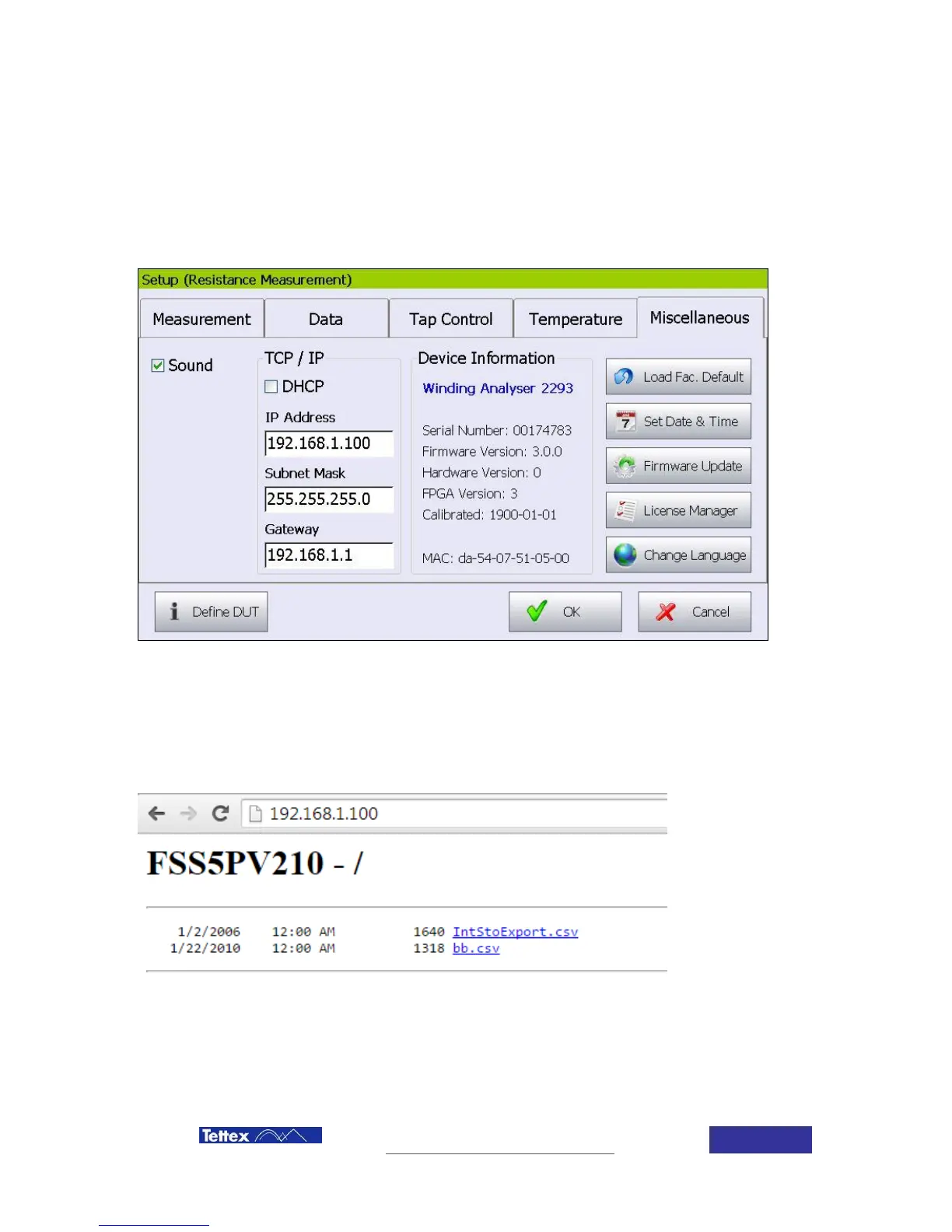
You can find the IP address configuration of your device in the “Setup” – “Miscellaneous” dialog:
Please make sure that these settings are compatible with the settings on your office computer. As
an example in this case, the IP address of your office computer could be configured to
192.168.1.50. Then you can access the WebServer on the WA2293 using your Internet Browser
(e.g. “Internet Explorer” or “Mozilla” or “Chrome”). Simply type the IP address of the WA2293 into
the address line:
You can download your saved report files by clicking on the file in the browser.



 To Next Page