8.2 User interface
The demagnetization procedure is done automatically. Few parameters have to be selected
before proceeding to demagnetize the transformer. Parameters selection and function are
accessible in the demagnetization function.
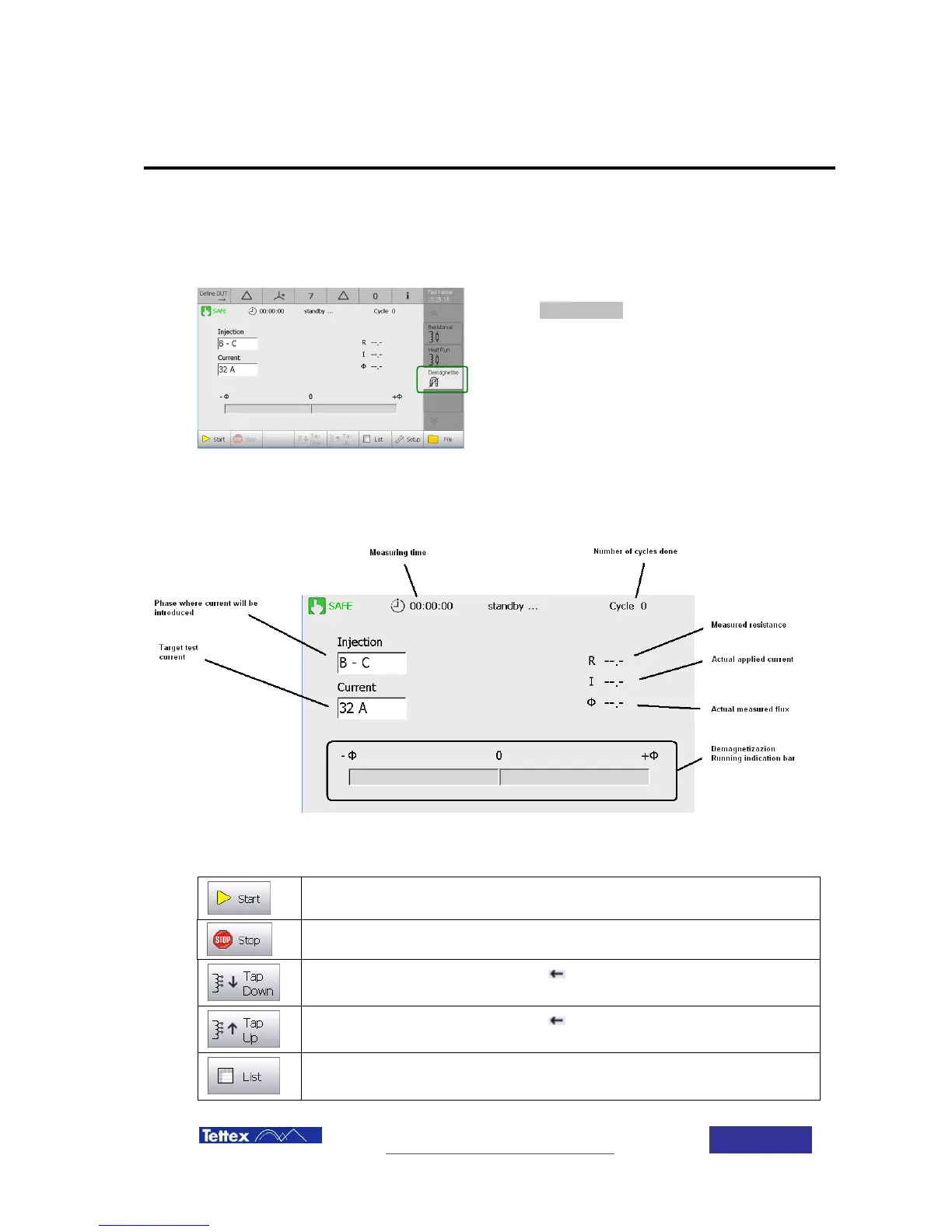
To access to this application, select
demagnetize function in the applications bar
(side bar)
8.2.1 Active Window
The demagnetization function main screen components are described below.
While in demagnetization application, following actions are available in the button key bar. The
buttons are case sensitive, i.e. they change according to the actual status.
Move tap changer, that marked with , one step down
Move tap changer, that marked with , one step up
Change display to list mode



 To Next Page