Heat Run - Temperature
Rise
10.3.2 Recording Settings
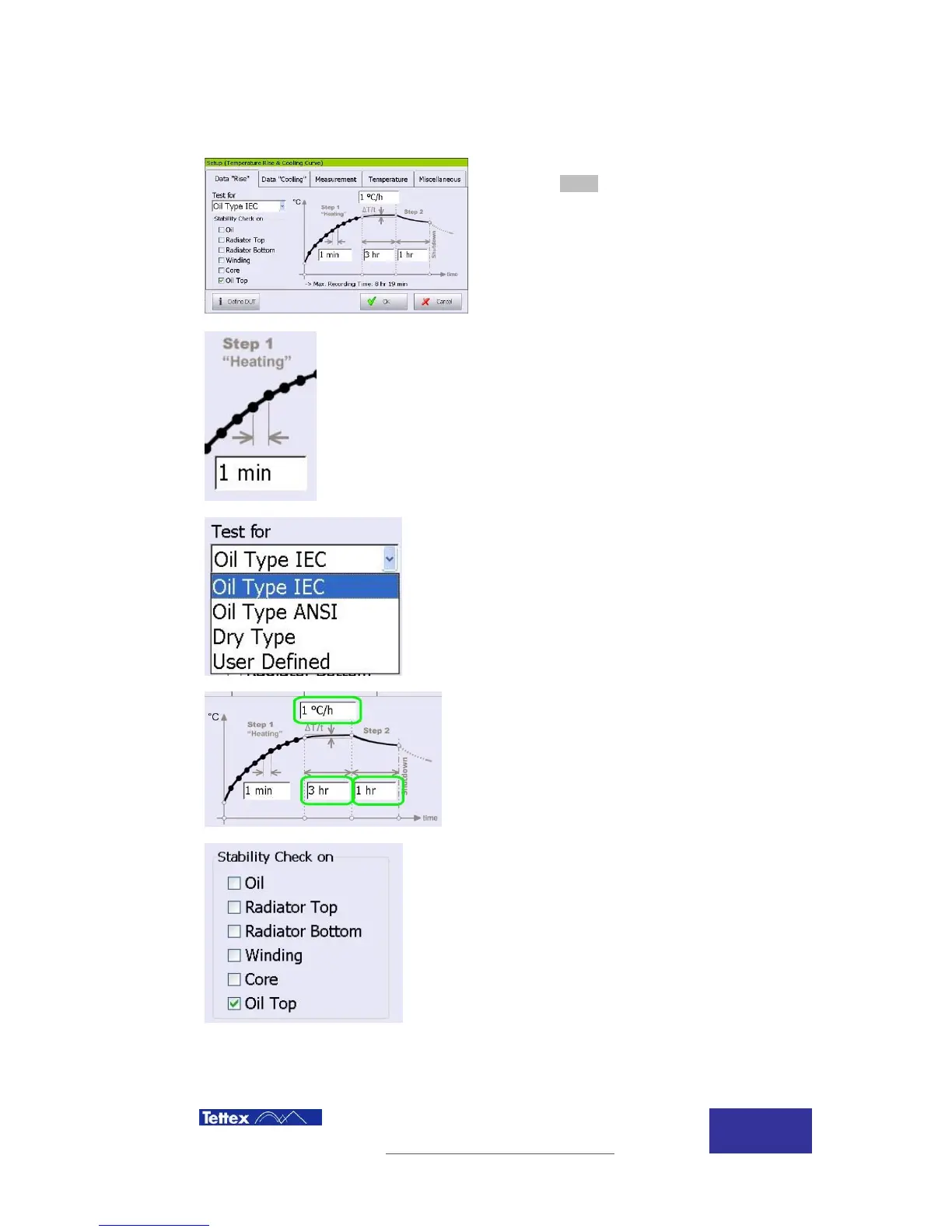
The temperature rise settings screen is accessed by
clicking the Setup button in the function key bar when
temperature rise is selected in the application bar.
The interval (time between readings) can be selected
by clicking in this field. Consider the predicted
duration of the test when choosing a value because
the test is limited to a maximum of 500 readings per
data set.
Click here to automatically configure the rate of
change of oil temperature rise, the duration this must
be stable and the duration of the rated current
injection according to standard parameters.
The User Defined option allows the rate of change of
oil temperature rise, the duration this must be stable
and the duration of the rated current injection to be
manually configured. Clicking in the highlighted areas
allows manual setup of these values.
Stability check selects which temperature sensors are
monitored during the heating and rated current steps
of the test. If stability is not maintained the stable
timer is reset.



 To Next Page