9.2 User interface
The 2293 is equipped with a heat run function which allows the measurement of the resistance
values for the cooling curve calculation during heat run test.
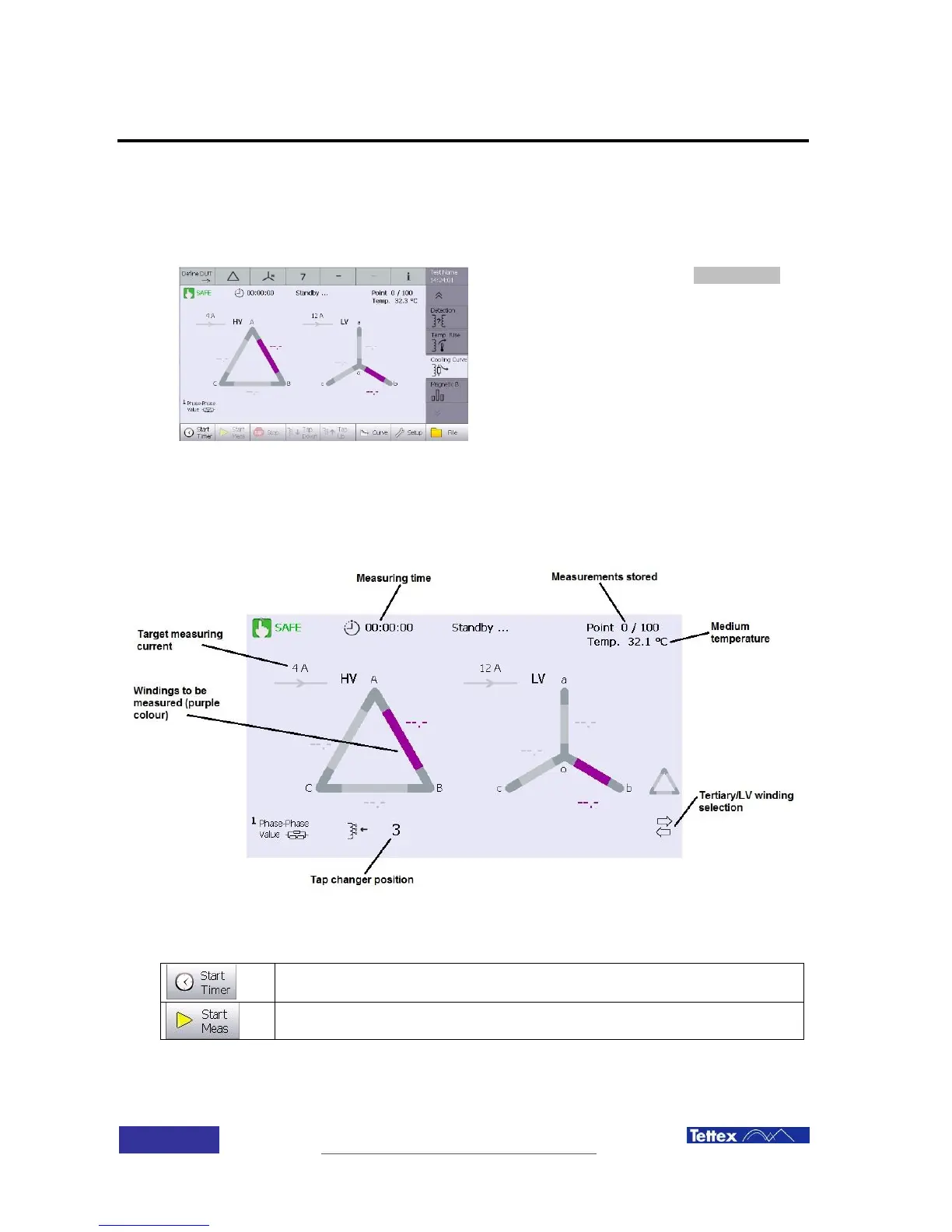
To access to this feature, select cooling curve
function in the applications bar (side bar).
9.2.1 Active Window
The cooling curve function main screen components are described bellow.
While in heat run application, following actions are available in the button key bar. The buttons
are case sensitive, i.e. they change according to the actual status.
Start the timer after disconnecting the power supply (zero time).
Has to be started when the Rated current Supply is switched OFF
Start the resistance measurement when the connection cables are mounted.
When started this button becomes the “Break” function



 To Next Page