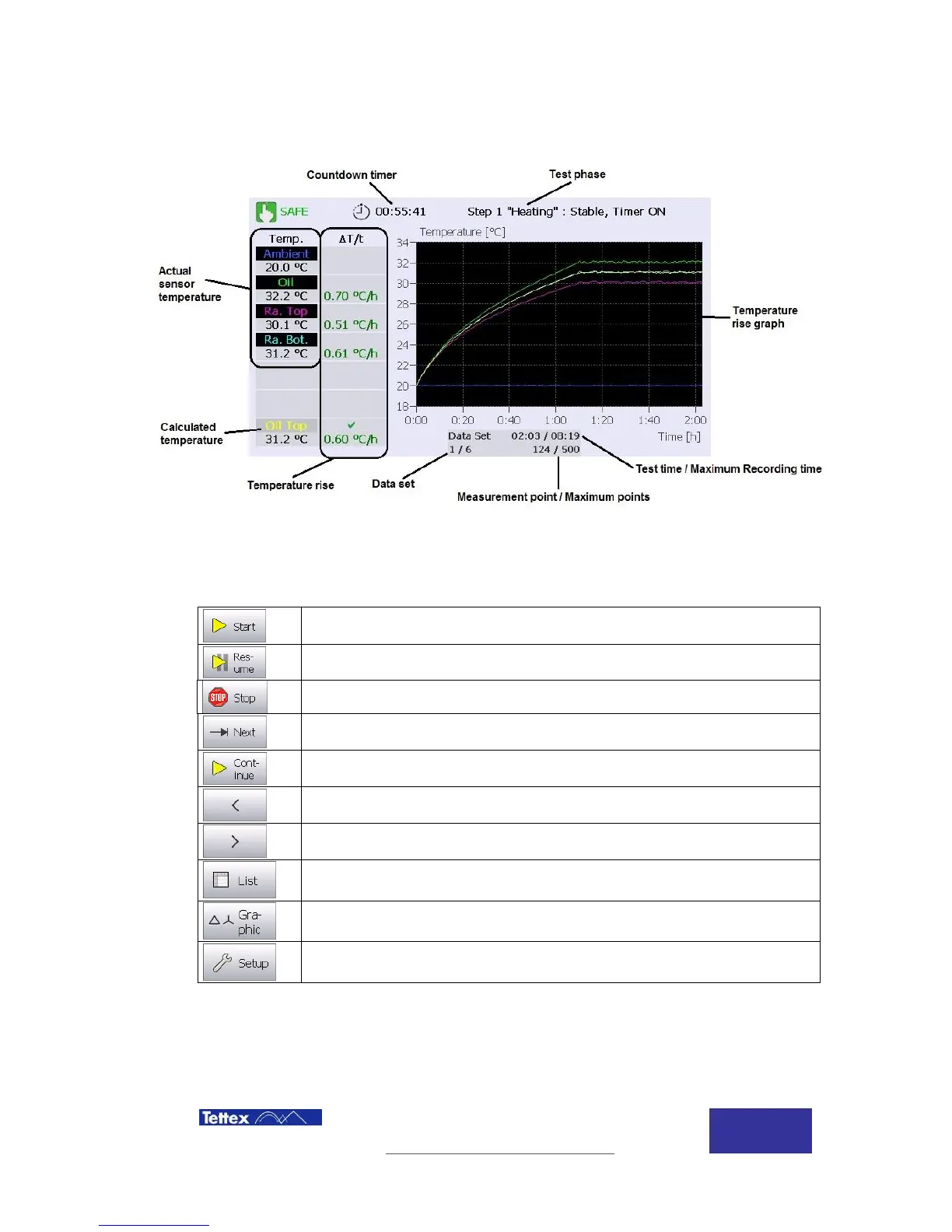
Heat Run - Temperature
Rise
10.2.1 Active Window
The temperature rise function main screen components are described below.
10.2.2 Function keys
While in temperature rise application, following actions are available in the button key bar. The
buttons are case sensitive, i.e. they change according to the actual status.
Start the temperature rise
Resume the temperature rise
Stop the temperature rise
Jump to next step of the test
Continue from step 1 “Heating” to step 2 “Rated current”, or to Cooling curve
Move to previous data set
Change display to list mode
Change display to graphic mode
Open setup menu for the selected measuring application



 To Next Page