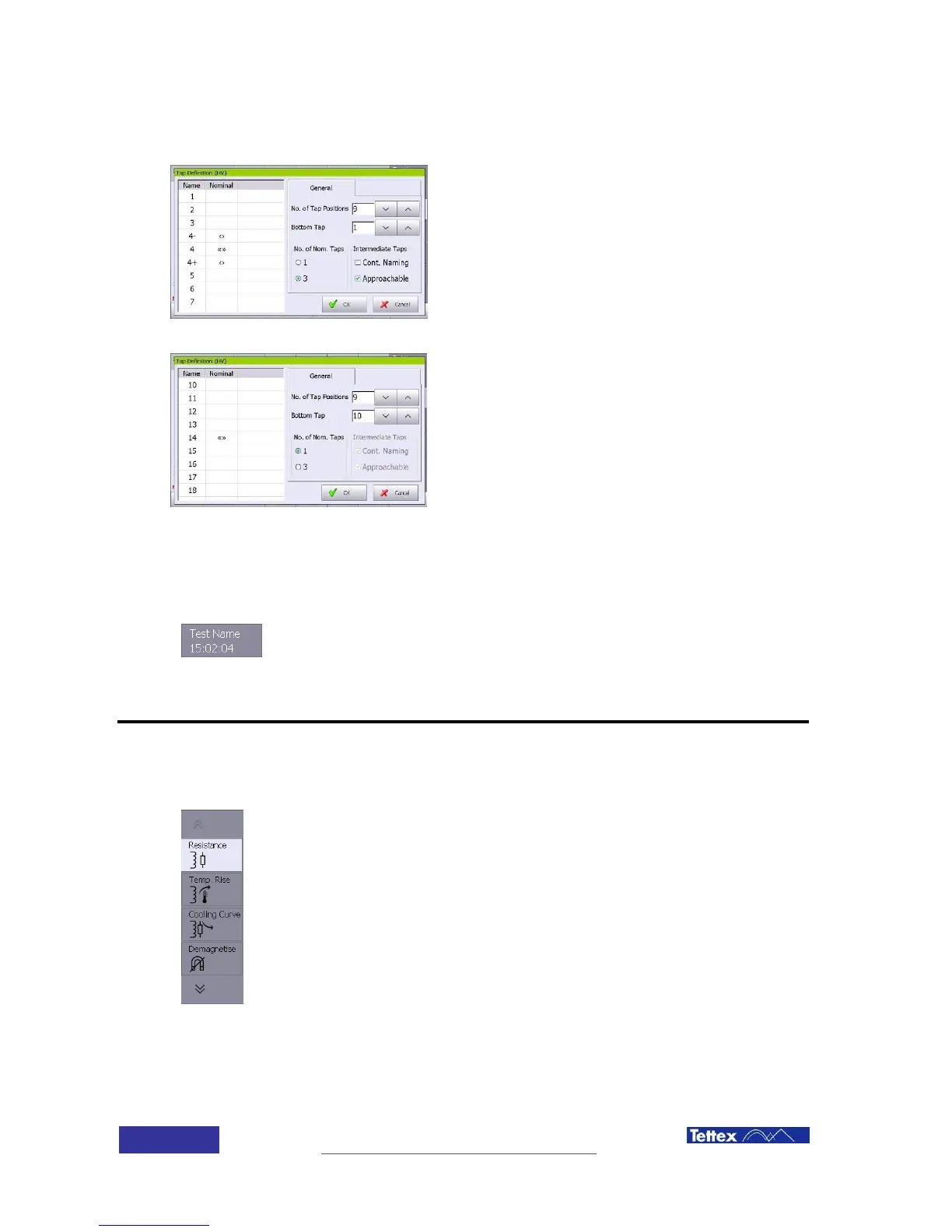
6.3.3.2 Tap changer configuration examples
Example 1
9 taps transformer, with 3 reachable intermediate
taps with no continuous naming, button position
number 1 and nominal tap 4
Example 2
9 taps transformer, with button position number 10,
1 nominal tap in position 14.
The first line shows the name of actual test. Yellow colour means no file name
has been defined yet.
The second line shows the actual time.
6.4 Applications (Side Bar)
The application bar (right side bar) allows the selection of the actual
measurement application (e.g. Resistance or Demagnetization).
The DUT settings in the top bar are valid for all applications. The bottom
function key changes depending on the selected application.



 To Next Page