4-30 TM-500 User’s Guide
Setup Vision Test (Optional) D292144.7.fm
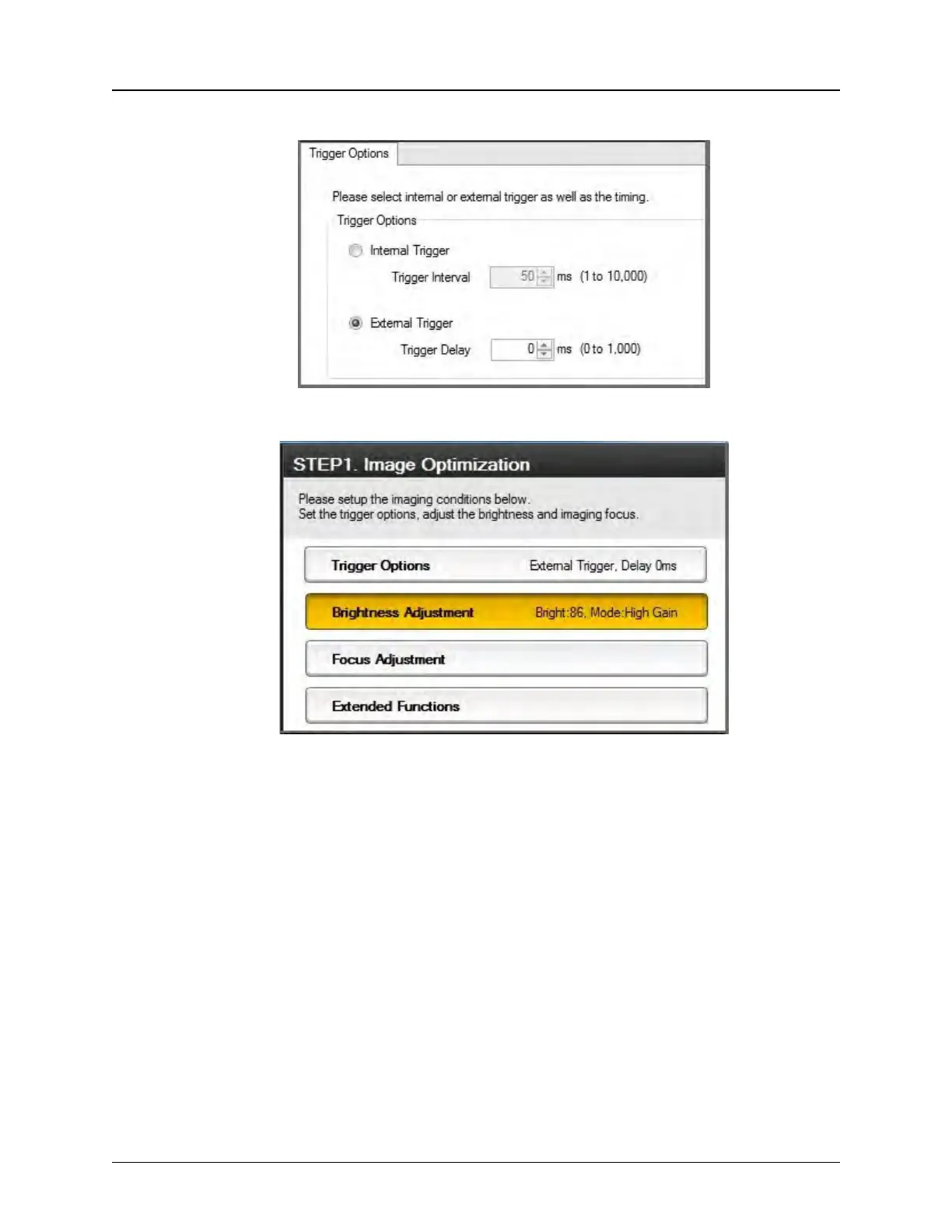
Adjust Trigger Options to External Trigger with a 0ms Trigger Delay.
10. Select the Brightness Adjustment button on the right
Set the Imaging Mode to High Gain, then click the Automatic Brightness
Adjustment button. Adjust the Exposure Time as needed to achieve the best


 To Next Page