Safety Features D292144.2.fm ix
Safety Features
Main Power Switch
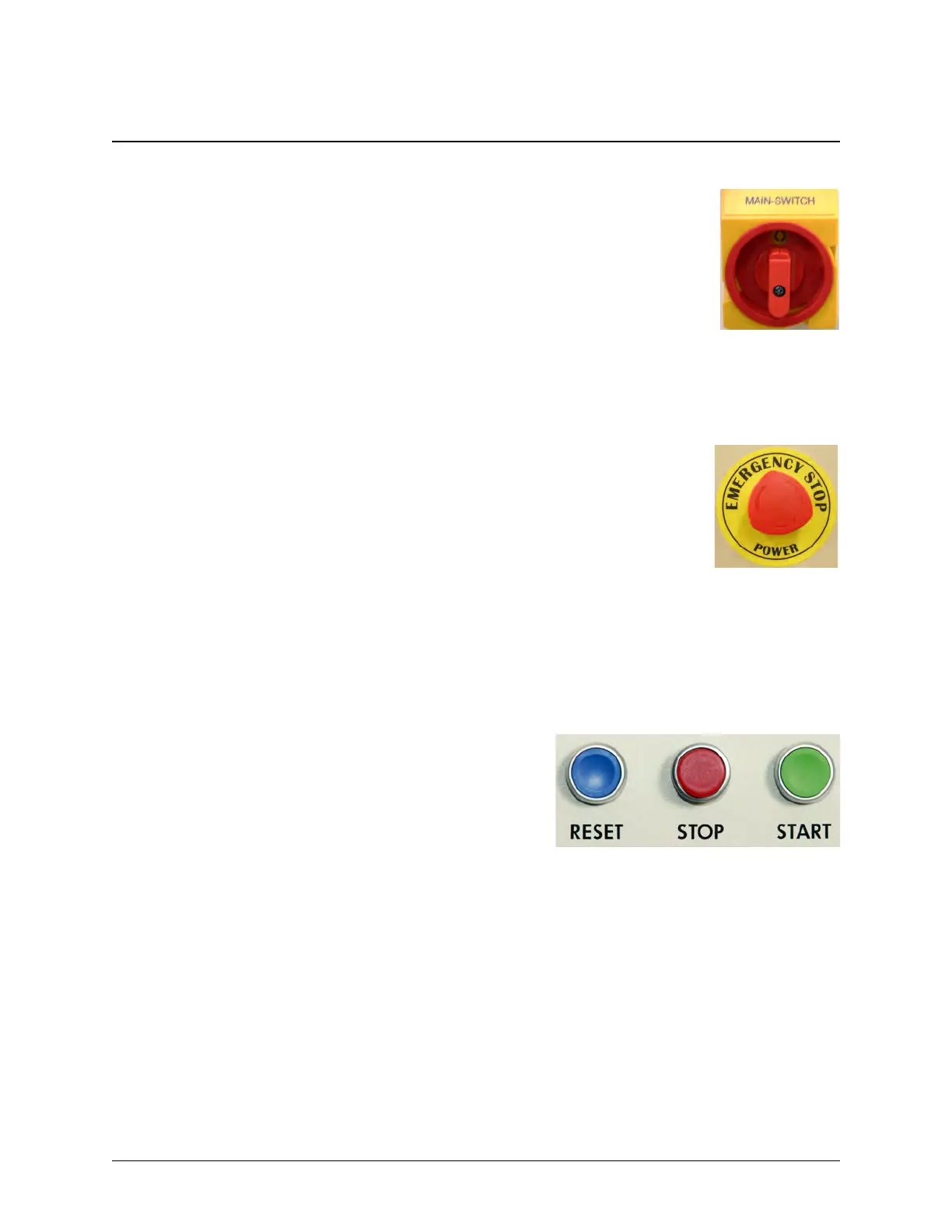
The Main Power Switch is located on the right side of the machine below the
polycarbonate enclosure. Turning the switch to the right turns power ON.
Turning the switch back to the left turns the power OFF.
When the Main Switch is in the OFF position, it exposes a lockout-tagout
hole. The switch can be locked by inserting a lock through the hole.
The switch on the right is pictured in the OFF position.
Emergency Stop Switches
There are three Emergency Stop Switches on the TM-500. One is located on
the front of the machine under the upper enclosure. Two more are located on
the back of the machine under the upper enclosure. When an Emergency
Stop Switch is triggered, all motion will be halted and the machine will require
a reset before operation can continue.
The emergency stop control circuit removes electrical power to all motors,
moving parts, heat sources, pneumatics and energy storing devices. This
includes the stepper motor drive, stepper motors, the servo motor drive,
servo motors, drive circuits, the main control board, the heat sealer and all
pneumatics. The only devices that remain powered are the inspection mod-
ule cameras, the enclosure lights, the sensors and the HMI.
Control Buttons
The TM-500 Control Buttons are located on the front
of the machine in the top, right corner and on the right
side of the machine in the top left corner. They include
the Reset button, the Stop button and the Start but-
ton.
When the machine is powered up, it is automatically placed into an emergency stop state to pre-
vent the motors from moving until the operator is ready to begin operating the machine. The error
state is cleared by pressing the Reset button on the front of the machine.
Once a job has been selected or programmed, it can be started and stopped from the HMI or by
pressing the Start and Stop buttons.



 To Next Page