D292144.8.fm Preparing to Run a Pre-programmed Job
Chapter 5: Operation 5- 11
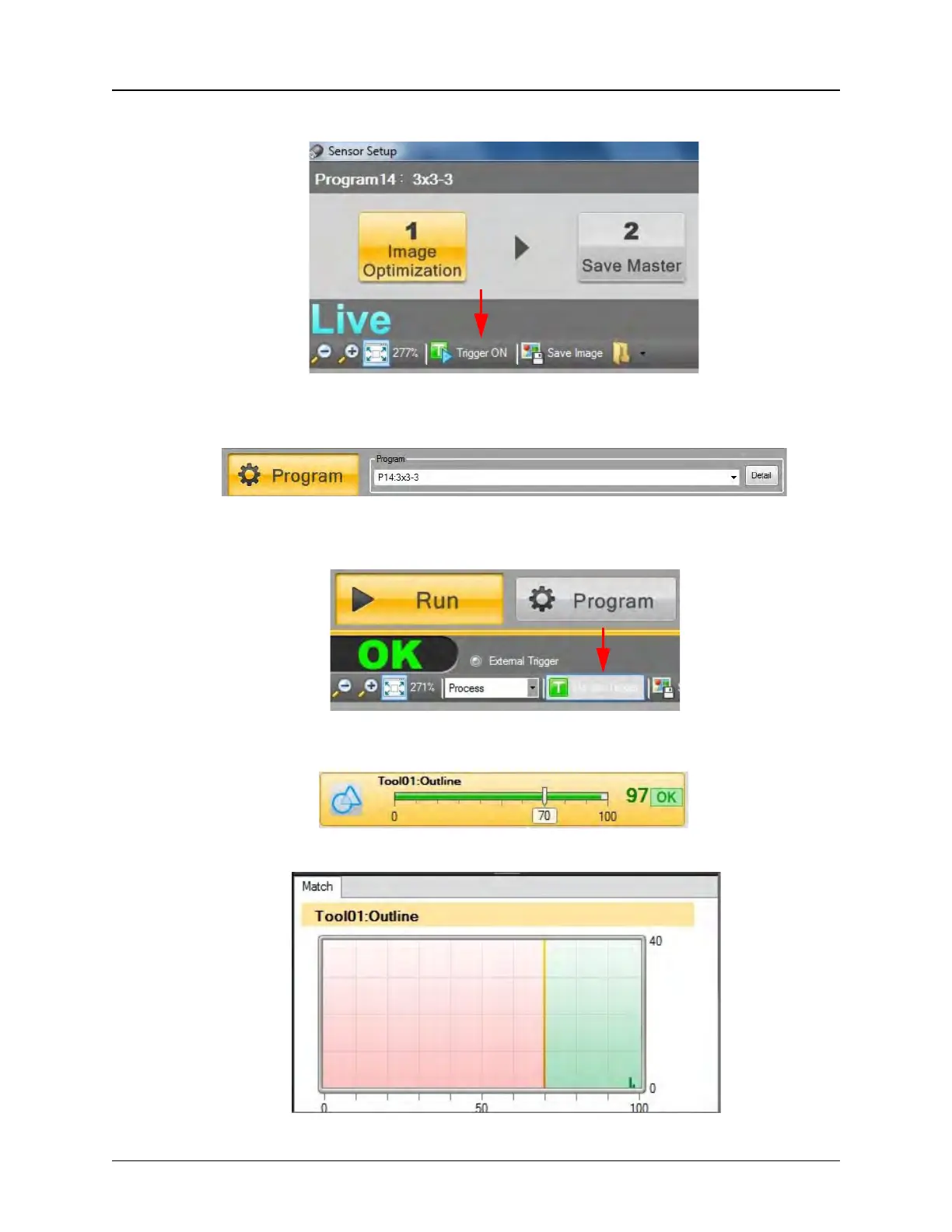
6. Click Trigger ON, then center a part under the camera.
7. Select or create a program from the Program drop-down menu. A yellow Selection
Box will appear over the part image.
8. Select Run Mode. Click the Manual Trigger button which is located under the
Program button to test the inspection criteria.
9. The test results will appear on the right side of the window.
.


 To Next Page