D292144.9.fm System Alarm Messages
Chapter 6: Troubleshooting 6-13
2D Module Inspection Time-out Message
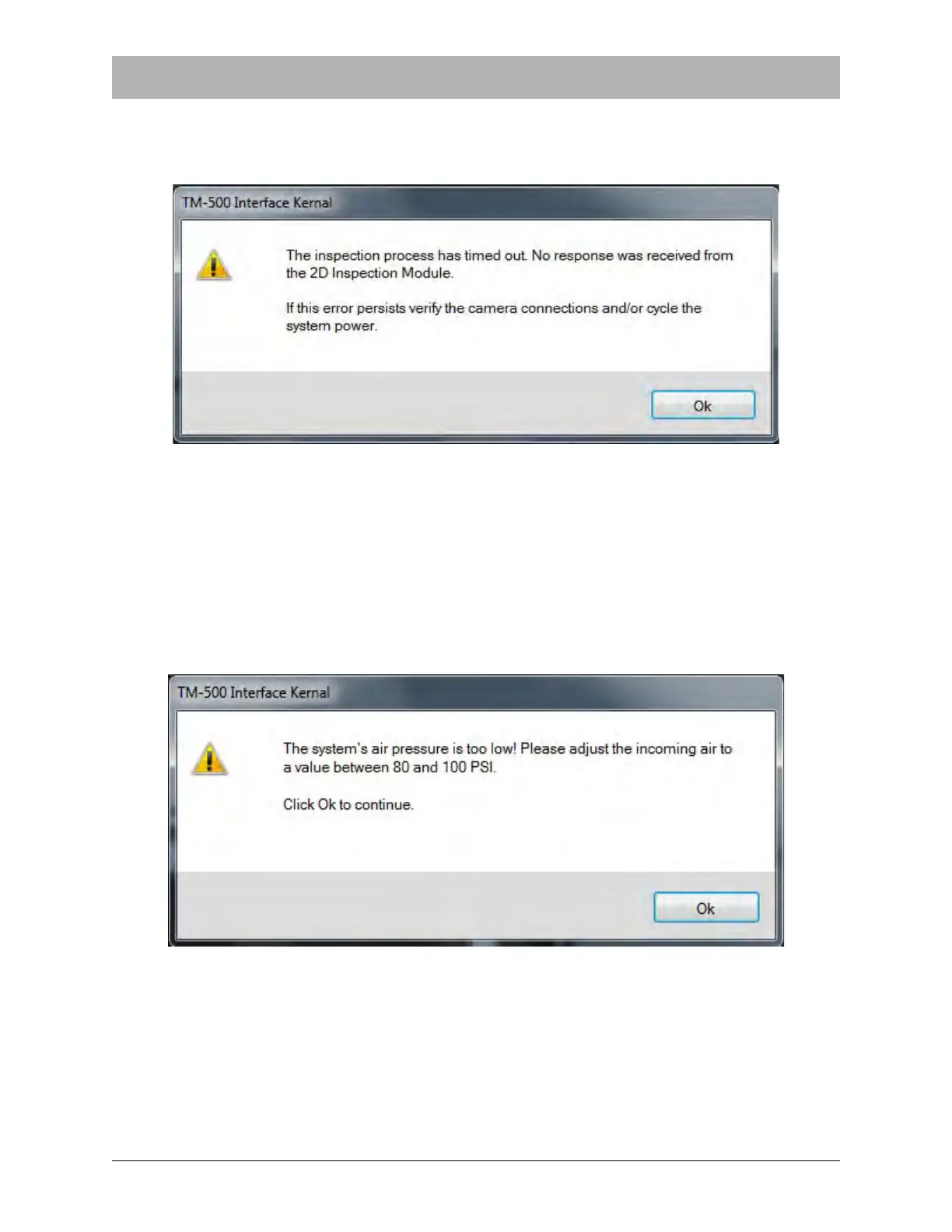
When using the optional Upwards 2D Inspection System is installed, the following message will
appear on the screen if the inspection times out.
To clear the Inspection Time-Out message, ensure the 2D camera is installed, connected and
enabled on the HMI. Cycle the system power on and off. Press OK, then press Start to resume
operation.
Air Pressure Too Low Message
The TM-500 cannot operate at optimum levels if the air pressure is too low. If the air pressure
needs to be adjusted, the following message will appear on the screen:
Adjust the air pressure to between 80 and 100 PSI. The suggested incoming air pressure value is
100 psi. Press OK to continue.


 To Next Page