TROUBLESHOOTING
Vertical Express Product Manual 4-9 88500 v.1.0
Troubleshooting Section CAN Channel Resistive Loading Verification
Hall CAN Channel 3
(continued) 4. Issue a TECC Command.
Block Select Adjustments > Commands Startup > TECC.
5. Issue a DCN Command.
Block Select Adjustments > Commands Startup > DCN.
6. Verify that all previously recorded nodes with SmartNames are reported as
ONLINE:1.
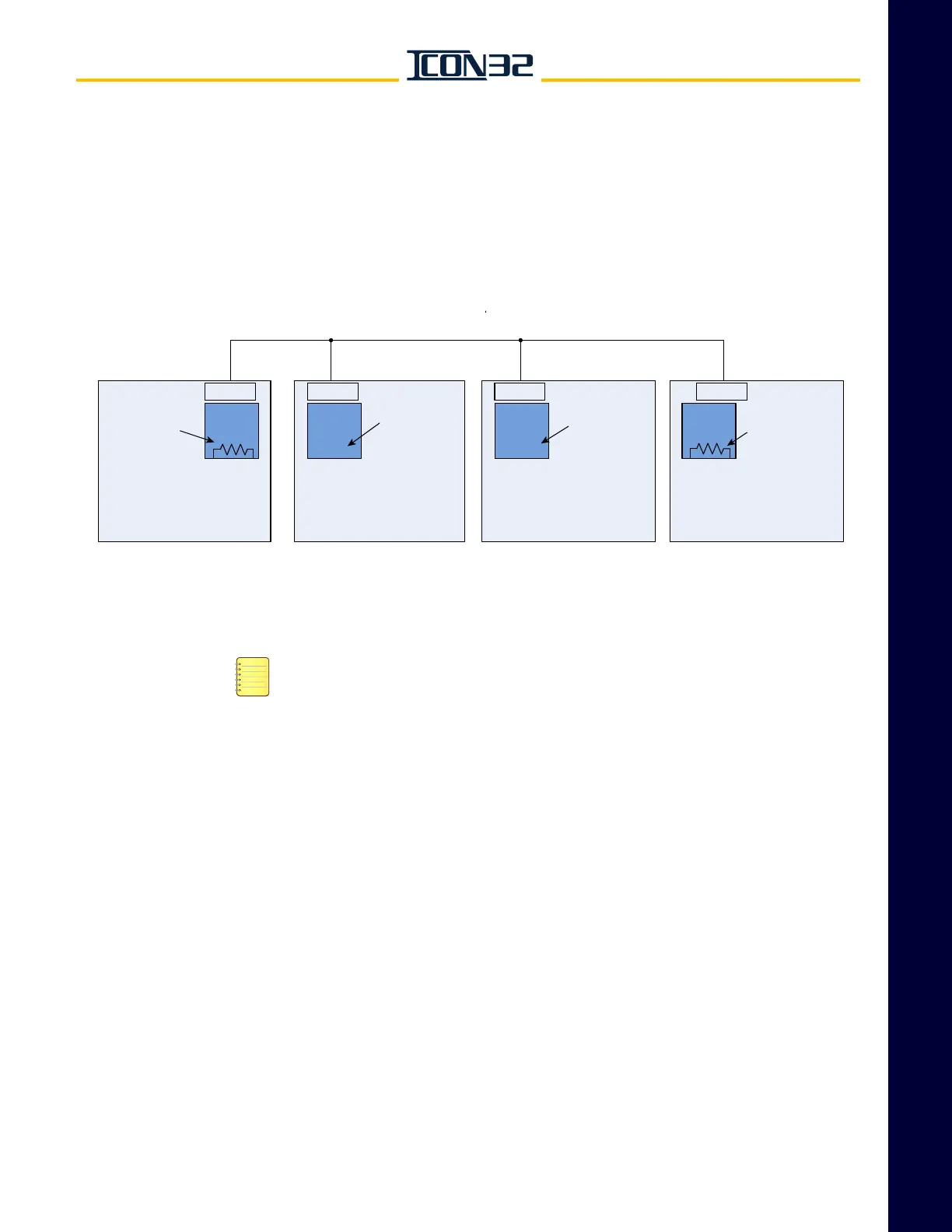
Figure 2 - Hall CAN Termination
Group CAN Channel Termination
Connect either Ethernet or RCH/RCL for group communications, but not both.
Recommended Installation as a backup for Ethernet group communications:
1. Pull and wire the CAN communication.
2. Verify the group communication function.
3. Leave the RCH/RCL wires disconnected; if left unplugged, then CON40 with
other cross-connects would be unplugged from the controller until needed.
Group CAN Channel (RCH/RCL)
1. Cross-connect RCH/RCL between all cars in group. See Figure 3 on page 4-10.
2. Enable the terminating resistor on the CPUC for the controllers on each end of
the cross-connect.
» Install RCT and RCC.
3. Disable the terminating resistor on all other CPUC Cards of the remaining
(intermediate) controllers in the group.
» Remove RCT and RCC.
Hall CAN bus HC1H/HC1L Cross Connects
Car 2
IOF
Car 1
Jumpers HC1C &
HC1T REMOVED
CPUC
Car 4 Car 3
CON40CON40
CON40
CON40
Jumpers HC1C &
HC1T REMOVED
Jumpers HC1C &
HC1T INSTALLED
Jumpers HC1C &
HC1T INSTALLED
IOFIOF IOF
CPUCCPUCCPUC



 To Next Page