TROUBLESHOOTING
Vertical Express Product Manual 4-25 88500 v.1.0
Troubleshooting Section IOF Card (6300AHV001)
CPUC - LED Definitions
CPUC - Connectors
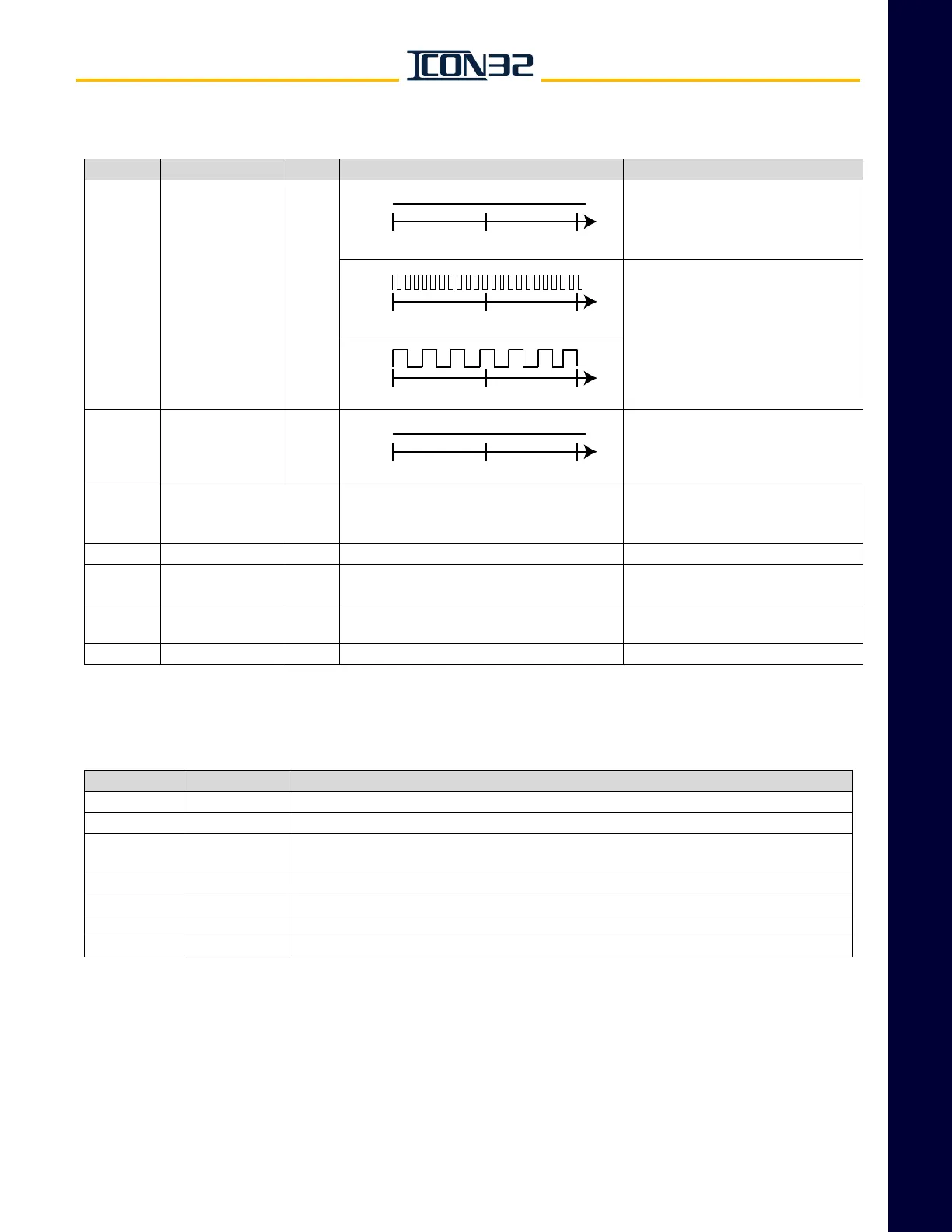
LED LED Name Color LED Flash Rate LED Function
STAT CPU Status Red
LED is OFF in Normal Mode.
LED flashes continuously at 100ms
rate if no job file is loaded to flash or
a bad reload of data to flash has
occurred.
WD Watchdog Green
LED flashes at 300ms for 3 intervals
if upload successful, then CPU
reboots and LED turns ON.
LNK Ethernet Link Green
~
LED is ON if power is good, card is
not in reset, FPGA is configured, and
Watchdog has not timed out.
RX Ethernet Receive Green Varies depending on activity Ethernet Status - Link Good
TX Ethernet Transmit Green Varies depending on activity
LED flashes while Ethernet Link is
receiving.
USBD USB Device Green Varies depending on activity
LED flashes during activity on the
USB device port.
CHKSTOP ~ Green Varies depending on activity Manufacturing use.
Connector Name Function
CON1 IOF Interface Interface connector to IOF Card
CON4 485 Currently not used
CON5 Ethernet
Standard RJ45 connector and MDI pin out, used for Inter-Group communication instead
of CAN (RCH/RCL)
CON6 USB Host Standard USB Type A connector, used for loading software to the CPUC Card
CON7 UIT User Interface Tool connector
CON8 USB Device Standard USB Type B connector, used for connecting Owner’s IMS via a PC’s USB port
CON11 RS232 D-Shell Standard RS232 9 pin D-Shell for connecting Owner’s IMS via a PC’s serial port
ON
OFF
0 sec. 1 sec. 2 sec.
ON
OFF
0 sec. 1 sec. 2 sec.
ON
OFF
0 sec. 1 sec. 2 sec.
ON
OFF
0 sec. 1 sec. 2 sec.



 To Next Page