TROUBLESHOOTING
Vertical Express Product Manual 4-13 88500 v.1.0
Troubleshooting Section Troubleshooting I/O Issues
Troubleshooting I/O Issues
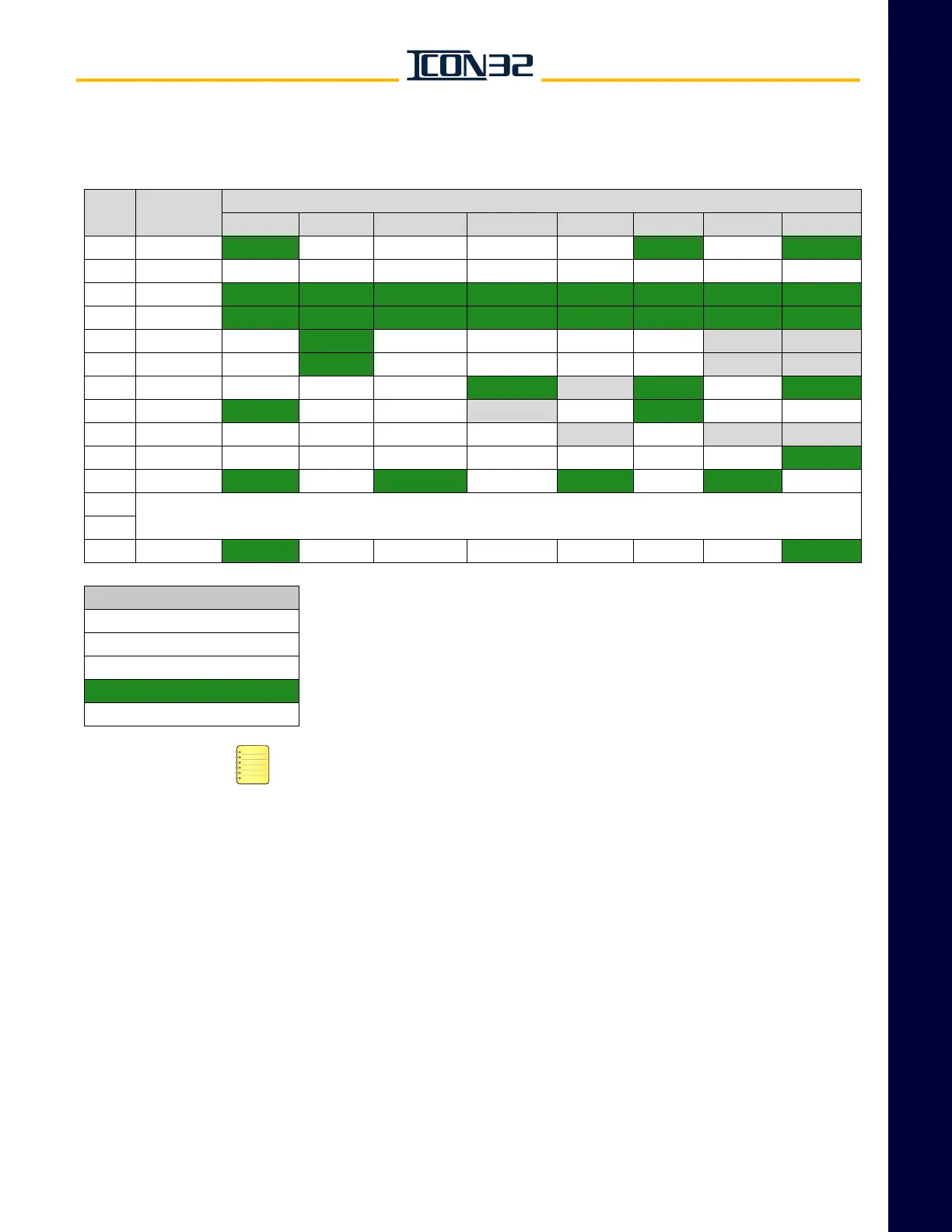
I/O Reference Table
• SAFE, CDCF, CDCR, CST and all interlock inputs (port 3) must be active with no
critical controller faults in order for SAFSPM, SAFCPU, SAFCPM, and TSRCPU to
be active.
• Any optional I/O present in the job software must be in the indicated state for the
Correct I/O Pattern column.
• MCC2, MCC2M = Only seen on jobs with electronic or Wye-Delta starting.
• MUTS, MCF = Only seen on jobs with electronic starting.
• MCE, MCD = Only seen on jobs with across-the-line (1 contactor) starting.
• PRSW = Only seen on jobs equipped with a low pressure switch.
• OLTS, OLTO = Only seen on jobs equipped with viscosity control thermostats.
• INHA, INHAM = Only seen on jobs with hoistway access.
• Bit Patterns provided are for jobs with electronic starting and hoistway access.
• I/O locations marked with an X are either unassigned or have a signal assigned
whose status is unimportant at this point. If required, see job’s Car I/O Assign-
ment Sheet.
Port #
Correct I/O
Pattern
I/O Number
1 2 3 4 5 6 7 8
1 01000101
INCN INCNM INCNU INCND CDBM CDBM2 HDBM HDBM2
2 00000000 BYCST BYHA BYHAR BYHAB BYHAT BYCDB BYHDB BYDZ
3 11111111
IB IT IF IR CB CT CF CR
4 11111111
SAFSPM SAFCPU SAFCPM SAFE TSRCPU CDCF CDCR CST
5 010000-- MCC1
MCC2 UFS USS DFS DSS --- ---
6 010000-- MCC1M
MCC2M UFSM USSM DFSM DSSM --- ---
7 0001-101 MUTS MCF MCE
MCD --- PRSW OLTS OLTO
8100-0100
BLOM BLO CHKBLO --- CHKTSR CHKDS TSRCPM NTSNPM
9 ------------ TPDR TPDL TPSR/TP3SR TPSL/TPESL
--- DD --- ---
10 00000001 FSM FSX FSE FST FSSR STBC EPW
EPNP
11 10101010
HATU HATUM HATD HATDM HABU HABUM HABD HABDM
15
See Selector I/O Troubleshooting Section
16
17 00000101
INCTM INCTU INCTD INCTU2 INCTD2 INCT INHA INHAM
LEGEND Table 2 - I/O Port # and I/O Correct Pattern
‘---’ = Irrelevant Ready to Run - Controller Inspection
BOLD = I/O Always Present
I/O State = INACTIVE
I/O State = ACTIVE
ITALICIZED = Optional I/O



 To Next Page