ADJUSTMENT
Vertical Express Product Manual 2-39 88500 v.1.0
Adjustment Section Operational Adjustments
Electronic Starter
(continued) 7. Press once to access the value.
a. Press
or to adjust the value of the flashing digit.
b. Press
to move to the next digit.
8. Press
to exit to the PARAMETERS Menu.
A prompt to ACCEPT or REJECT the change appears. Press
to accept,
or
to reject and correct the parameter.
Operational Adjustments
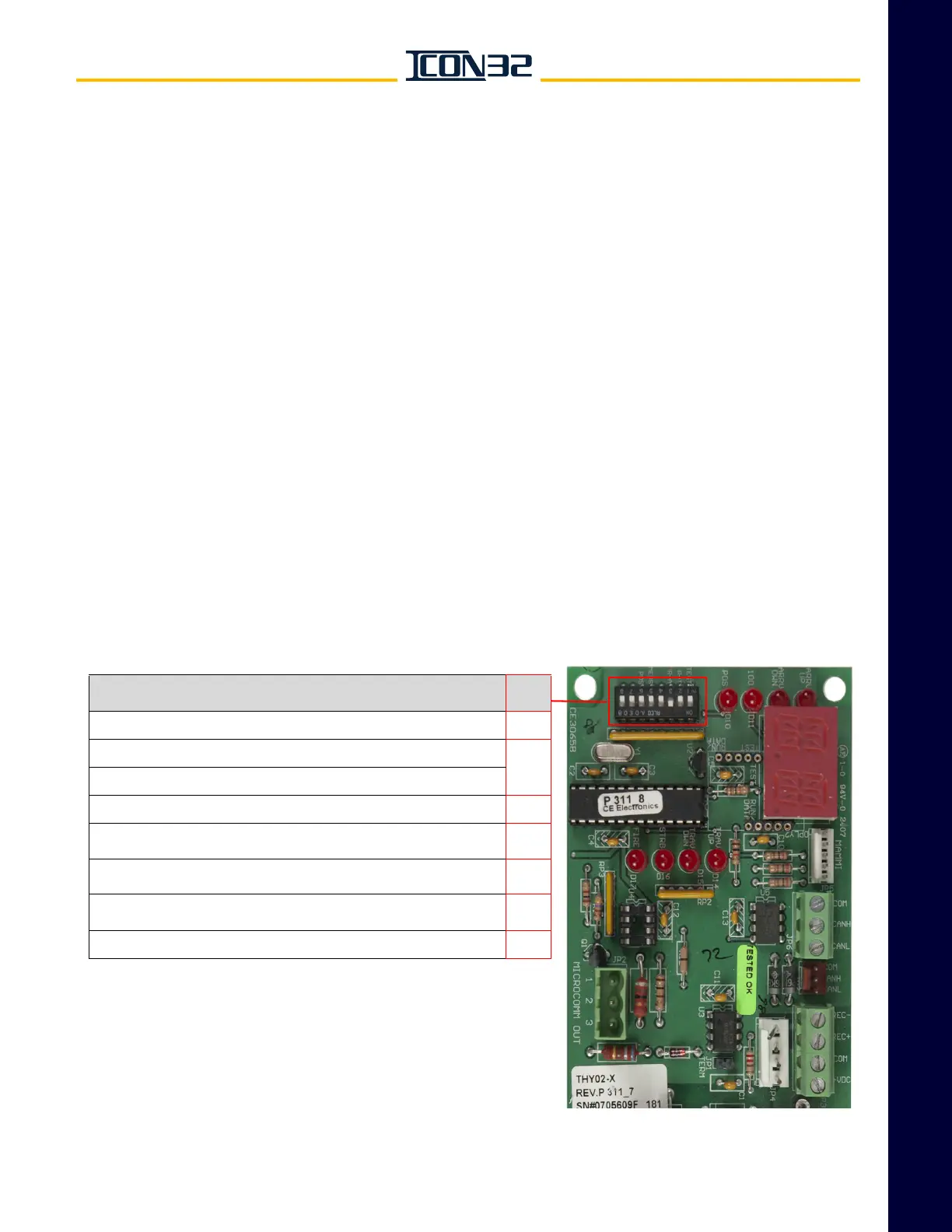
Configure the THY02 Card
The THY02 Card, powered by 24VDC, is a receive-only device. See Figure 12.
• REC+ and REC- are for 485 communication protocol.
• CANH and CANL are for CAN communication protocol used with ICON32.
1. Set the S1 Dip Switch #3 to the ON position.
2. Set the controller adjustment O43=9 for the Car CAN Channel (CCL/CCH).
3. Issue a WRT Command.
4. Press RST on the CPUC Card.
Figure 12 - THY02 Card and Dip Switch Functions
Function
Dip
Switch
ON = Self-test Mode. Unit ignores data link inputs. 1
ON = Use 50 kHz CAN link.
3
OFF = Use 100 kHz CAN link.
ON = Use MAMMI Message 8 as play strobe for voice. 4
ON = Unit display alternately shows lower two ASCII characters of
floors and messages. When displaying a message, “100” LED is lit.
5
ON = Unit display shows floor position number instead of ASCII
characters.
6
ON with EEPROM installed = Activate the passing chime when the bit is
set in EEPROM for that floor position number.
7
ON = Activate floor number redundancy (need same data twice). 8



 To Next Page