17
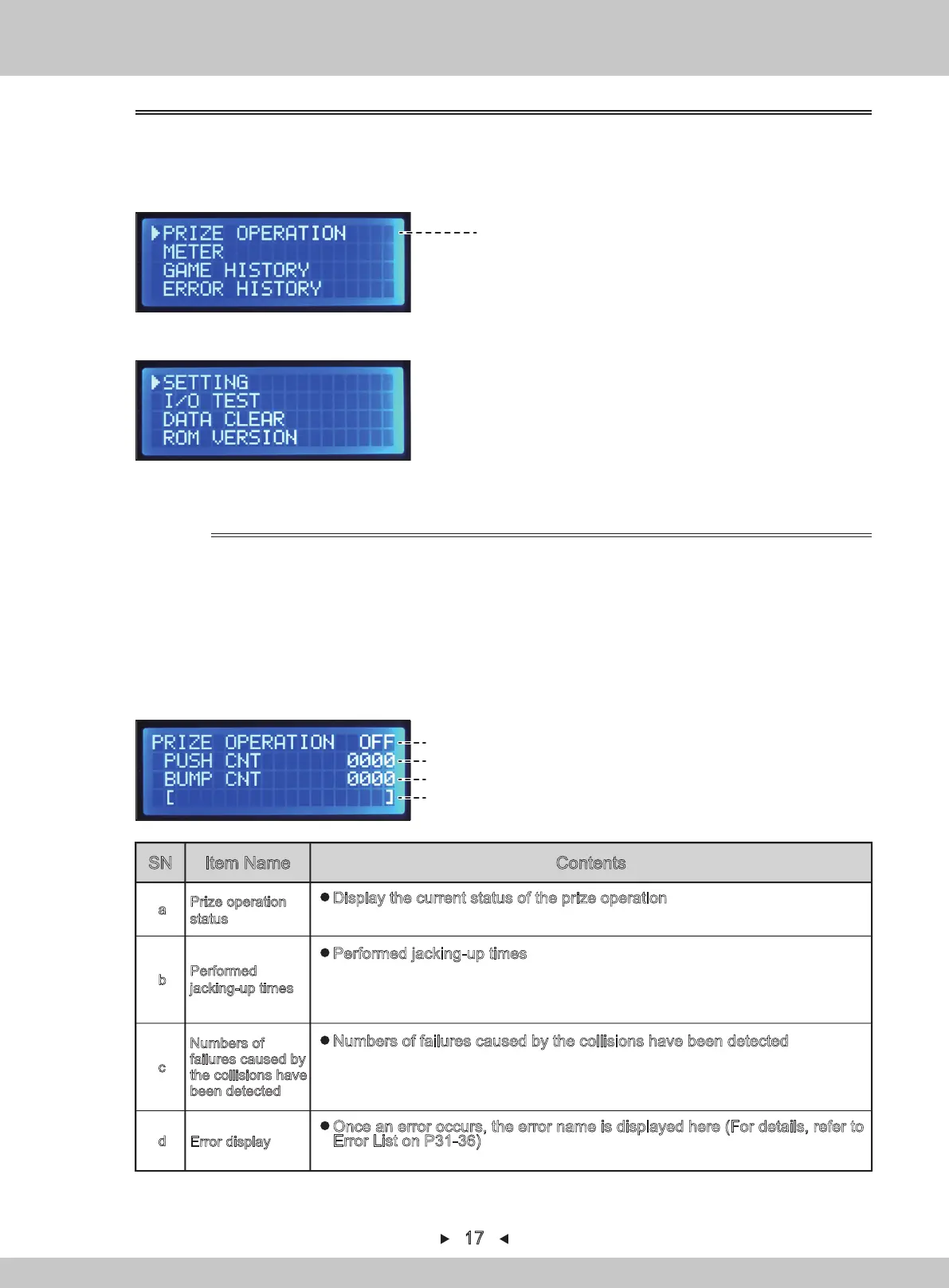
For main menu, refer to P1
1. The service-panel can be seen when the right access door is opened.
2. Turn on [TEST]. The various data will be displayed and the test-mode can be entered.
3. By pressing [↑] and [↓] , the arrow will point to "PRIZE OPERATION". Press [SETTING]
to confirm.
4. Press [SETTING] to start the operation in the operation.
5. Press [SETTING] to stop the operation also in the operation.
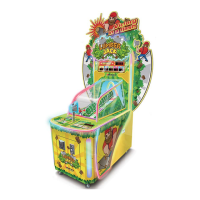
Prize operation interface
(a)
4.1.1.1 PRIZE OPERATION
Prize operation
status
a
Display the current status of the prize operation
(OFF:Prize operation in stopping、ON:Prize operation in progress)
Performed
jacking-up times
b
Performed jacking-up times
※9999 times can be displayed at most. When 9999 times are exceeded, the
stopwatch will automatically stop.
※This value will always be displayed even if the prize operation interface is exited.
Numbers of
failures caused by
the collisions have
been detected
c
Numbers of failures caused by the collisions have been detected
※9999 times can be displayed at most. When 9999 times are exceeded, the
stopwatch will automatically stop.
※This value will always be displayed even if the prize operation interface is exited.
Error display
d
Once an error occurs, the error name is displayed here (For details, refer to
Error List on P31-36)
When an error occurs, the prize operation stops automatically.
6
.
Return to the main menu by pressing [BACK].
(b)
(c)
(d)
1. By pressing [↑] and [↓] , the arrow will move to select the corresponding item.
2. Press [SETTING] to confirm and the selected data or test mode will be entered.
4.1.1 TOP MENU
For main menu, refer to P2
※The purpose of this feature is used to
test the rationality of prize configuration
before operation. There is no influence on
the value and probability-control.
SN
Item Name Contents


 To Next Page