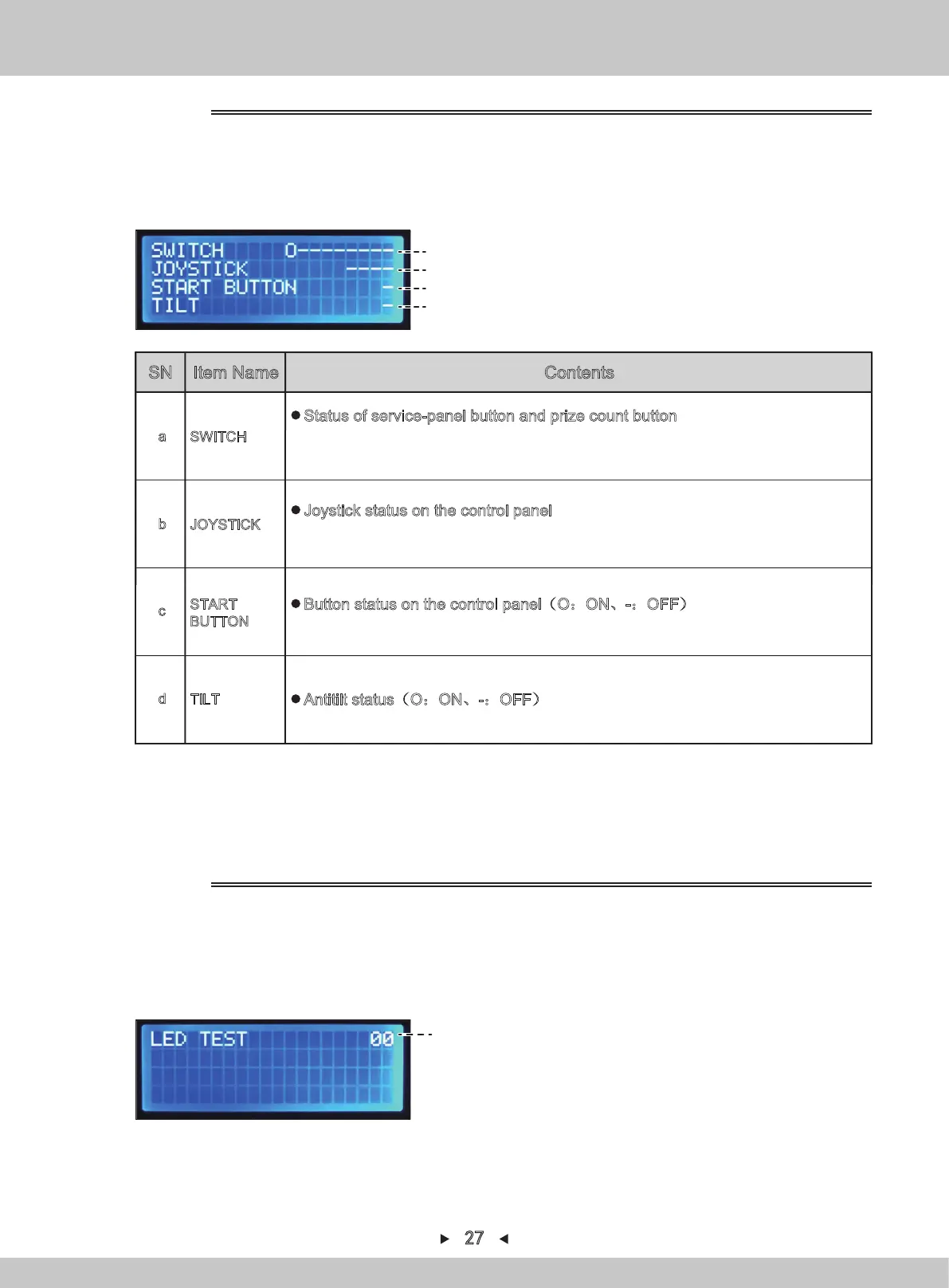
(a)
(b)
(c)
(d)
Button/sensor test interface
1. Repeat steps 1-2 in 4.1.1.6.1. By pressing [↑] and [↓] , the arrow will point to
“SWITCH&SENSOR TEST”. Press [SETTING] to confirm.
2.
When a button is pressed, it is displayed in shape of (O:ON、-:OFF).
3.
Return to I/O test by pressing [BACK] for a long time.
4.1.1.6.4 SWITCH&SENSOR TEST
SN Item Name Contents
1. Repeat steps 1-2 in 4.1.1.6.1. By pressing [↑] and [↓] , the arrow will point to
“LED TEST”. Press [SETTING] to confirm.
2.
By pressing [↑] and [↓], select different Nos.; different Nos. will light up different
color effects.
LED SN
in test
LED test
4.1.1.6.5 LED TEST
SWITCH
a
Status of service-panel button and prize count button
The buttons from the left are:
TEST SW/UP/RIGHT/DOWN/LEFT/BACK/SETTING/SERVICE/PRIZE COUNT BUTTON
(O:ON、-:OFF)
JOYSTICK
b
Joystick status on the control panel
The buttons from the left are: UP/DOWN/LEFT/RIGHT Jacking-rod status
(O:ON、-:OFF)
START
BUTTON
c
Button status on the control panel(O:ON、-:OFF)
※The indicator on the button will be on when the button is pressed.
TILT
d
Antitilt status(O:ON、-:OFF)
27


 To Next Page