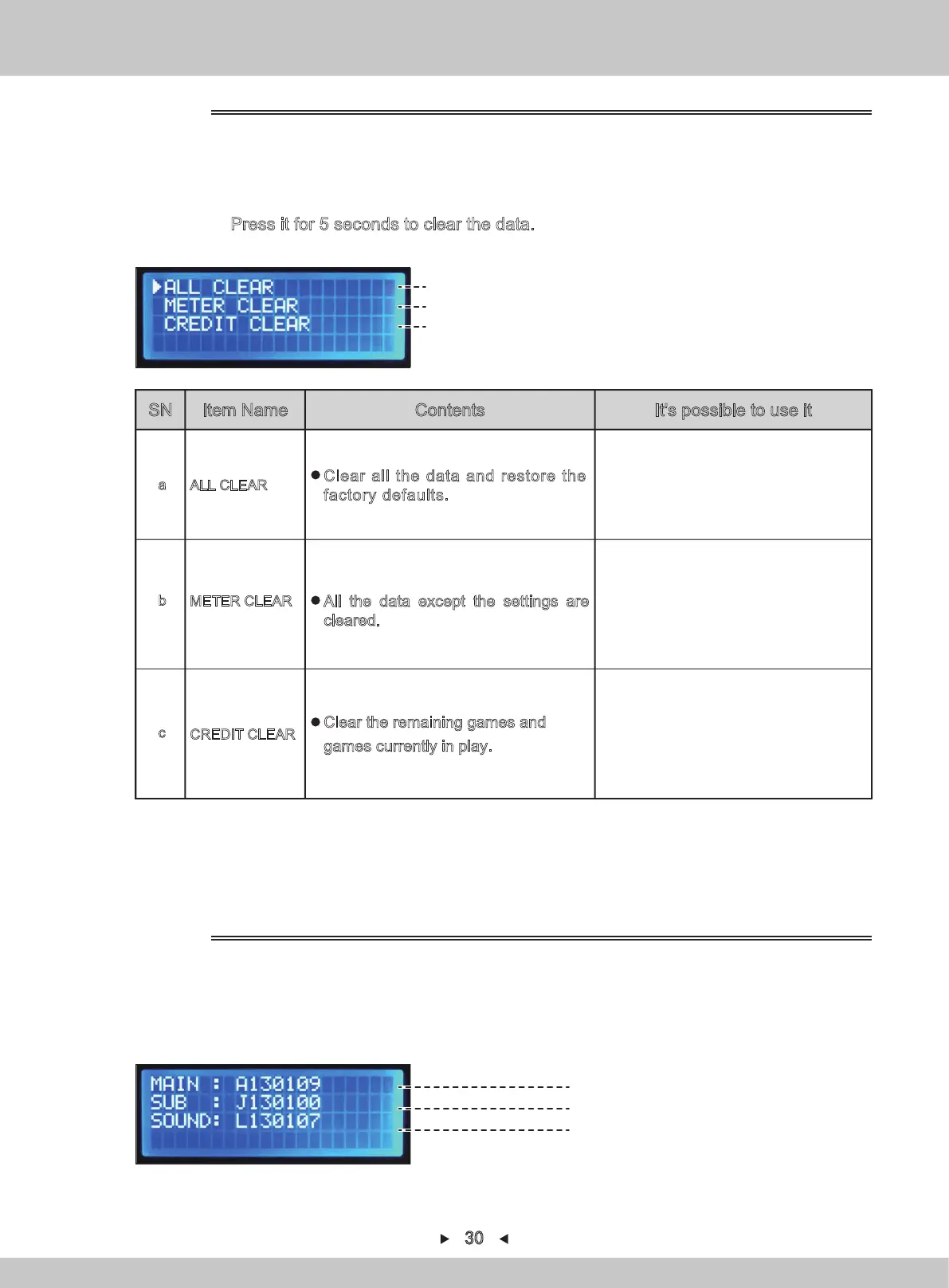
1. Repeat steps 1-2 in 4.1.1.6.1. By pressing [↑] and [↓] , the arrow will point to
“DATA CLEAR”. Press [SETTING] to confirm.
2. Select the items to be initialized by the arrow by pressing [↑] and [↓].
3.
Keep on pressing [SETTING] to make sure it starts to display the countdown.
Press it for 5 seconds to clear the data.
1. Repeat steps 1-2 in 4.1.1.6.1. By pressing [↑] and [↓] , the arrow will point to
“ROM VERSION”. Press [SETTING] to confirm.
2.
By pressing
[↑] and [↓]
, switch to the following page.
4.1.1.7 DATA CLEAR
For data-clearing
(a)
(b)
(c)
4.
Return to the main menu by pressing [BACK].
SN Item Name Contents It's possible to use it
Software version of MAIN CPU
Software version of SUB CPU
Data version of audio list
3.
Return to the main menu by pressing [BACK].
ROM version confirmation interface
4.1.1.8 ROM VERSION
When all are restored to factory settings.
ALL CLEAR
a
Clear all the data and restore the
factory defaults.
All the settings are kept to the same state
and others need to be reset.
METER CLEAR
b
All the data except the settings are
cleared.
Games saved there or games to be invalid.
CREDIT CLEAR
c
Clear the remaining games and
games currently in play.
30


 To Next Page