19
5
.
Return to the main menu by pressing [BACK].
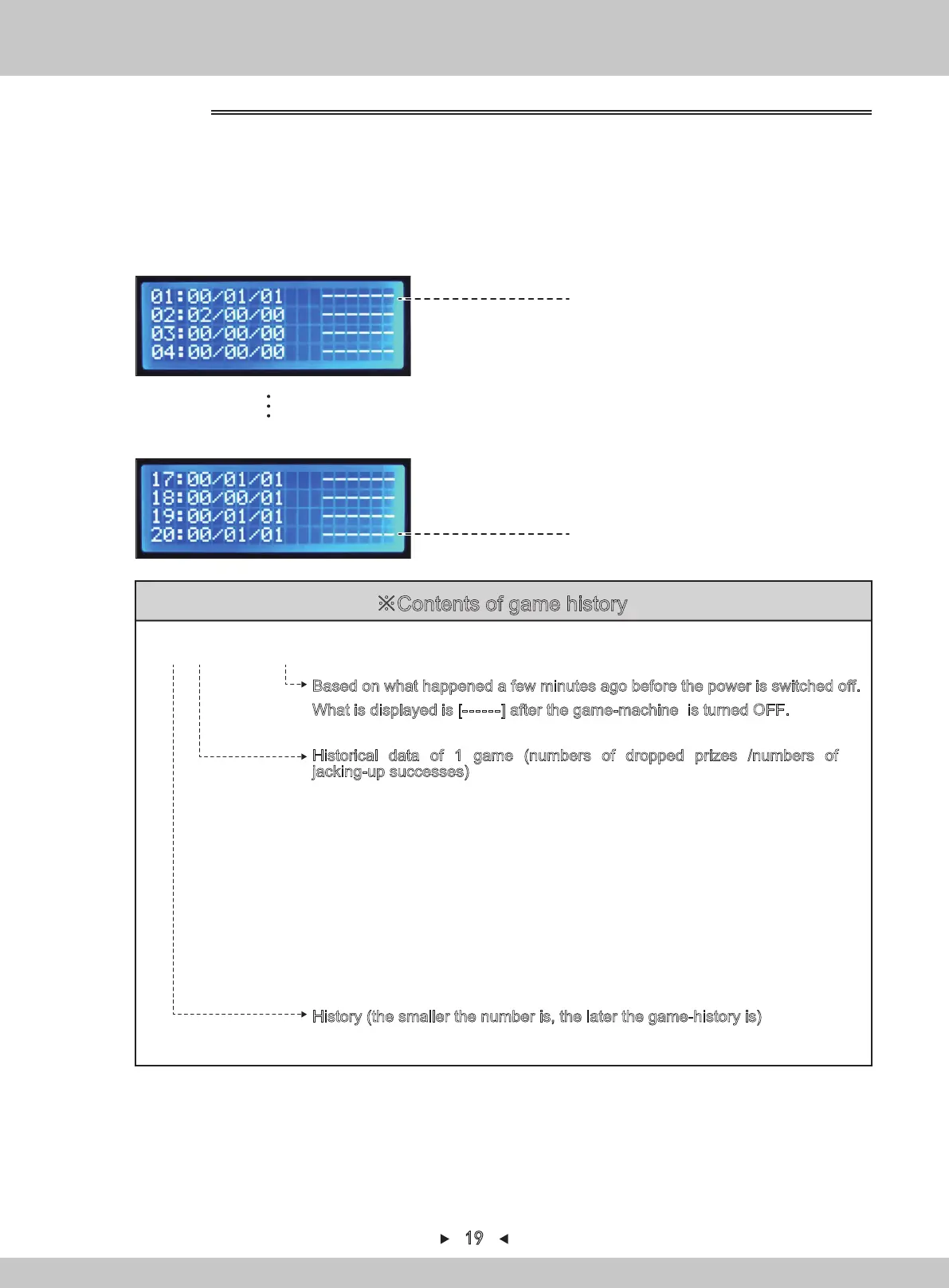
For game history, refer to P1
Latest game-history
For game history, refer to P5
※Contents of game history
Final game-history
(up to 20 times)
4.1.1.3 GAME HISTORY
01:01/02/05 1:23
Based on what happened a few minutes ago before the power is switched off.
What is displayed is [------] after the game-machine is turned OFF.
Historical data of 1 game (numbers of dropped prizes /numbers of
jacking-up successes)
A game is the game between the game-start and the sealing-plate closing or until
the next game is played.
Taking this as an example, the prize has been jacked-up for 5 times in the limited
time. 2 of them did not collide with the screen and the others are all jacked-up
successfully. 1 prize can be got.
(In the case of prize-falling rapidly and continuously, the prize-falling is only counted
as 1 time to include in the stopwatch.)
※The sealing-plate closing-time will change according to the setting.
If this sealing-plate is normally opened, 30 seconds after the game-ending will be
recorded in the game.
After 30 seconds, if the prize falling during the normal opening of the sealing-plate
is detected, it will be regarded as the historical record of the new [01/--/--] game.
History (the smaller the number is, the later the game-history is)
1. The service-panel can be seen when the right access door is opened.
2. Turn on [TEST]. The various data will be displayed and the test-mode can be entered.
3. By pressing
[↑] and [↓]
, the arrow will point to “GAME HISTORY”. Press [SETTING]
to confirm.
4. By pressing
[↑] and [↓]
, switch to the following page.


 To Next Page