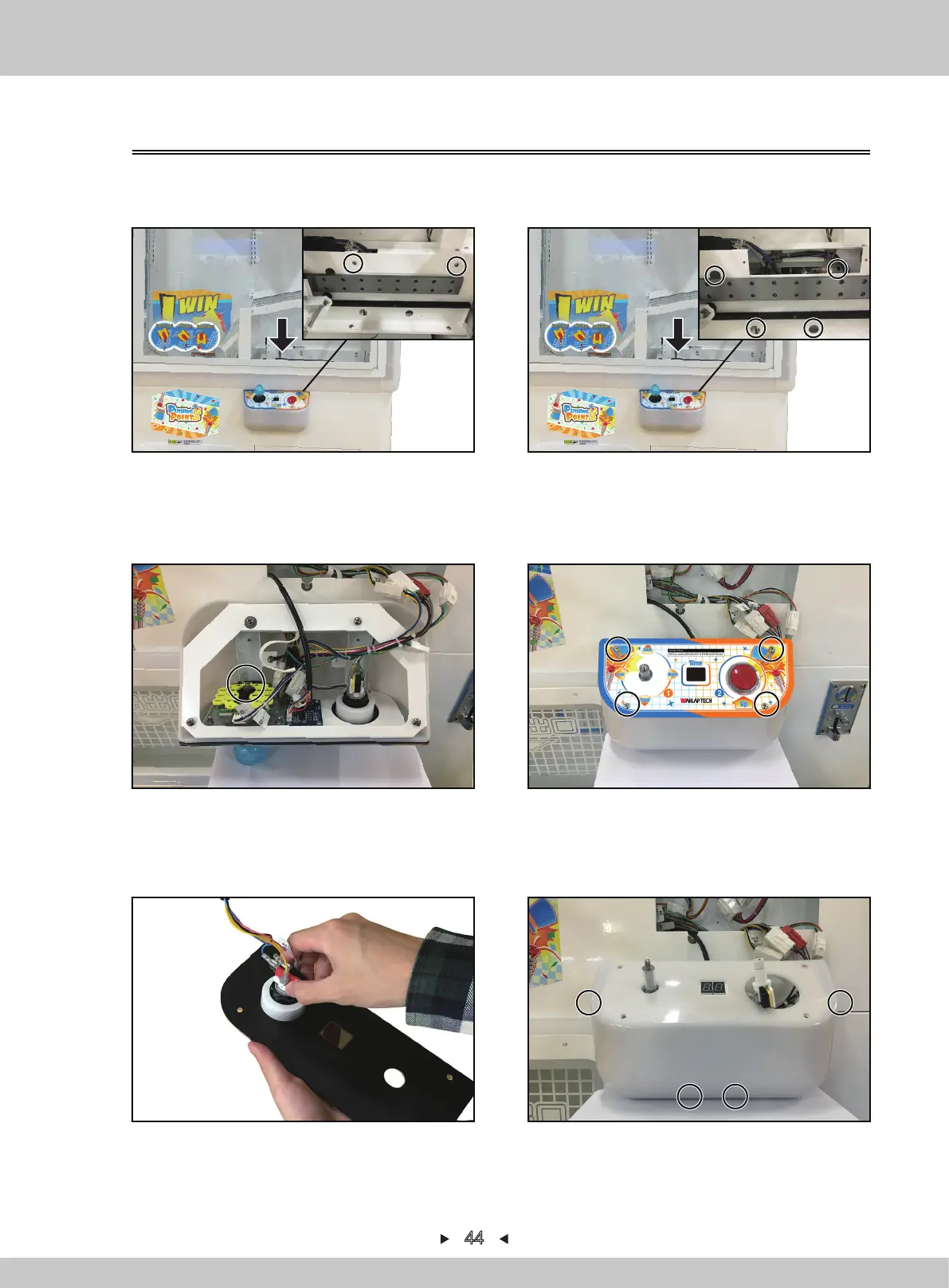
5.2.6 Change control-panel joystick
1. Turn off the game-machine. Open the acrylic door with the key, remove the screen and 2
screws that fix the service-hatch cover-plate and remove the service-hatch cover-plate.
2. Remove 4 screws that fix the control panel and remove the control panel.
44
5. Turn the acryl on the other-side, pull out the corresponding terminal and remove the acryl.
6. Remove 4 screws that fix the control-panel plastic-cover and remove the control-panel
plastic-cover.
3. Use the slot-type screwdriver to fix the joystick. At the same time, rotate the joystick-ball
counterclockwise and take out the black plastic sheeting.
4. Remove 4 screws to fix the acryl.


 To Next Page