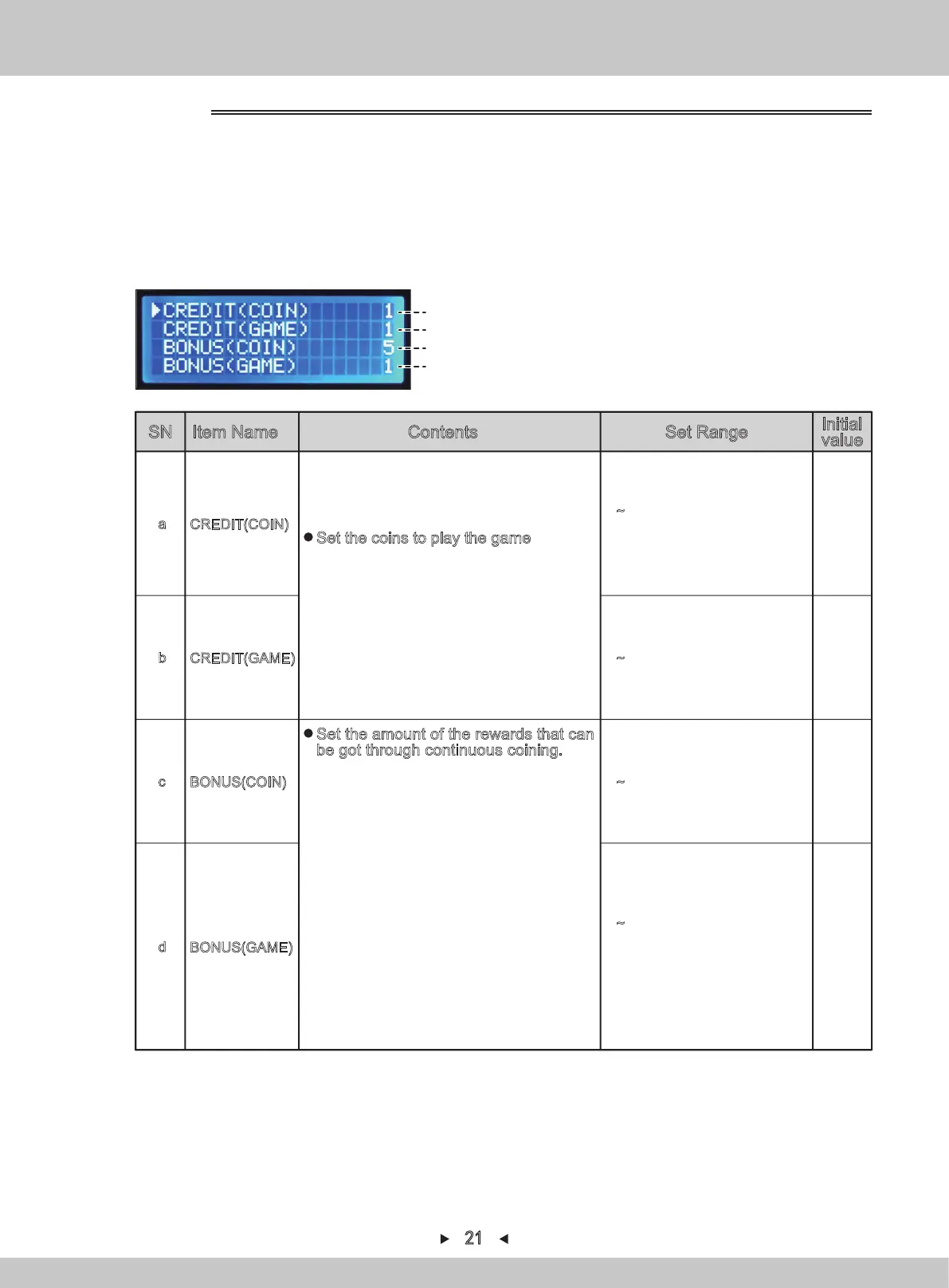
For set item, refer to P1
(a)
(b)
(c)
(d)
SN Item Name Contents Set Range
Initial
value
1~99:Needed coins
FREE :Free mode
CREDIT(COIN)
a 1
CREDIT(GAME)
1~99:Generated game
1b
BONUS(COIN)
1~99:Needed coins
5c
0~99:Games that generate
the award(0 means there
will be no award game)
0
BONUS(GAME)
d
Set the coins to play the game
※Player can play the CREDIT GAME after
the coins are put in.
※When CREDIT (COIN) is free, CREDIT
(GAME) can not be used.
Set the amount of the rewards that can
be got through continuous coining.
※Set BONUS (COIN) to generate a game,
whether to add BONUS (GAME) setting.
※The internal settlement of the awarded
game will be invalid when the game is
started and before the awarded game is
got.
※This item cannot be set when CREDIT
(COIN) is FREE.
Example:CREDIT(COIN) 1
CREDIT(GAME) 1
BONUS(COIN) 5
BONUS(GAME) 1
According to the above-said, 1 game will be
played after one coin is put in. Before the
game is officially started, one more game
will be played after 5 coins are put in
consecutively. In total, 6 games can be
played.
1. The service-panel can be seen when the right access door is opened.
2. Turn on [TEST]. The various data will be displayed and the test-mode can be entered.
3. By pressing
[↑] and [↓]
, the arrow will point to “
SETTING
”. Press [SETTING] to confirm.
4.
Select the item to be set by pressing [↑] and [↓].
5.
Change the setting-value of the selected item by pressing [←] or [→].
4.1.1.5 SETTING
21


 To Next Page