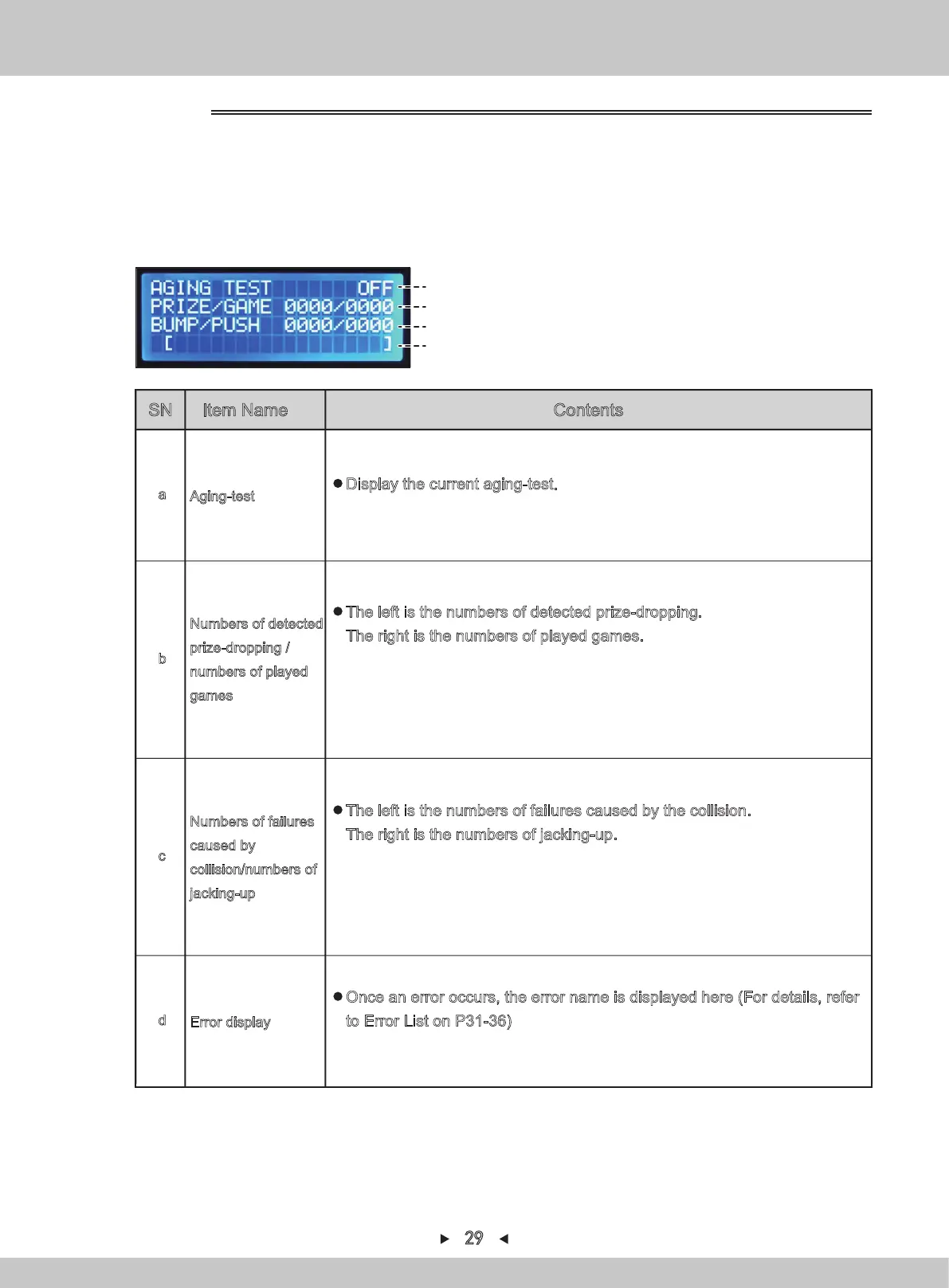
SN Item Name Contents
Aging-test
a
Display the current aging-test.
(OFF:stop the aging-test、ON:start the aging-test)
Numbers of detected
prize-dropping /
numbers of played
games
b
The left is the numbers of detected prize-dropping.
The right is the numbers of played games.
※9999 times can be displayed at most. When 9999 times are exceeded, the
stopwatch will automatically stop.
This value will always be displayed at the aging test interface.
Numbers of failures
caused by
collision/numbers of
jacking-up
c
The left is the numbers of failures caused by the collision.
The right is the numbers of jacking-up.
※9999 times can be displayed at most. When 9999 times are exceeded, the
stopwatch will automatically stop.
This value will always be displayed at the aging test interface.
Error display
d
Once an error occurs, the error name is displayed here (For details, refer
to Error List on P31-36)
Press [SETTING] to stop the aging test and the error will disappear.
4.
Return to I/O test by pressing [BACK].
(a)
(b)
(c)
(d)
Aging-test
1. Repeat steps 1-2 in 4.1.1.6.1. By pressing [↑] and [↓] , the arrow will point to
“AGING TEST”. Press [SETTING] to confirm.
2.
Start the aging-test by pressing [SETTING].
3.
During the aging-test, press [SETTING] to stop the aging-test.
4.1.1.6.8 AGING TEST
29


 To Next Page