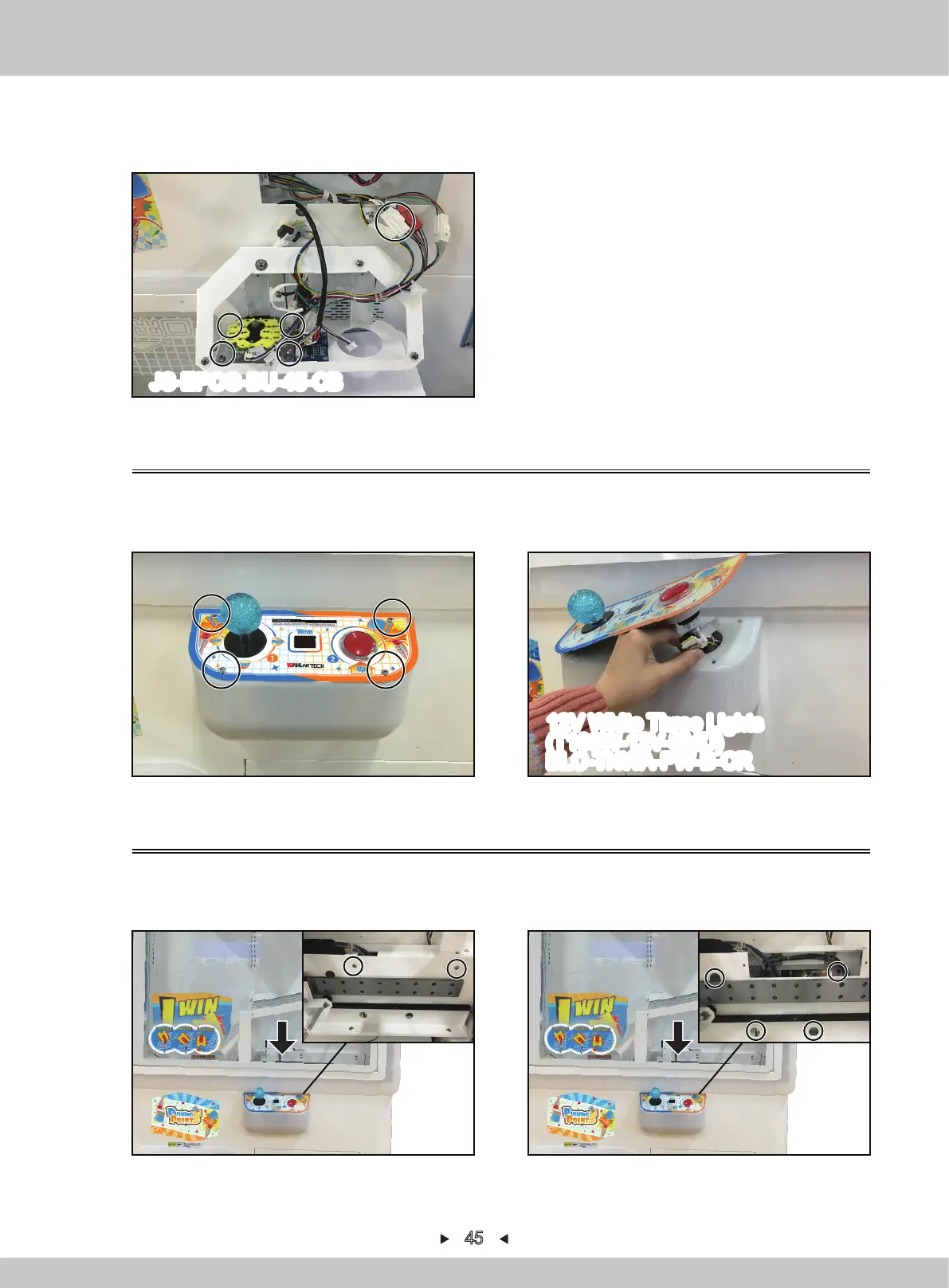
5.2.8 Change control-panel digital-board(7SEG)
1. Turn off the game-machine. Open the acrylic door with the key, remove the screen and 2
screws that fix the service-hatch cover-plate and remove the service-hatch cover-plate.
2. Remove 4 screws that fix the control panel and remove the control panel.
7. Remove 4 screws to fix the joystick, cut off the cable tie, pull out the corresponding terminal
and remove the joystick, reinstall in a reverse order after replacing.
5.2.7 Change control-panel button
1. Remove 4 screws to fix the acryl.
2. Cut off the cable tie, pull out the corresponding terminal and remove the button, reinstall in a
reverse order after replacing.
45
12V White Three Lights
(T103W-12V-SMD)
BLC-TNWA-PW-B-CR
JS-EPCG-BU-45-CB


 To Next Page