Alpha/Delta (Kinetic Operator) Installation and Maintenance Manual Revision 1 - MAY 2023
177
DC BATTERY REPLACEMENT
To replace the baeries, take the following steps:
1� Take o the Kinec cover and turn o the DC and AC power switches.
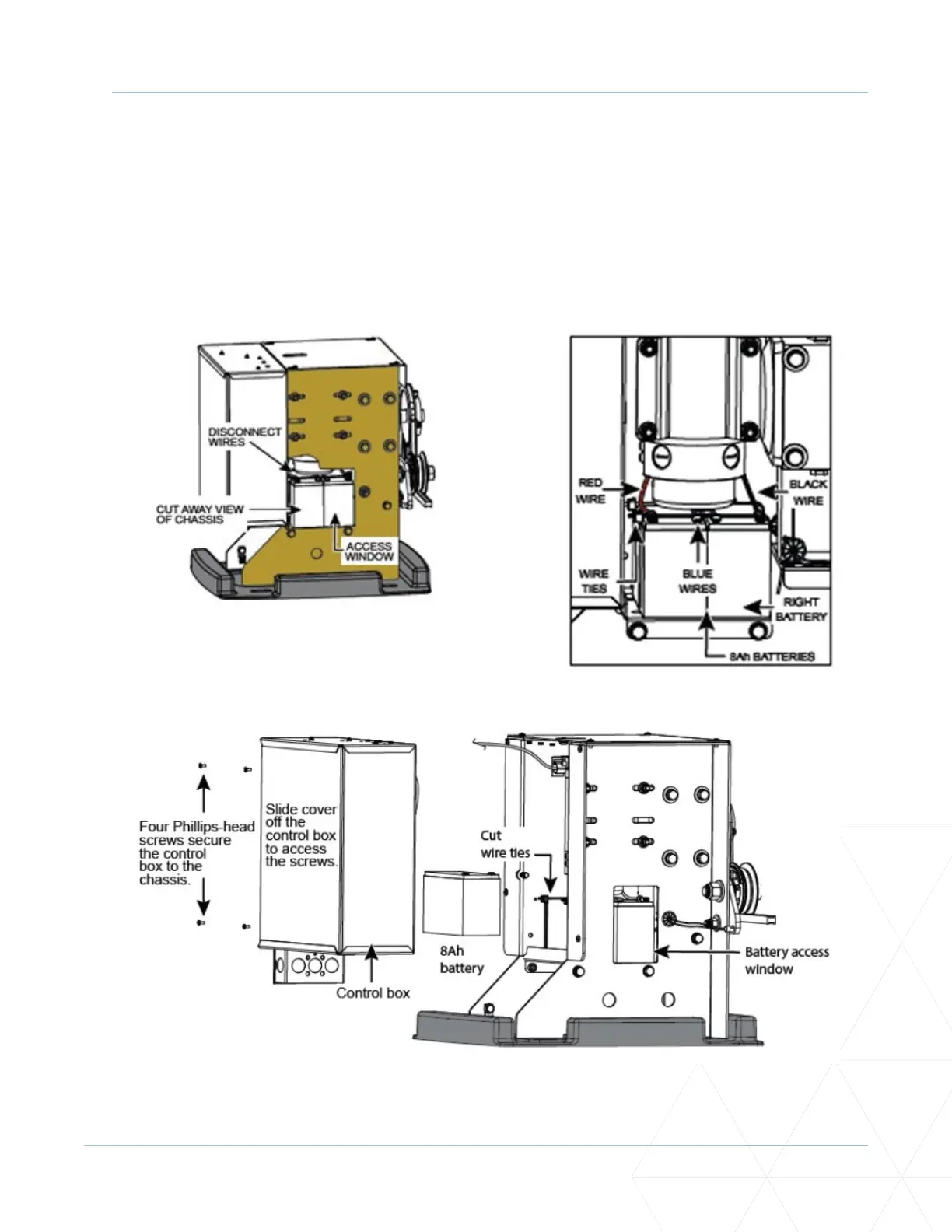
2� To access the 8Ah baeries and disconnect baery wires, cut the two black wire es and slide the
8Ah baeries through the access window. See Figure 51. Another opon is to remove the four
screws that hold the control box to the chassis. Refer to Figure 53.
3� Disconnect the black, blue, and red wires as you slide the baeries through the access window.
Figure 52. New DC Baery Replacement
Figure 53. DC Baery Replacement Cover Removal
Figure 51. Baery Removal via Access Window



 To Next Page