Alpha/Delta (Kinetic Operator) Installation and Maintenance Manual Revision 1 - MAY 2023
73
WIRING 230VAC POWER
Do not connect the 115VAC service
outlet to 230VAC power supply wires.
To use the service outlet with 230VAC
supply power, a separate neutral wire
(white) must be run from the power
source. Follow guidelines according
to Naonal Electrical Code Arcle 250.
To connect to 230VAC power, take the following steps:
1� Make sure the AC power is turned o at its source and the DC and AC power switches on the operator
are in the OFF posion.
2� Remove the High Voltage Protecon cover by unscrewing the two Phillips-head screws that secure
it. See “Figure 16. Wiring AC Power” on page 70�
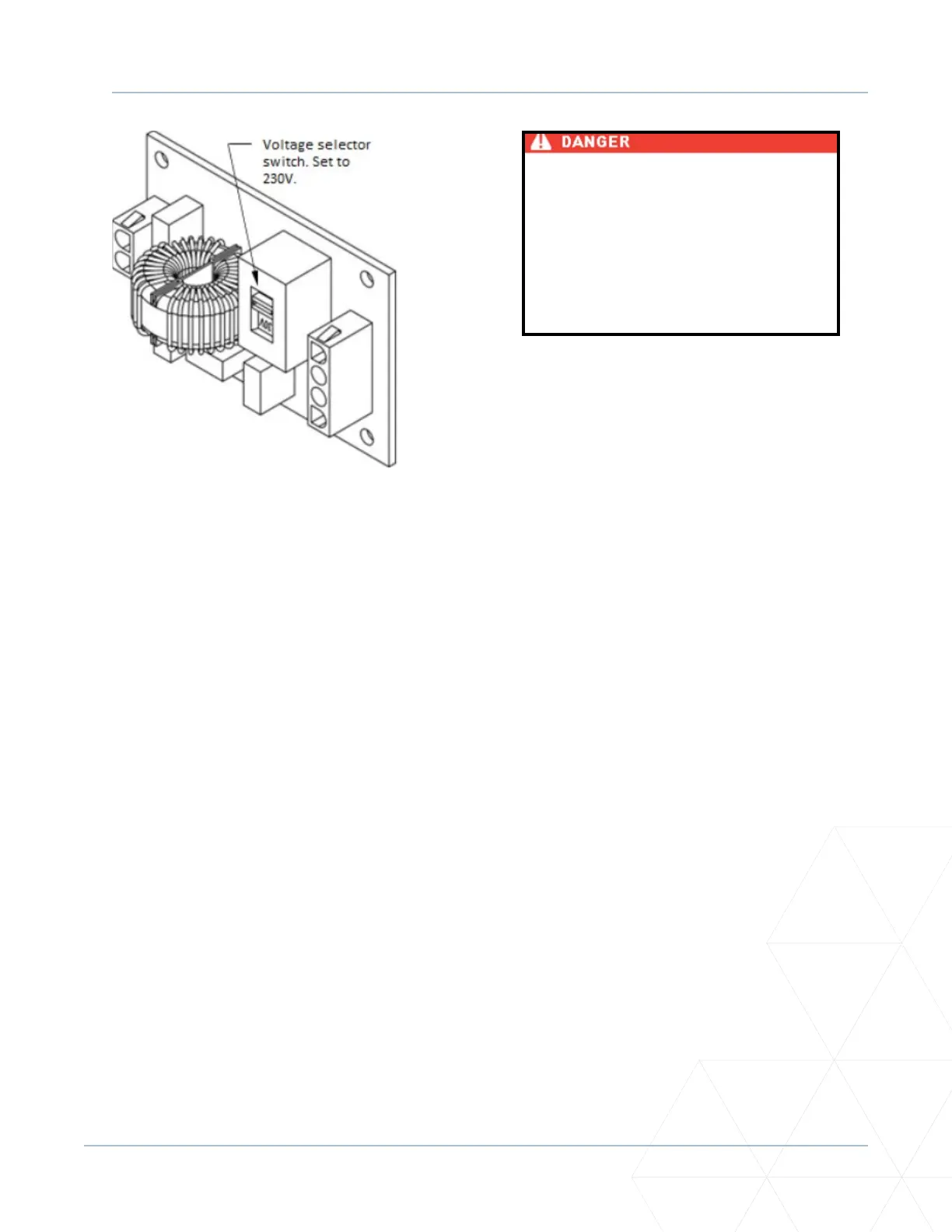
3� Toggle the voltage selector switch from 115V to 230V. See Figure 17. Replace the cover and secure
it�
4� Access the input power wires by removing the two Phillips-head screws that secure the Juncon Box
Cover. See “Figure 16. Wiring AC Power” on page 70�
5� Wire nut or crimp bond the power supply wires to the black and white lead wires coming from the
AC power switch (no label).
6� Wire nut or crimp bond the equipment ground wire to the green ground wire in the juncon box.
7� Neatly organize all wire connecons and secure the juncon box cover with the two Phillips-head
screws.
8� Place the 230V 1Ø label on the Juncon Box Cover over the 115V 1Ø label.
Figure 17. Voltage Selector Switch Set to 230V



 To Next Page