EasyManua.ls Logo

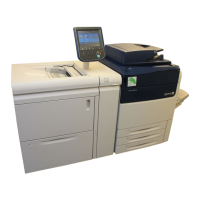
Xerox Versant 80 Press - User Manual

Xerox Versant 80 Press
382 pages
Print Icon
To Next Page IconTo Next Page
Loading...
Xerox
®
Versant
®
80 Press
User Guide
System Software Version 80.20.84
Book Version 3.1
November 2015

Table of Contents

Other manuals for Xerox Versant 80 Press

Questions and Answers

  • C
    Caitlin PonceJul 27, 2025
    What to do if Xerox Versant 80 Press Printer shows 'Communication error with the Xerox SMart eSolutions server'?
    • J
      James WilsonJul 27, 2025
      If your Xerox Printer displays a 'Communication error with the Xerox SMart eSolutions server' message, the internet cable between the printer and the print server may be missing, broken, or disconnected. Check the connection by replacing the existing cable with a new one and ensuring it is securely connected. Also, check the internet drop.
  • C
    Chad KirkAug 3, 2025
    How to fix 'Failed Xerox Communication Server Transmitted Data' message on my Xerox Versant 80 Press Printer?
    • J
      Jessica GrahamAug 3, 2025
      If you're encountering a 'Failed Xerox Communication Server Transmitted Data' message on your Xerox Printer, ensure the network cable from the print server is correctly connected. Confirm you have internet access by attempting to access the Xerox website through the print server's web browser. Verify that the HTTP proxy server is configured correctly and that the proxy server address is correctly configured on the device. Check that the DNS settings are correctly configured, ensuring the printer can resolve the IP address of the proxy server host name. Also, verify the date and time (including time zone) set on the printer, as an incorrect date or time may cause server synchronization issues. Finally, check that the Xerox Communication Server is online.
  • A
    Adam HardyAug 10, 2025
    What if proxy server settings are incorrect on Xerox Versant 80 Press Printer?
    • A
      Adam BennettAug 10, 2025
      If the proxy server settings are incorrect on your Xerox Printer, check with your network administrator for the correct proxy server details. Then, ensure these details are accurately entered in the Network Connectivity Setup area of the printer.
  • J
    Jessica ClarkAug 19, 2025
    How to fix transmission errors with EFI Print Server configuration on Xerox Printer?
    • K
      Kayla SalazarAug 19, 2025
      To resolve transmission errors when using the EFI Print Server configuration with your Xerox Printer, ensure the DNS Server Information is configured. Configure the print server with a DNS server name, even if you have to test with a false name. Additionally, configure Dynamic DNS on the printer.

Xerox Versant 80 Press Specifications

General IconGeneral
BrandXerox
ModelVersant 80 Press
CategoryPrinter
LanguageEnglish

Related product manuals