Stratus OCT User Manual PN 2660021134133 A
Data Management
7-9
Create, Edit and Delete Categories
Create
Only the Default category is pre-installed. To create new categories, follow these steps:
1. Click Options > Register > Categories. The
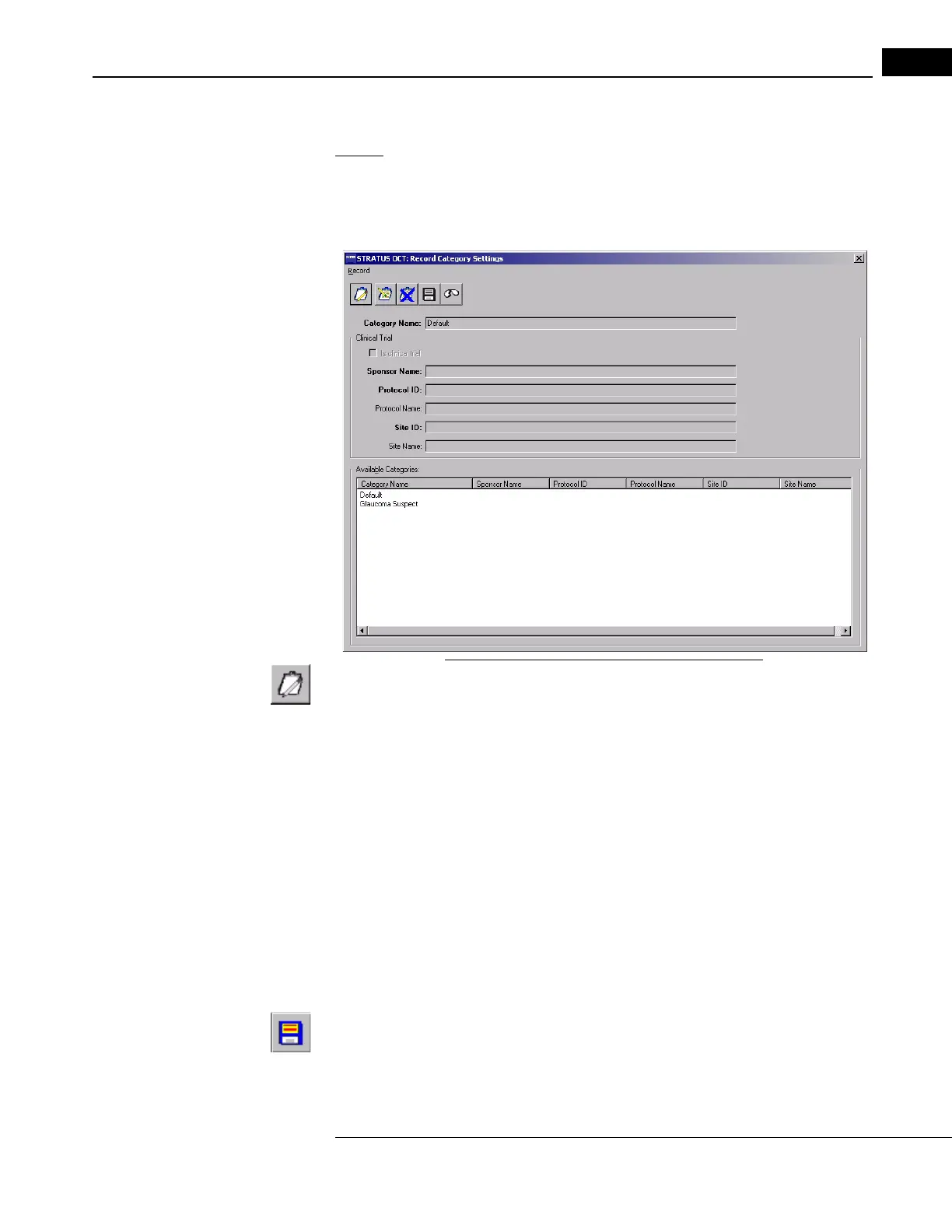
RECORD CATEGORY SETTINGS WINDOW
appears.
Figure 7-7 The Record Category Settings Window
2. Click the New Patient Record Category button. This activates the fields.
3. Type the desired name in the Category Name fi
eld, up to 32 characters, including
spaces. The name must be unique among category names. The name is
case-sensitive.
4. If the new category is for a clinical trial, click the Is cl
inical trial checkbox. This
activates the special fields applicable to clinical trial categories.
• The bolded fields Sponsor Name, Pr
otocol ID and Site ID are required.
The Protocol Name and Site Name fields are optional. In all fields, you can
type up to 64 characters.
Note: If you search for records using a clinical trial category, and no regular Patient
ID has been created for a patient in that clinical trial category, then the ID displayed
in the ID column for such patients will be either the Clinical Trial Subject ID or the
Subject Reading ID, depending on which one has been required.
5. When you have entered the desired information, click the
Save Patient Record
Category bu
tton. You can repeat steps 2 through 5 to create additional categories.



 To Next Page