Archive, Retrieve & Backup
Stratus OCT User Manual PN 2660021134133 A
8-12
Registration and Retrieval
When you retrieve from a DVD archive volume, it is r
egistered automatically on the Stratus
OCT. In contrast, to retrieve from a network archive volume, it must first be registered. If it
is not yet registered, see the instructions to Register Existing Network Archive(s) on
page 8-4.
How To Retrieve
To retrieve scan data, follow these steps.
1. Make sure that the archive volume is accessible. If it is a DVD archive, insert the DVD
in
to its drive on the Stratus OCT. If it is a network archive, it must be registered, and
the Stratus OCT must have access to the network file server.
2. From the M
AIN WINDOW, select Retrieve from the Data menu (click Data > Retrieve).
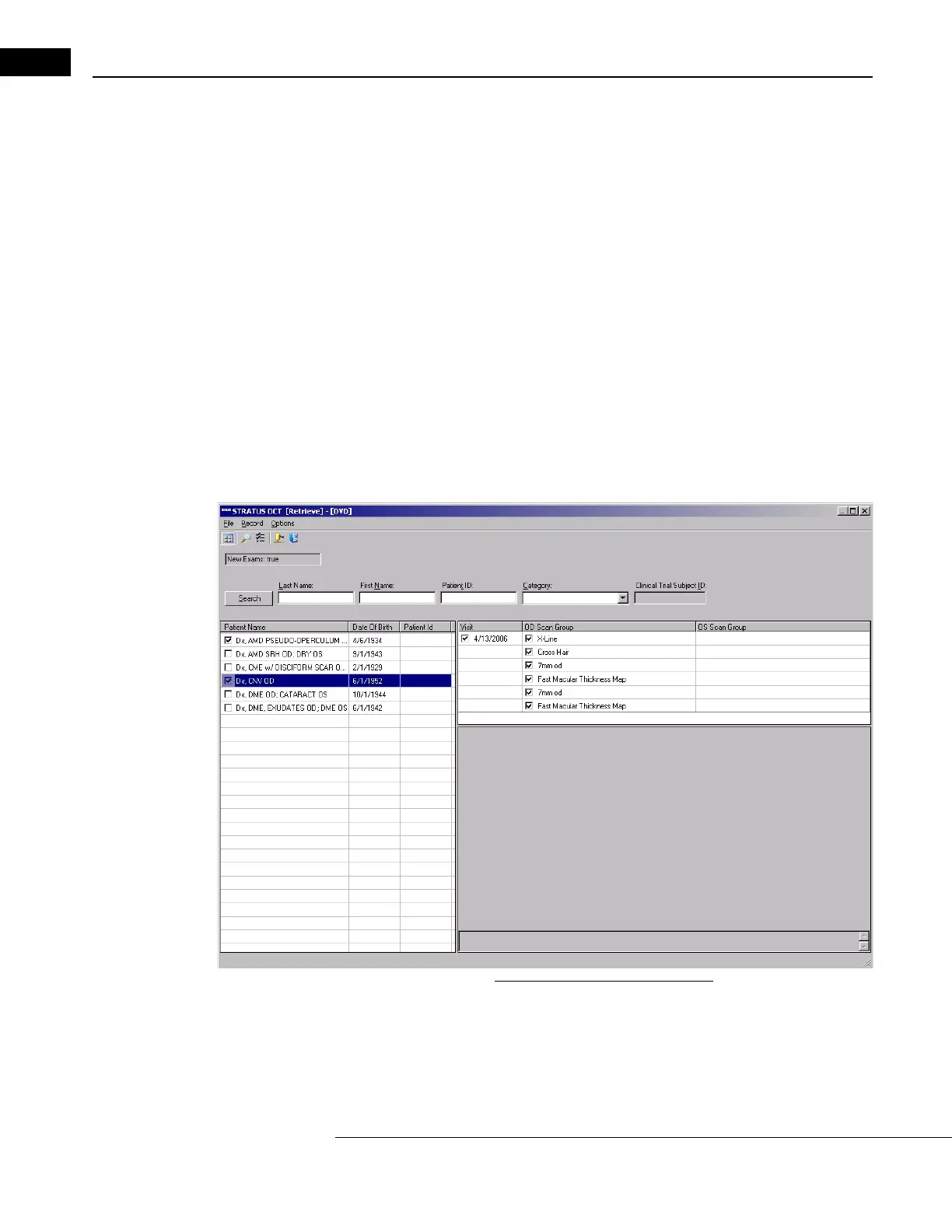
The R
ETRIEVE WINDOW opens, showing the archive contents in the path from which you
last retrieved. (The first time you retrieve, it shows the archive contents of any inserted
DVD, by default). If the window is accessing the desired source archive, skip to step
5.
Figure 8-15 The Retrieve Window
• If no archive volume is accessible on the path from which you last retrieved, for
example, if you last retrieved from DVD and no DVD is present in the drive, the
Archive Selection dialog will appear automatically, as in Figure 8-16 below.



 To Next Page