Stratus OCT User Manual PN 2660021134133 A
Export and Import Scan Data
9-9
4. When you have finished making your selections, select Database Export from the File
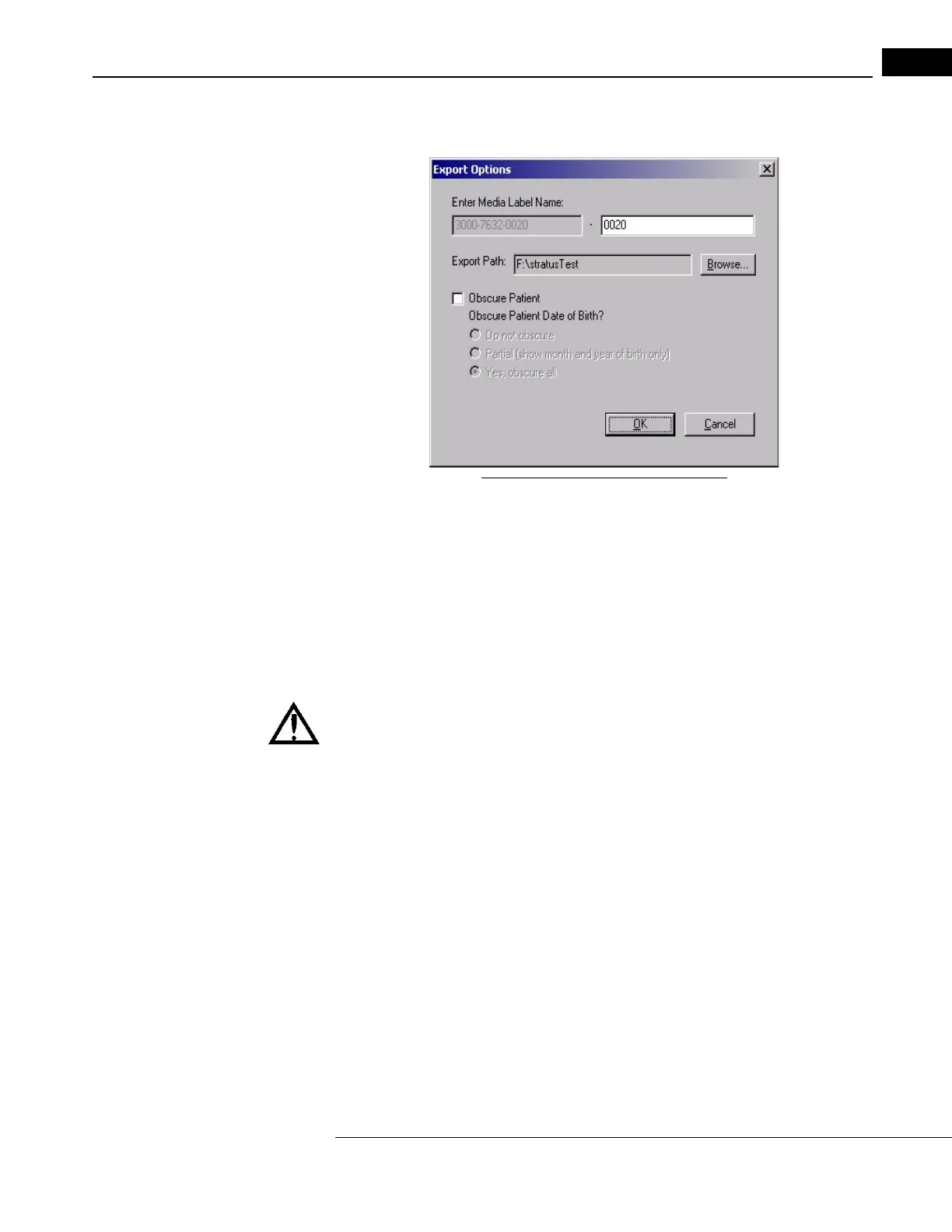
menu (click File > Database Export). The Export Options dialog box appears:
Figure 9-6 The Export Options Dialog
5. The dialog prompts you to Enter Media Label Name. The left field, which is grayed out
and unalterable, contains the instrument serial number followed by a dash and an
archive number generated automatically, starting with “0001” and increasing by one
each time you export. In the right field, you can type up to 11 more characters,
including spaces.
6. The Export P
ath field initially shows the last export path used. You can export data
to removable media, to any location in a network path or to hard disk. To change the
export path, click Browse to find and select the desired export path.
WARNING: This warning appl
ies to Stratus OCT systems that shipped with software
version 5.0 and later; these systems have the hard drive partitioned into C: and F: drives.
Do not export or save data to the C: drive of a Stratus instrument. The C: drive
is relatively small and can be filled up quickly, which renders the system
unusable. The F: drive is reserved for data and therefore is relatively large. If
you want to export or save data to the Stratus hard drive, either locally or to a
connected Stratus system on the network, select (a location in) the F: drive as
the target.
Note: For all Stratus OCT systems, if you export to the instrument’s hard disk, please
be aware that it is possible to completely fill the hard disk, at which point you will
be unable to save new exams. The Windows operating system will warn you as you
approach hard disk capacity.
7. To export data anonymously, select the Obscur
e Patient checkbox. The patient name
is not exported and neither is the following potentially identifying information: patient
ID, insurance company name, telephone numbers and attending and referring



 To Next Page