Stratus OCT User Manual PN 2660021134133 A
Prepare To Scan
2-9
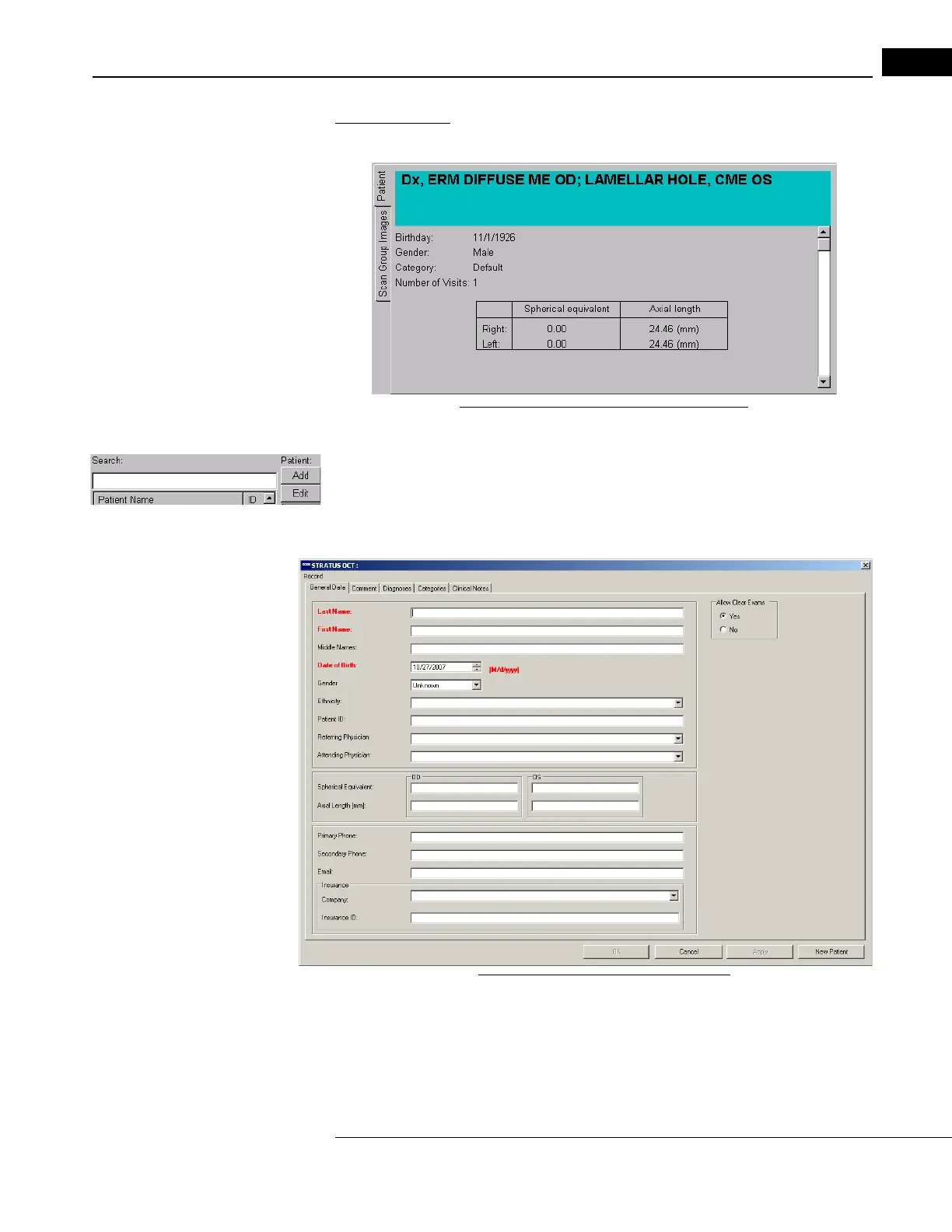
The Patient Tab
On the lower left, this tab shows the selected patient's information.
Figure 2-7 The Patient Tab in Main Window
Add/Edit Patient Records
Click the P
atient: Add or Edit buttons in the upper center of the MAIN WINDOW, next to the
Search fi
eld, to access the PATIENT RECORD WINDOW. (You can also select Add Patient or
Edit Patient from the Patient menu.) Use this window to add and manage patient records.
Figure 2-8 The Patient Record Window
• To create a new patient record, click Add. On the General Data Tab, the required
fields are labeled in red. Enter data for the Last Name, First Name and Date of
Birth (mm/dd/yyyy format), at least, in order to proceed. Click OK when finished.



 To Next Page