Analysis Protocols
Stratus OCT User Manual PN 2660021134133 A
6-12
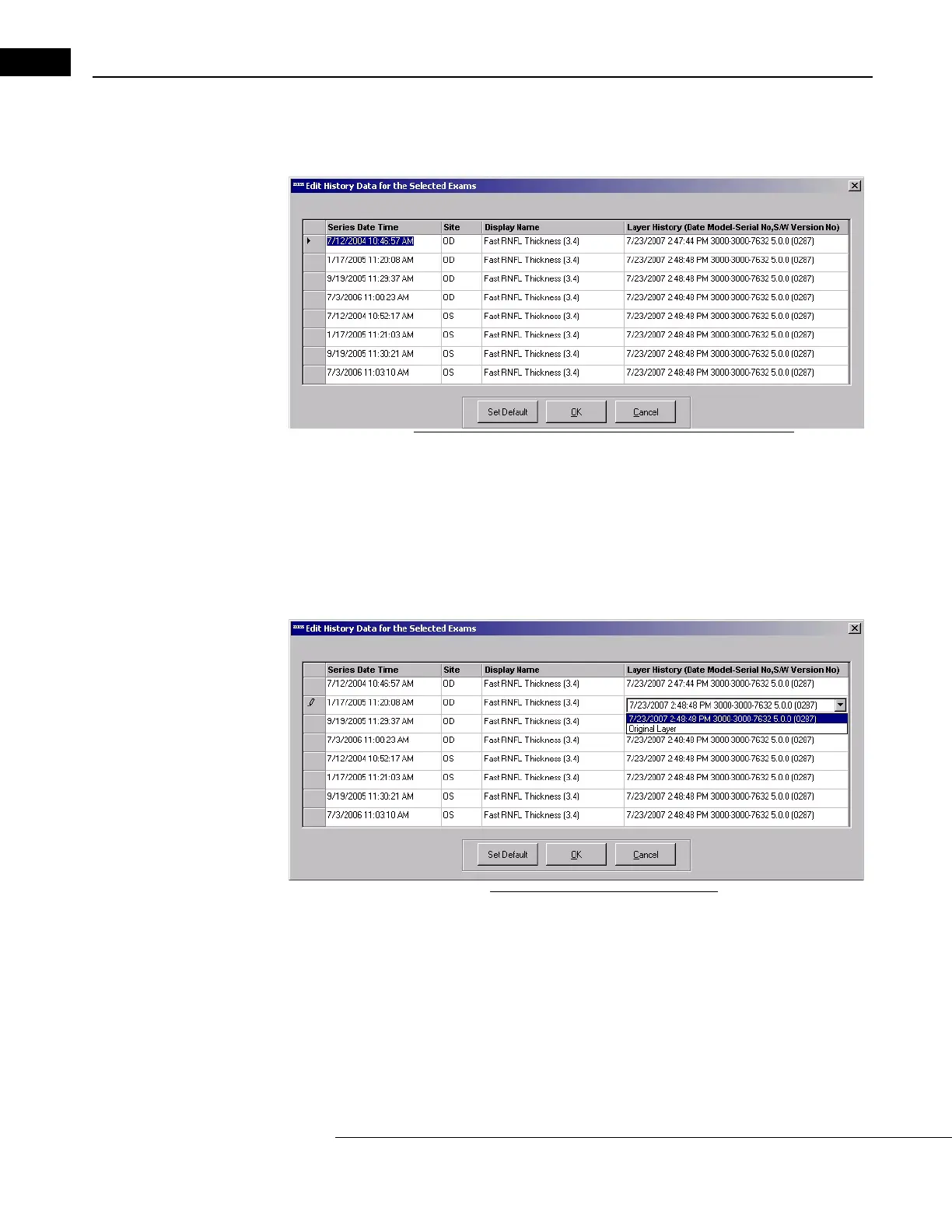
1. Click either of these links and a selection dialog called Edit History Data for the
Selected Exams will appear, as below.
Figure 6-4 Edit History Data for the Selected Exams Dialog
The dialog displays one row for each scan series (scan group) in the current analysis.
You can change the layer edits used for the analysis for each series independently.
2. To do so, click in the La
yer History column at right on the row corresponding to the
series you want to change.
That item will change to a drop-list from which you can view and select the saved
laye
r edits by clicking on the down-arrow at the right edge of the field, for example:
Figure 6-5 Selecting alternate layers
•Click Original Layer to select for that scan series the original layers generated
automatically by Stratus OCT.
3. When finished, click OK to apply the sele
cted layers to the current analysis, which will
be re-run and reappear.
•Click Set Default
to make the current set of layer edits the default set, that is, the
set that will be displayed and used the next time you run the same analysis on the
same set of scans.



 To Next Page