Stratus OCT User Manual PN 2660021134133 A
Analysis Protocols
6-11
Note: You can also hold down the Alt key, click and drag the cursor (Alt-click)
repeatedly; each click creates an anchor at the clicked point, from which the cursor
will trace a straight line until you click again. This method enables you to trace the
desired boundary in straight line segments. It can be used freely in combination
with the regular click and drag method.
2. At any time desired, click Un
do to undo the last editing step you completed. You can
click it repeatedly to undo each step in succession.
3. When satisfied with your edits, click Save. Str
atus assigns a unique identifier to the
saved layer edits composed of the current date, time, instrument serial number and
software version. This identifier will appear in the Layer History field.
Note: To save time, do not click Save until you have completed edits on all scans in a
group.
4. Click Di
scard or the at upper right to close the Layer Edit Dialog. You will return
the analysis window from which you began.
Working with Saved Layer Edits
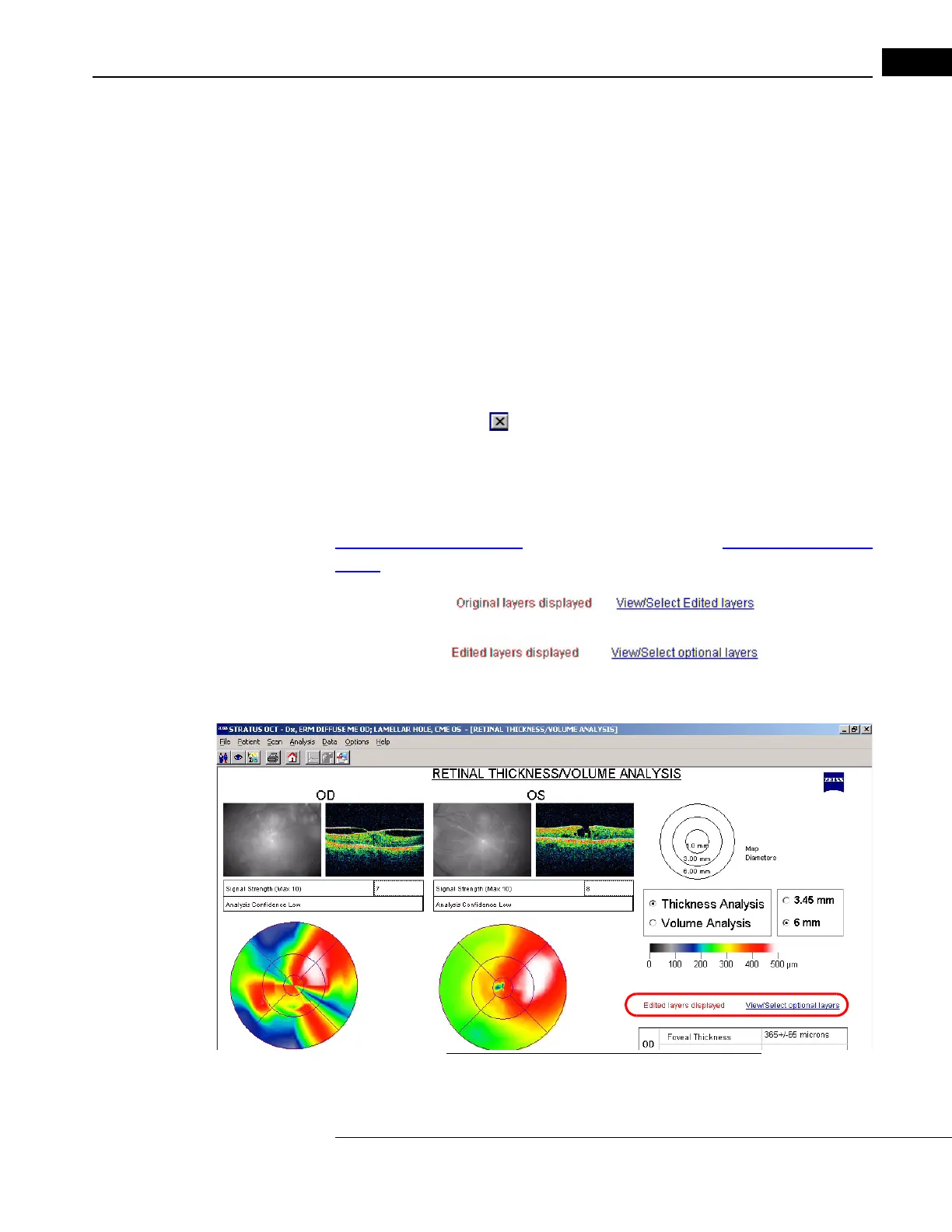
Analysis windows that include edited layers indicate either
Original layers displayed
View/Select Edited layers or Edited layers displayed View/Select optional
layers.
The example below displays edited layers and highlights the message.
Figure 6-3 Analysis with Edited Layers Displayed



 To Next Page