Configuration
LITECOM, Commissioning and maintenance instructions 17.0 | 04.2024 | en 110
Condition: scene
The following table provides a description of the individual configuration options:
Effective range (group, room or zone) in which the conditional scene recall
occurs.
Scene recalled by the conditional scene recall.
The time it takes to change from the last value to the defined scene.
Time in which the condition must be met (i.e. the defined scene is recalled
in the defined room/zone) in order for the conditional scene recall to occur.
Group, room or zone where a specific scene must be enabled in order for
the conditional scene recall to occur.
Scene
(Only for condition Only if in)
Scene that must be enabled in this group/room/zone.
Group, room or zone that can additionally be enabled in order for the
conditional scene recall to occur.
Scene
(Only for condition And when in)
Scene that must be enabled in this group/room/zone.
Table 62: Configuration options – conditional scene recall with condition “scene”
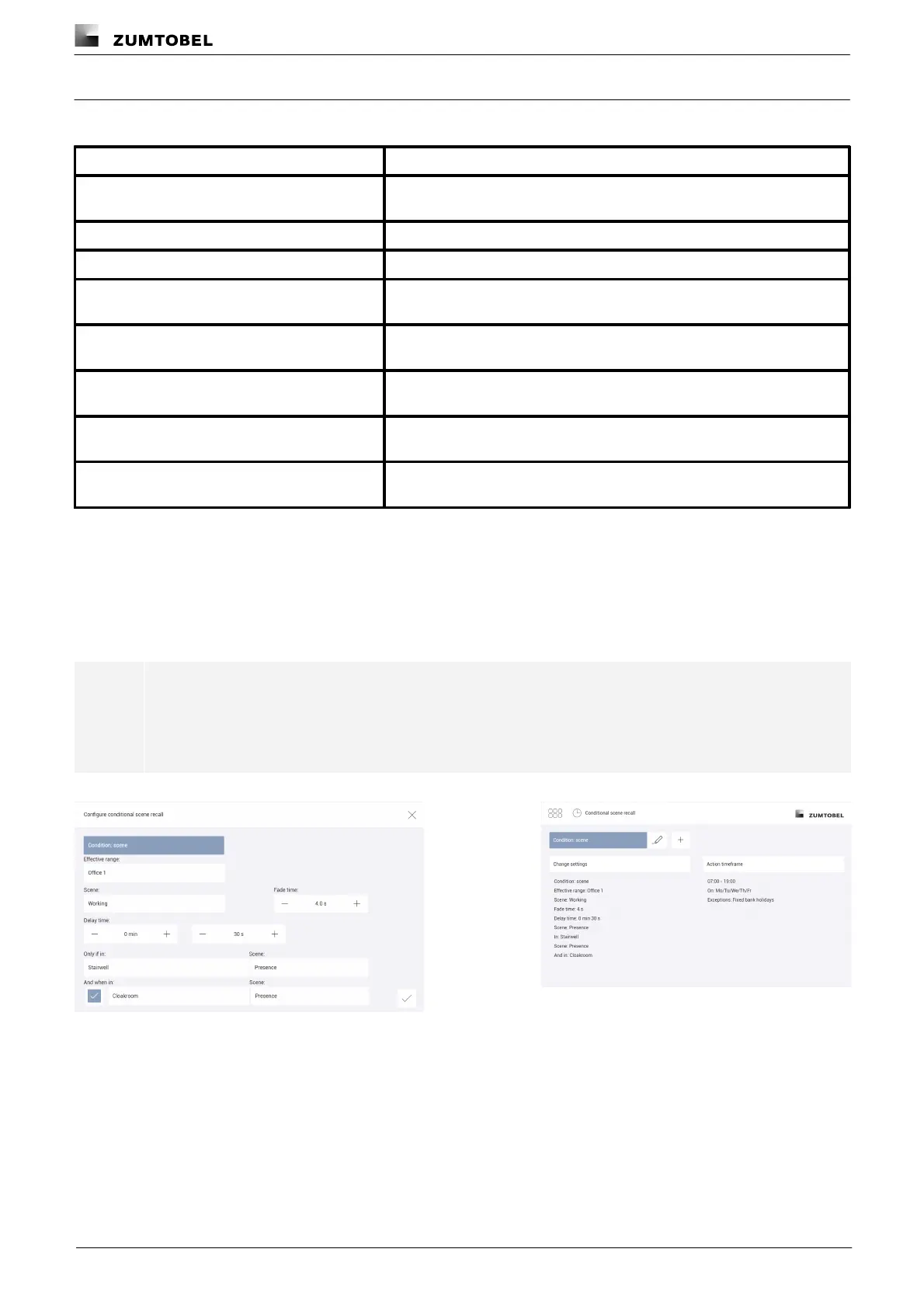
Example
If on weekdays Monday to Friday between 07:00 and 19:00 the Presence scene is recalled in the stairwell and in
the cloakroom, the Working scene should be recalled in room Office 1 after 30 seconds. The scene recall should
take place with a fade time of 4 seconds.
Note
Over the action timeframe, select the timeframe and the weekdays when the conditional scene
recall is to take place, and the exceptions when it should not take place.
Path: App overview > Conditional scene recall > Action timeframe
Figure 30: Configuring the conditional scene recall with condition
“scene”
Figure 31: Summary of configuration for conditional scene
recall with condition “scene”



 To Next Page